9 min read
—

Casimir Rajnerowicz
Content Creator
V7 Go
A smarter way to manage due diligence and underwriting
An AI agent that can't reach your tools is just a chatbot with extra steps. It can read documents, draft text, and answer questions. But it can't update a CRM record, pull a Gong call, or query a legal database. The moment it needs to act, it stops.
MCP connectors solve this. The Model Context Protocol (MCP) is an open standard, first published by Anthropic in November 2024, that lets AI agents connect to the apps your team already uses: HubSpot, Salesforce, Slack, Gong, Google Drive, and dozens more. No custom code, no bespoke integrations built from scratch for each pair. For business teams, one AI agent can take actions across your entire software stack in plain language.
This guide is for business professionals, not developers. You won't need to write a line of code. In V7 Go, connecting an app takes three clicks. The video above walks through MCP connectors in action. Read on for a full explanation of how they work and where they fit into your workflows.
In this article:
What the Model Context Protocol is and why it was created
How MCP connectors differ from MCP servers and from fixed workflow tools like Zapier
Which apps you can connect today, including custom enterprise integrations
How V7 Go implements MCP connectors for one-off tasks and at-scale workflows
Real-world examples in finance, legal, and operations
What Is the Model Context Protocol (MCP)? The Short Version
The Model Context Protocol is a universal, open standard for connecting AI agents to external tools and data sources. Think of it as USB-C for AI: one connector format that works across every device, rather than a drawer full of incompatible adapters.
Before MCP, integrating an AI tool with your business software required bespoke work for every combination. If you had 10 AI tools and 20 apps, that meant up to 200 separate integrations to build and maintain. Engineers call this the M×N problem. MCP reduces it to M+N: each AI tool and each app implements the standard once, and every pair works together automatically.
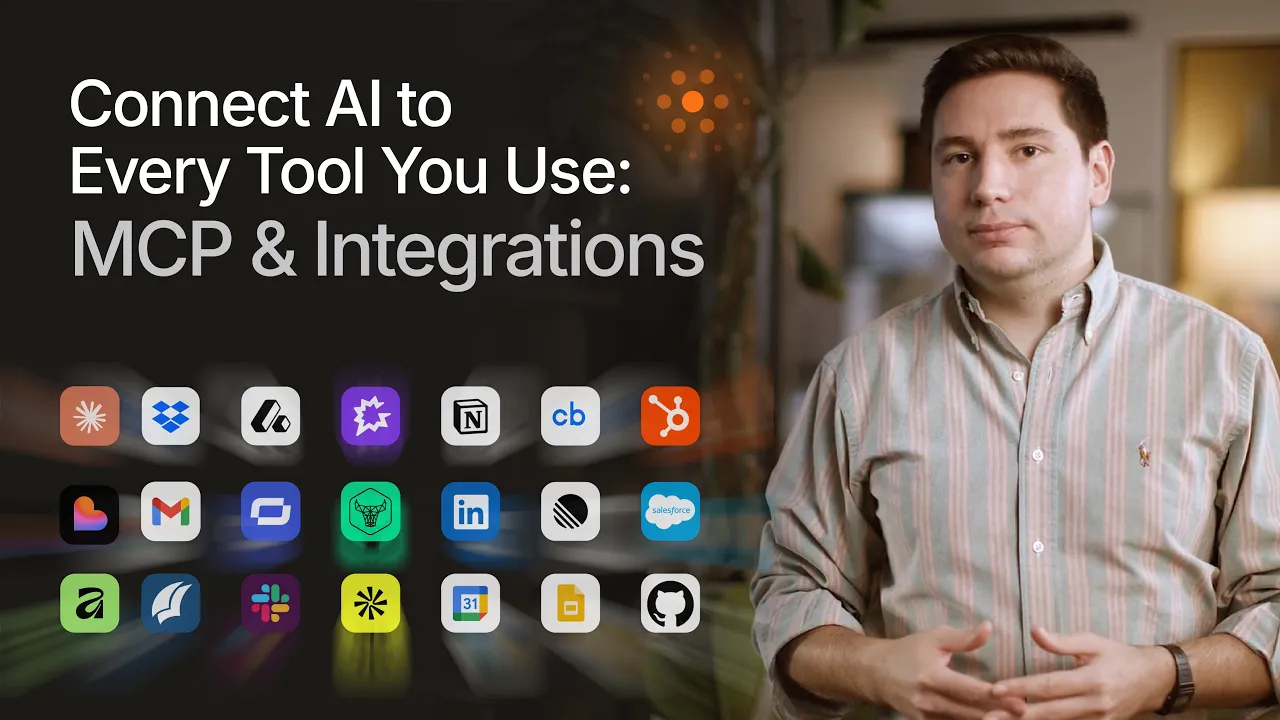
Anthropic published the MCP specification in November 2024 and made it open source. Microsoft, Google, GitHub, HubSpot, and scores of other major platforms have since adopted it. The analogy that holds up best: TCP/IP standardised how computers talk to each other over a network. MCP standardises how AI agents talk to software. Once the protocol existed, building on top of it became the obvious choice for any platform that wanted to be AI-compatible.
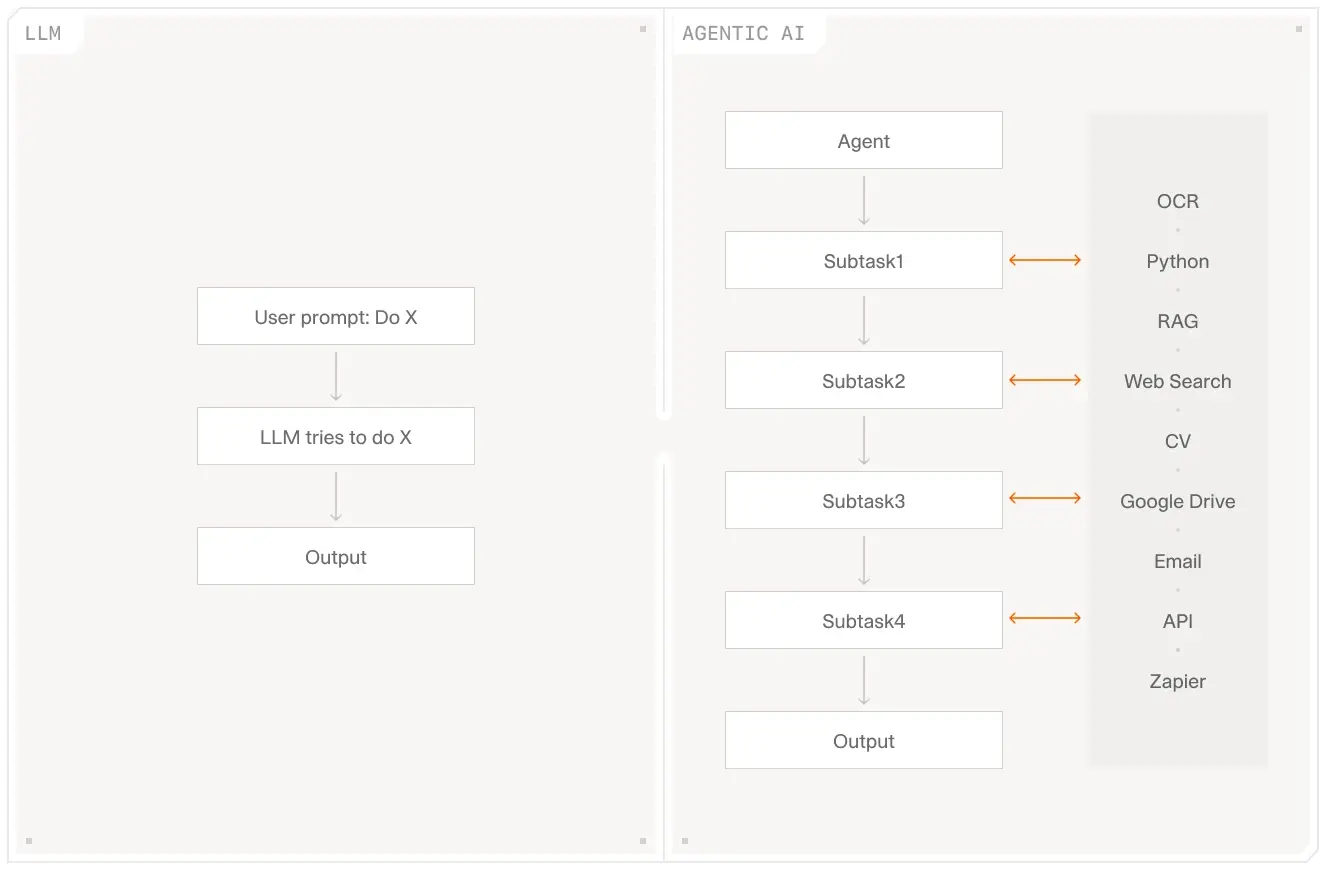
AI agents that reach external tools via a shared protocol can complete end-to-end tasks, not just generate text.
MCP Connectors vs. MCP Servers: What's the Difference?
When HubSpot, Salesforce, or GitHub builds MCP support into their platform, they create an MCP server: a piece of software that exposes their app's capabilities to any AI that speaks the protocol. An MCP connector is the client-side interface your AI agent uses to reach that server. In V7 Go, connectors are pre-built and verified. You toggle them on; you don't build them. The AI handles everything else.
Why MCP Connectors Matter for Business Teams
The practical shift MCP enables is this: before it, AI tools operated in isolation. They could process information you pasted in, but they couldn't reach out to retrieve or act on anything live. After it, AI agents become action-takers across your software stack.
The concrete version: without MCP connectors, prepping for a client meeting means switching between your CRM, email, Gong, and Google Drive, pulling each piece manually. With an AI agent connected to all four via MCP, one request in plain language retrieves everything. "Prepare notes for everyone I'm meeting this week" becomes a complete dossier delivered before each call.
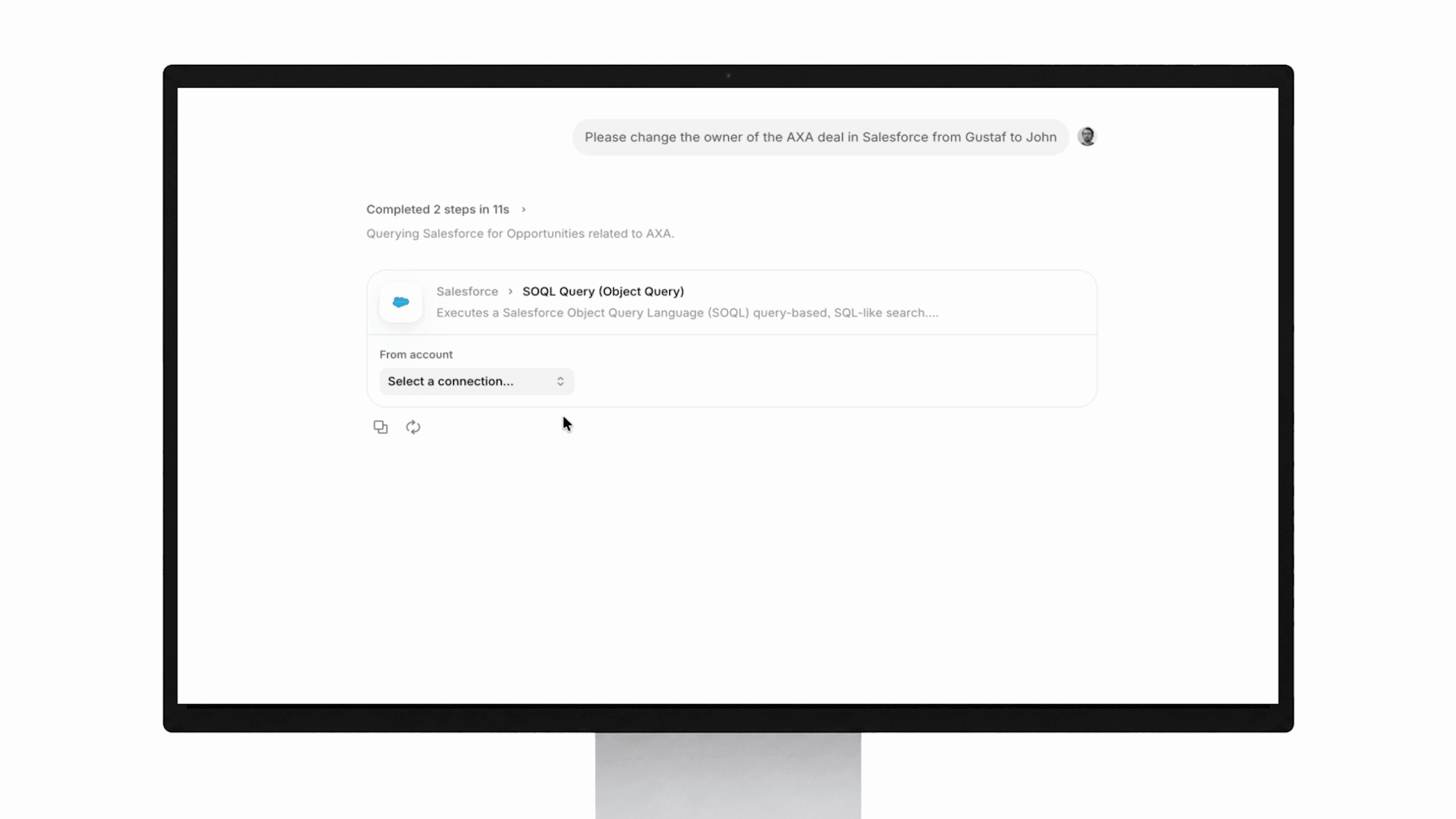
Three things this changes for your team:
Retrieve data without switching tabs: the agent queries multiple apps in parallel and returns structured results in one place
Take actions across apps in plain language: update a CRM record, create a GitHub issue, or schedule a follow-up without touching the source UI
Combine multiple apps in one workflow, chaining queries and actions across systems that have never been connected before
This is what the V7 Go team describes when they say: "CRM users of the future may never actually need to enter the UI." The interface is the AI agent. The source system is still there, doing its job — but the interaction layer moves.
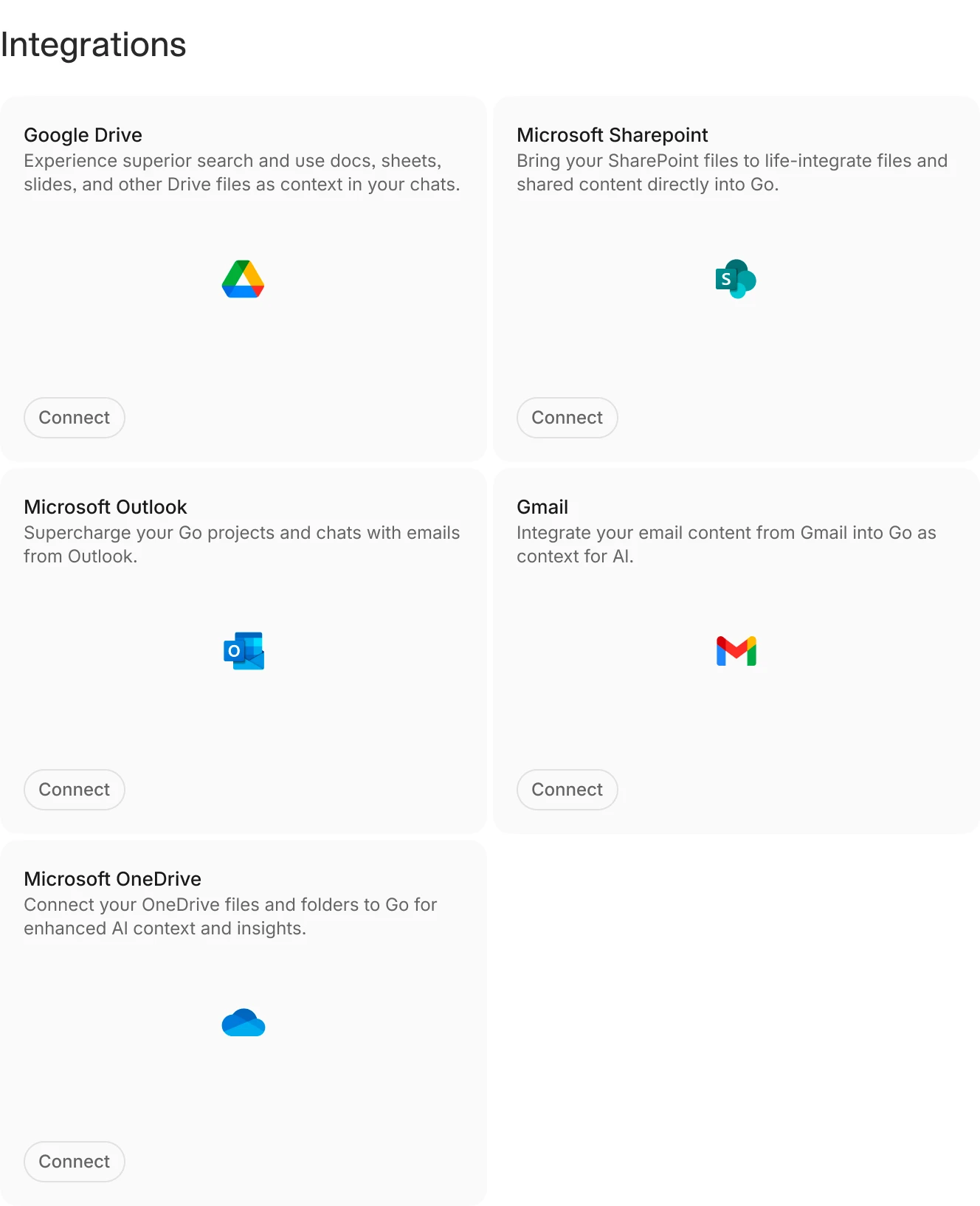
The V7 Go integrations panel: toggle on a connector and your AI agent can immediately query or act within that app.
MCP vs. Zapier: What's Actually Different?
Zapier runs fixed workflows. You define a trigger (say, "when a form is submitted") and a set sequence of actions follows every time, in the same order, whether or not those steps are the right ones for that situation. If a step fails, the workflow stops.
MCP-powered AI agents operate differently. The agent determines which tools to call, in which order, based on the task at hand. If a search returns insufficient results, it retries with different parameters. This retry-until-done behaviour is called agentic persistence. As V7 Go puts it: a Go agent will keep searching, performing dozens or hundreds of searches, until it can come back with reliable results. Zapier's fixed-trigger model has no equivalent. The agent adapts; the workflow doesn't.
What Apps Can You Connect via MCP?
The MCP ecosystem grew faster than most standards do. The Glama MCP server registry lists over 20,000 open-source MCP servers as of mid-2026, covering major enterprise platforms and niche industry tools. A curated subset is tracked at the official MCP registry.
Well-supported connectors include: HubSpot, Salesforce, GitHub, Slack, Gong, Google Drive, Google Calendar, Attio, Ahrefs, Linear, Microsoft SharePoint, and Microsoft Teams. Financial terminals, legal research platforms, and real estate databases are represented, though often through community-built servers rather than official vendor releases.
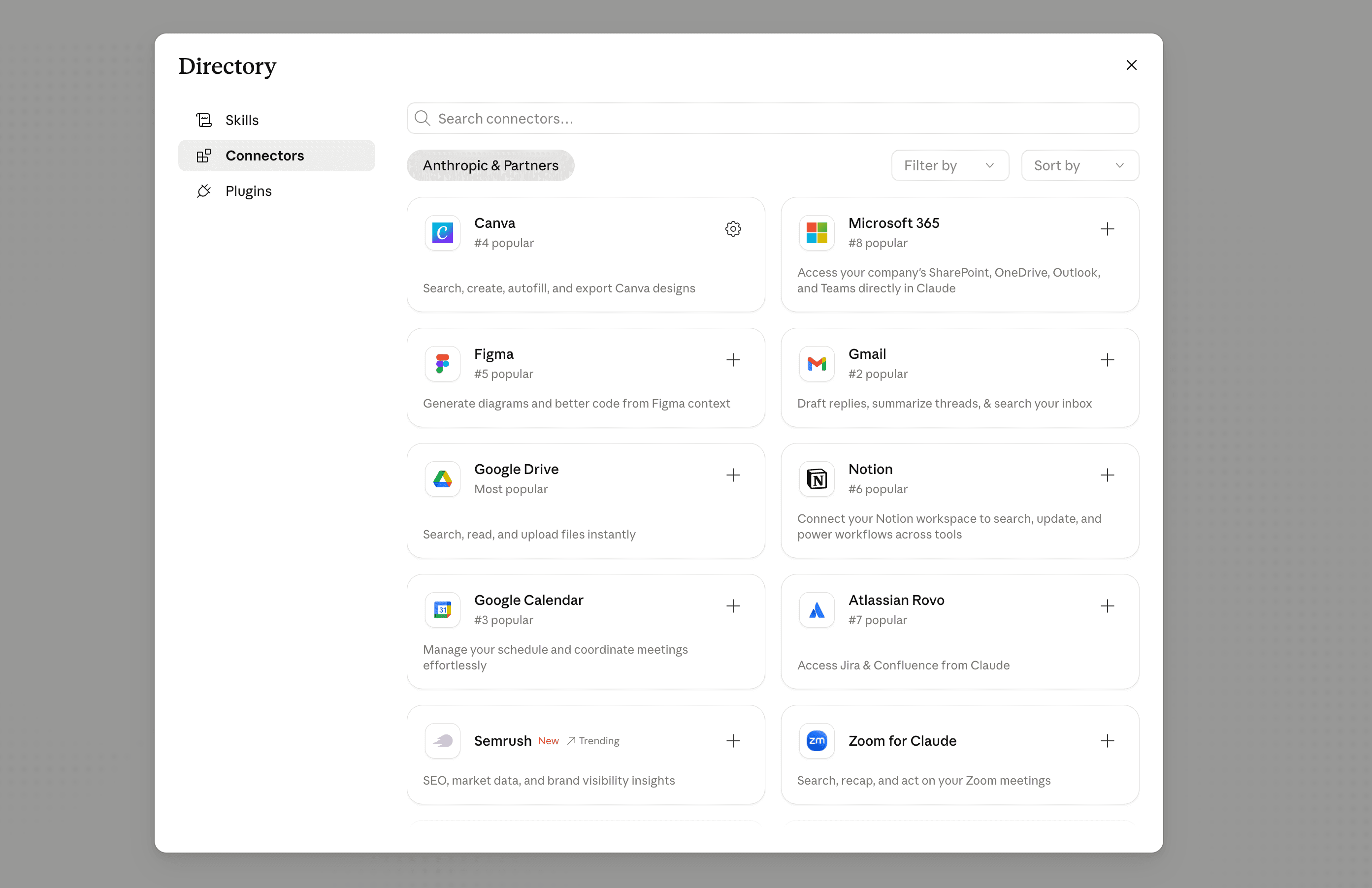
V7 Go curates a verified set of enterprise-grade MCP connectors. Those available inside V7 Go chat and agent table workflows have been tested, secured, and kept current. You don't browse a registry or configure authentication from scratch. The connector is ready; you toggle it on.
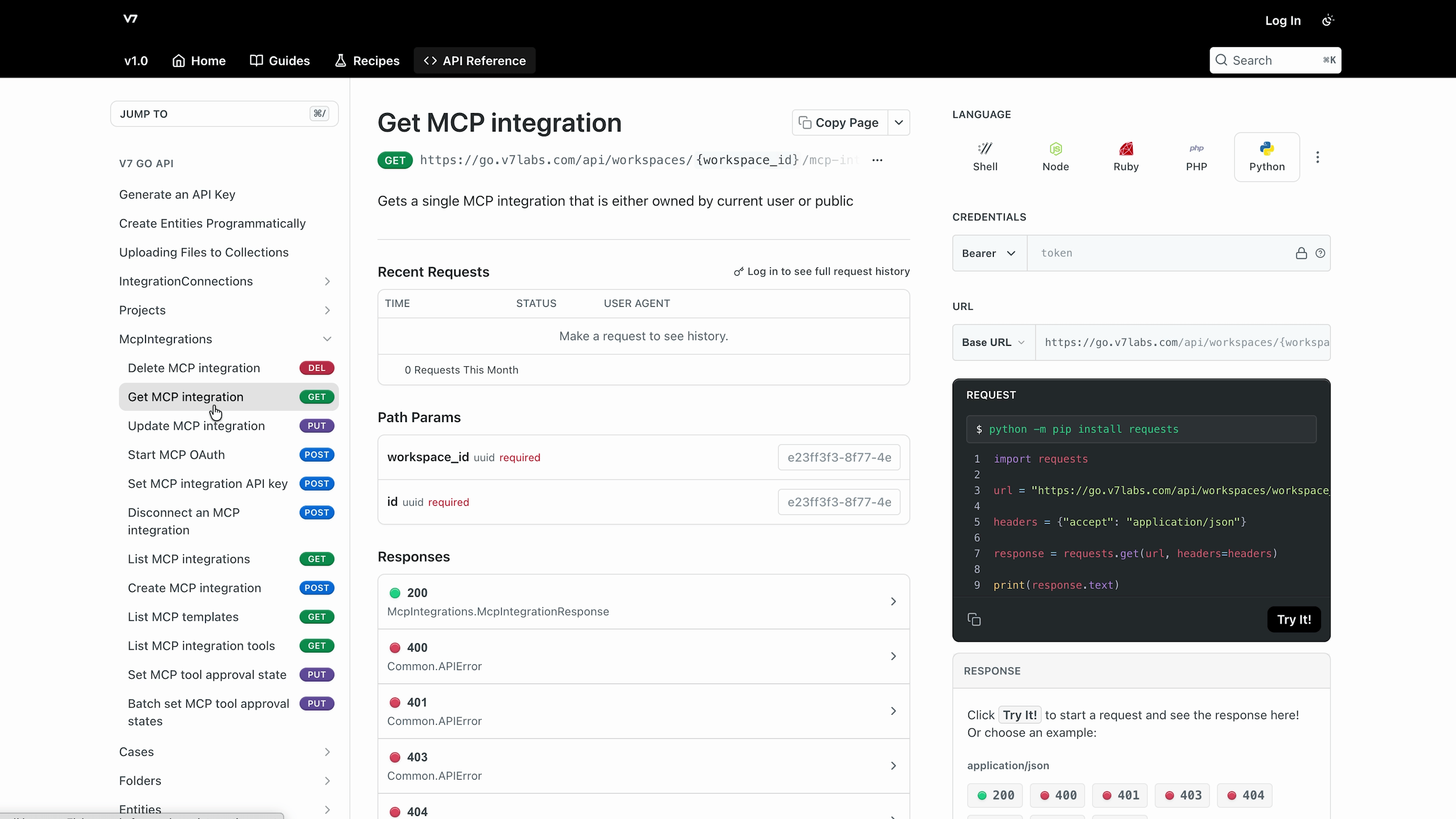
For apps without public MCP documentation: proprietary financial terminals, in-house legal databases, bespoke real estate records systems. V7 Go supports custom MCP integrations for all of these. Your agents can query data sources that no public MCP server exposes. As the V7 Go team describes it: "Your agents get knowledge that no one else has access to." That advantage compounds when your AI workflows reach data your competitors can't.











How MCP Connectors Work in V7 Go (Without Writing Any Code)
V7 Go surfaces MCP connectors in two places: the chat interface, for one-off tasks, and agent tables, for running the same workflow at scale across many rows of data. The setup is the same in both cases, and connecting an app takes three clicks.
One-Off Use in Chat (3 Clicks to Connect)
Open the V7 Go chat interface. Click the "+" button at the bottom of the input area, select "MCP connectors" from the menu, and toggle on the app you want to use. From that point forward, the AI agent knows how to interact with that app: what data it can retrieve, what actions it can take, and how to present the results.
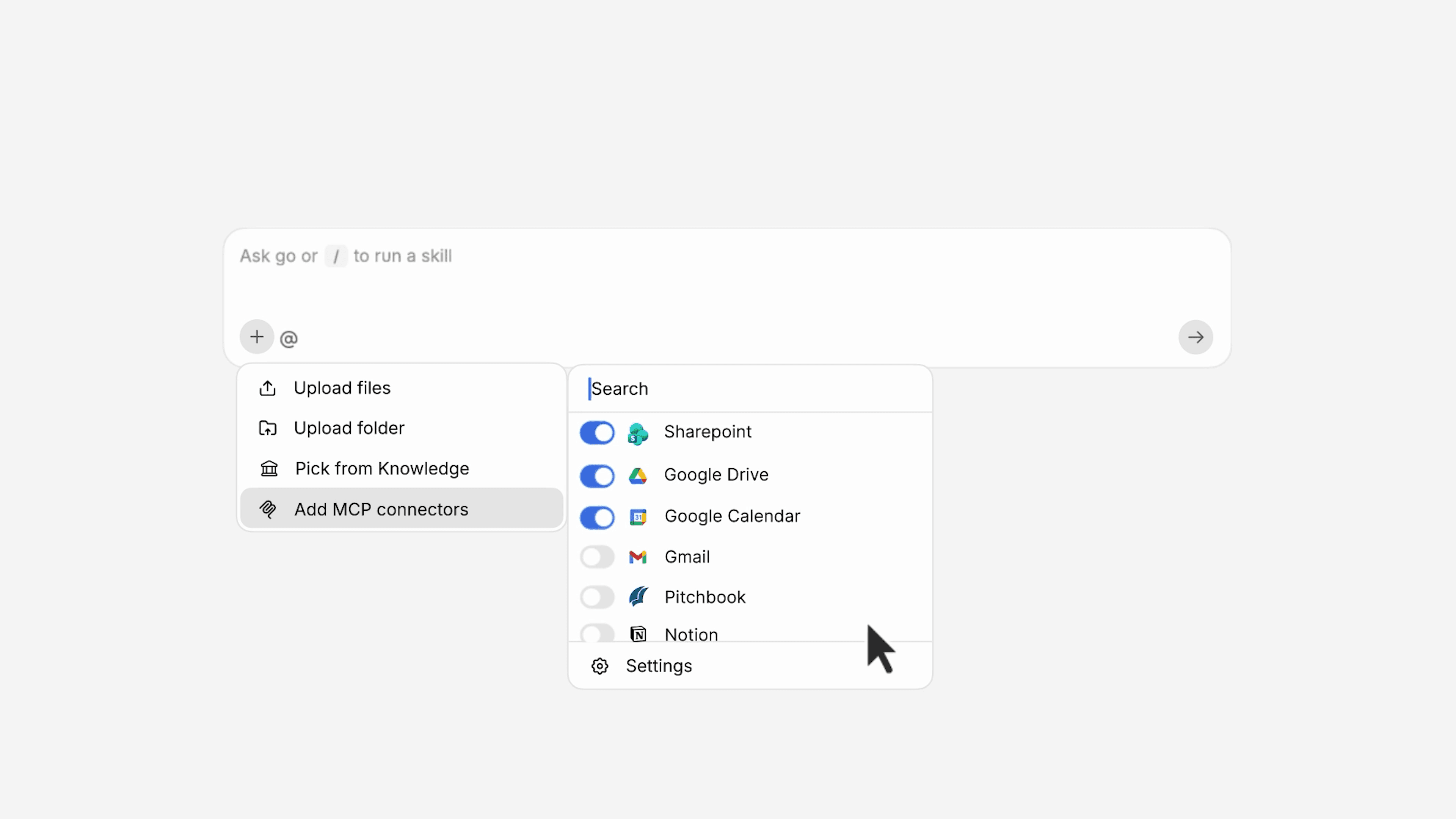
You don't choose from a list of triggers and actions. You describe what you need in plain language, and the agent determines which tool calls to make. A sales rep might type: "Find the AXA deal in Salesforce and change the owner from Gustaf to John." The agent executes the update and renders the result as a structured Salesforce deal card inside the V7 Go chat window, complete with a stakeholder list, deal notes including a £120k expansion discussion, and the updated owner field. You're looking at the live Salesforce record, rendered natively, without opening Salesforce.
The same pattern applies to any connected app. Gong call summaries appear as call cards. Clarity AI delivers climate risk data as branded report cards. Gmail threads render as message views. The agent doesn't return a wall of text; it returns something that looks like the app it came from.
At-Scale Use in Agent Tables
Agent tables are V7 Go's batch workflow environment: a spreadsheet-like grid where each row is a separate entity and each column is an AI task applied to that row. MCP connectors run inside agent tables exactly as they do in chat, but the scale changes entirely. You can query them at massive scale with different data for each row.
Take 20 Gong call records loaded as rows in an agent table. Each row gets a Deal Score, a Deal Status badge, and an Attio CRM update, all written back to Attio automatically as the table runs. Twenty records processed in parallel, no scripts or API calls written by hand.
A second: a Slack thread summarisation workflow running across 15 rows simultaneously, where each summary triggers a GitHub issue creation via MCP. Two connectors working together in a single agent table workflow. The agent reads the thread, writes the summary, creates the issue, and moves to the next row. Your team reviews the GitHub issues; they don't run the process.
The due diligence use case follows this same structure: dozens of documents, dozens of data sources, one agent table running all queries in parallel. The output is consistent across every row, a property that manual workflows can't reliably produce at volume.
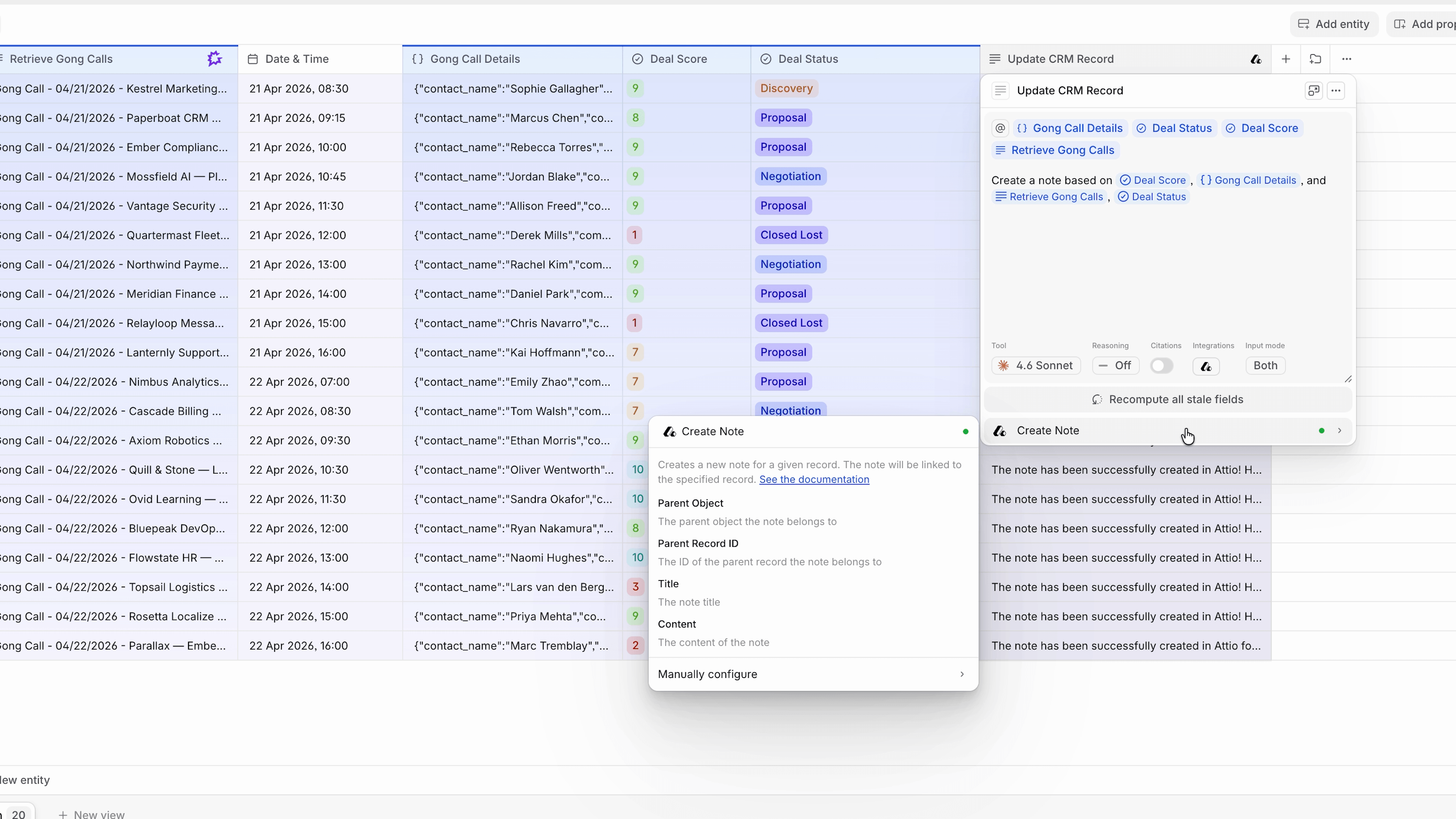
Agent tables run MCP-connected workflows across every row simultaneously: same logic, different data, at scale.
Generative UI: Seeing Results That Look Like the Source App
Most enterprise teams won't adopt AI tools that return plain text responses, and the reason isn't aesthetic. A wall of text in a chat window doesn't carry the context cues, visual structure, or action affordances of the app the data came from. The result looks like a summary, not a record.
V7 Go addresses this with generative UI, rendering results in the visual style of the source application. When an MCP connector retrieves a Salesforce deal, the result looks like a Salesforce deal card, with its stakeholder table, deal notes, and CRM fields intact. A Gong call appears as a Gong call recording view. Clarity AI delivers branded climate risk data cards with the same images and statistics you'd see inside Clarity AI itself.
Each card includes the action buttons you'd expect in the source app. You can update fields, mark items, and create follow-ups without leaving V7 Go. As the product team describes it, this creates "one stream of flow without having to switch constantly between tabs." The interface collapses. The work doesn't.
Senior professionals trust familiar-looking outputs. They spot anomalies faster when data is structured the way they expect, and they act on AI-surfaced information more readily when it looks authoritative rather than extracted.
Real-World Examples: MCP Connectors in Finance, Legal, and Operations
The three examples below each represent a workflow that previously required manual switching between three or more systems.
Investment research. A portfolio analyst types: "Assume OneTrust trades at a premium valuation multiple. Using data on online demand, search visibility, and digital footprint, assess whether valuation across the peer set aligns with the share of demand for core customer intents captured by each company, and identify mispriced opportunities for a buy-and-build strategy." The AI market analysis agent calls Ahrefs for search visibility data, pulls deal data from a connected CRM, and references research files in Google Drive. A structured investment insight returns from a single prompt, no tab switching, no manual data assembly.
Deal prep. Before a week of client meetings, a sales director types: "Prepare notes for everyone I'm meeting this week." The agent queries the calendar, pulls relevant deal records from the CRM, retrieves Gong call summaries from previous conversations, and incorporates any existing meeting notes. Meeting-ready dossiers appear before each call, automatically.
Legal matter research. A lawyer needs precedents on a specific issue. Via a custom MCP connector to a proprietary legal database, the deal agreement analysis agent retrieves relevant precedents, writes a research summary, and updates the matter file in Google Drive. The research runs in the background; the lawyer reviews the output.
In each case, MCP connectors are what make the workflow possible. Without them, the agent answers questions about documents you've pasted in. With them, it completes tasks across the systems your business runs on.
What is the difference between MCP connectors and MCP servers?
An MCP server is software built and maintained by a platform vendor (HubSpot, GitHub, Salesforce) to expose that app's capabilities to any AI agent that speaks the Model Context Protocol. It lives on the vendor's side and defines what the AI can retrieve or do within their system. An MCP connector is the client-side interface your AI agent uses to reach that server. The connector handles authentication, the formatting of requests, and the interpretation of responses. In practical terms: Salesforce provides an MCP server; V7 Go provides the MCP connector your agent uses to talk to it. In V7 Go, connectors are pre-built, verified, and kept up to date. You toggle one on in three clicks, and the agent handles every technical interaction with the MCP server automatically. You never configure endpoints, manage tokens, or write request schemas.
+
Do I need to write code to use MCP connectors?
No. Platforms like V7 Go expose MCP connectors through a toggle interface: click the plus (+) button in the chat window, select MCP connectors, and switch on the app you want. The connection takes three clicks. From that point, the AI agent knows how to query and act within that app using plain language instructions from you. The technical work of authenticating with the MCP server, formatting tool calls, and handling retries and errors all happens automatically in the background. Business professionals in finance, legal, operations, and sales are using MCP connectors in V7 Go today without any involvement from an IT or engineering team. For custom MCP integrations, such as connecting a proprietary financial terminal or in-house legal database, V7 Go handles the build. You describe the system you need access to; the team configures the connector.
+
What is the difference between MCP and Zapier?
Zapier runs fixed, pre-defined workflows: a trigger event fires, and a set sequence of actions runs in order. You design the workflow in advance, and it executes the same steps every time. If a step fails or returns no results, the workflow stops. MCP lets an AI agent decide at runtime which tools to call, in what order, and how many times. The agent reads the task, determines what data or actions it needs, calls the relevant MCP servers, evaluates the results, and retries or adjusts if the initial response is insufficient. This retry-until-done behaviour, called agentic persistence, has no equivalent in fixed-trigger automation platforms. A V7 Go agent will run dozens or hundreds of searches until it can return reliable results. Zapier's model assumes the workflow designer anticipated every scenario in advance. MCP's model assumes the agent will figure it out at the time.
+
How many apps support MCP integrations?
As of mid-2026, the Glama MCP server registry lists over 20,000 open-source MCP servers. Major enterprise platforms with official MCP support include GitHub, HubSpot, Salesforce, Google Workspace, Microsoft 365, Slack, Gong, Linear, and Attio. The official MCP registry, launched in September 2025, tracks a curated subset of verified servers. V7 Go maintains its own governed set of enterprise-grade MCP connectors; the ones available inside V7 Go chat and agent tables have been tested, secured, and kept current. Beyond the public ecosystem, V7 Go supports custom MCP integrations for systems without a public MCP server: proprietary financial terminals, in-house legal databases, and bespoke data sources that your competitors cannot reach.
+
Are MCP connectors secure?
Yes. Not every business-critical system has a public MCP server. Proprietary financial terminals, in-house legal databases, bespoke real estate records platforms, and legacy enterprise systems typically don't. V7 Go supports custom MCP integrations for these cases. Your team describes the system you need to connect; V7 Go builds and maintains the connector. The result is an AI agent that can query data sources no public MCP server exposes, giving your workflows access to information your competitors cannot replicate. The V7 Go team calls this knowledge that no one else has access to. For industries where proprietary data is a competitive advantage: private equity, law, and specialist insurance. Custom MCP connectors are often where the most valuable AI workflows begin.
+
Can I connect proprietary or internal systems via MCP?
Go is more accurate and robust than calling a model provider directly. By breaking down complex tasks into reasoning steps with Index Knowledge, Go enables LLMs to query your data more accurately than an out of the box API call. Combining this with conditional logic, which can route high sensitivity data to a human review, Go builds robustness into your AI powered workflows.