20 min read
—


How AI agents are solving the 10-20 hour RFP response bottleneck and which software actually delivers results.

V7 Go
A smarter way to manage due diligence and underwriting
If you ask a proposal manager at a mid-sized software company how long it takes to respond to a complex RFP, the answer is usually the same: 10 to 20 hours of manual work. That is 10 to 20 hours of copying answers from old proposals, searching through product documentation, chasing down subject matter experts, and reformatting everything to match the prospect's template.
The dirty secret of the sales industry is that despite billions spent on CRM systems and sales enablement platforms, the actual work of answering an RFP questionnaire remains a manual, error-prone process. Teams that use RFP automation handle an average of 162 RFPs annually, compared to significantly lower numbers for teams still relying on spreadsheets and email threads. The gap between promise and reality has finally started closing. AI agents now automate the parts of RFP response that matter: reading the prospect's questions, finding the best answers from your knowledge base, and drafting a complete response in your company's template.
This is not about chatbots that hallucinate or generic templates that sound like everyone else. This is about delegating tedious work to a specialist AI that knows your product, your compliance requirements, and your win themes.
In this article:
The RFP Bottleneck: Why manual response processes kill win rates and burn out your best people.
Software Deep Dives: Detailed analysis of V7 Go, Loopio, RFPIO, and legacy incumbents like SAP Ariba.
AI Agent Workflows: How the RFI Response Generation Agent actually works, including where it struggles.
Implementation Playbook: What to expect when migrating from spreadsheets to an AI stack, week by week.
The Core Problem: Why RFP Response Is Still Manual
To understand why RFP automation has been slow to take off, you need to understand the fundamental mismatch between what software promises and what the day-to-day workflow actually requires.
The Anatomy of an RFP Response
A typical enterprise RFP contains 200 to 500 questions spread across multiple documents. Some are in Excel spreadsheets with dropdown menus and conditional logic. Others are in Word documents with tables and embedded instructions. A few are in PDFs that were clearly scanned from a printed template created in 2008.
The questions themselves fall into predictable categories: product features, security and compliance, pricing and terms, implementation timelines, customer references. But the phrasing is never quite the same. One prospect asks "Does your platform support SSO?" Another asks "Describe your authentication methods for enterprise users." A third asks "What identity providers do you integrate with?"
Your answer library might have a perfect response to the first question. But finding it, adapting it to the second question's phrasing, and cross-referencing it with the third question's technical requirements is where the hours disappear.
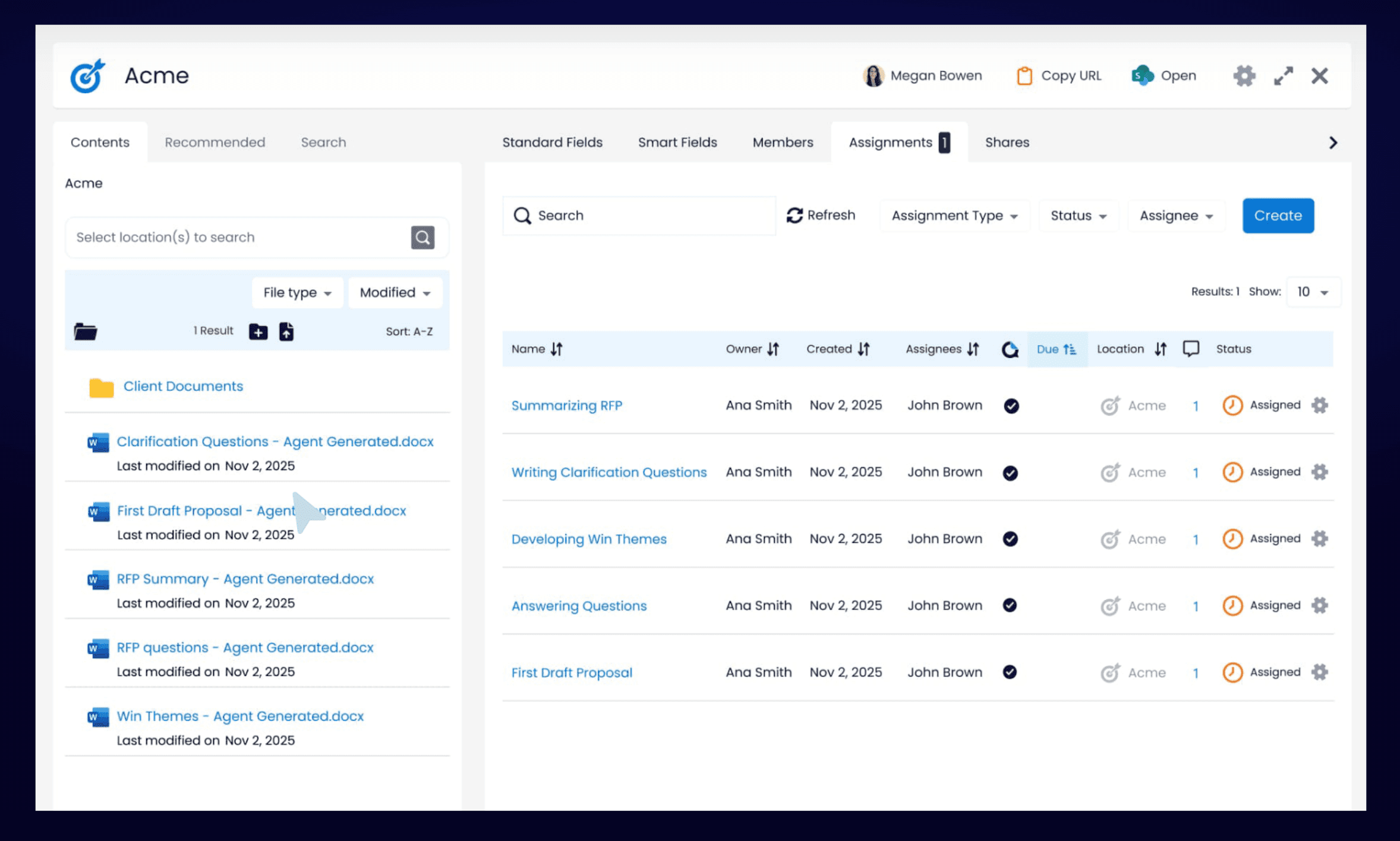
V7 Go's agent library showing pre-built workflows for document processing and batch analysis.
The Manual Workflow (And Why It Fails)
Most teams follow a version of this process:
Intake: Sales forwards the RFP to the proposal team. Someone manually reviews it to determine scope and deadline.
Assignment: Questions are divided among subject matter experts. Product handles features, legal handles compliance, finance handles pricing.
Drafting: Each expert searches through old proposals, product docs, and internal wikis to find relevant answers. They copy-paste into the RFP template, often reformatting multiple times.
Review: A proposal manager consolidates all the answers, checks for consistency, and sends it back for revisions.
Approval: Legal and executive stakeholders review the final draft. Changes trigger another round of edits.
This process takes 10 to 20 hours for a moderately complex RFP. For large government contracts or multi-year enterprise deals, it can stretch to 40 or 60 hours. The bottleneck is not writing. It is finding the right information and adapting it to the prospect's specific format.
The Excel Problem: Why RFPs Break Automation Tools
Here is where most automation tools fail: the Excel spreadsheet with conditional logic. A typical security questionnaire arrives as an .xlsx file with 350 rows. Column A contains the question. Column B has a dropdown menu with allowed responses: Yes, No, N/A, Partial. Column C expects free-text elaboration. Column D asks for supporting documentation. The spreadsheet uses data validation rules that reject any value not in the predefined list.
An AI agent can read the questions and draft answers. But populating Column B requires selecting from the exact dropdown options. Column D requires referencing specific attachments by filename. If the agent outputs "Yes, we support this" instead of selecting "Yes" from the dropdown, the validation fails. The prospect's procurement team sends it back.
This is why teams end up doing manual copy-paste even after implementing "automation" software. The tool drafts answers. A human still has to transfer them into the prospect's format without breaking anything.
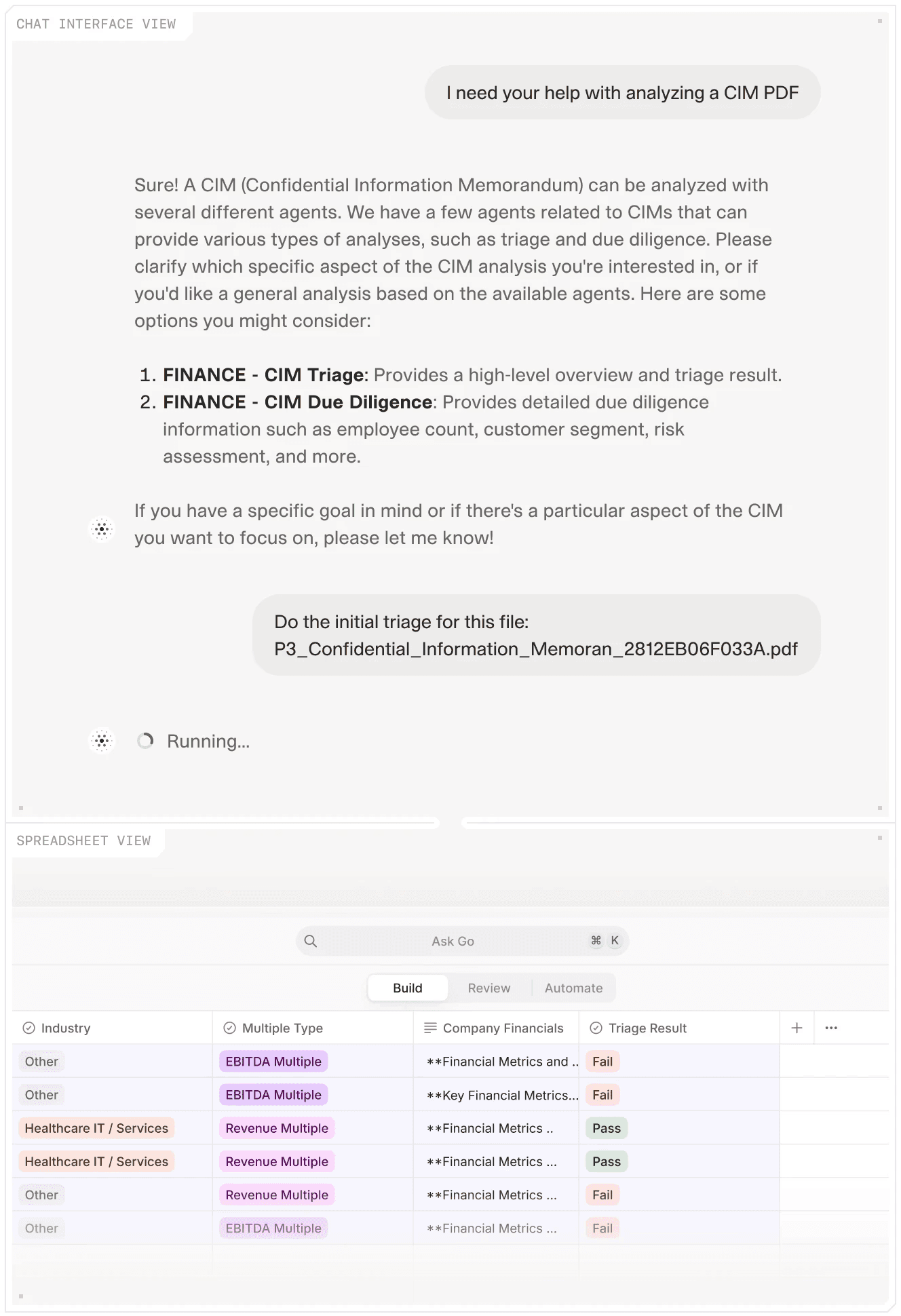
V7 Go's agent selection interface for routing documents to specialized processing workflows.
Why Legacy Tools Do Not Solve This
Traditional RFP software like Loopio and RFPIO are built around a central content library. You upload your approved answers, tag them with keywords, and the system suggests matches when you import a new RFP.
This works well for straightforward questions with exact keyword matches. But it breaks down when:
The prospect uses different terminology than your internal tags
The question requires synthesizing information from multiple sources
The answer needs customization based on the prospect's industry or use case
The RFP format is a complex Excel spreadsheet with conditional logic
The result is that proposal managers spend most of their time manually searching, copying, and reformatting. These are exactly the tasks the software was supposed to eliminate. Software users influenced around 405 USDM in annual revenue versus 245 USDM for non-users, a 65% revenue gain linked to automated processes. But the gains often come from better organization and faster access to content, not true end-to-end automation.
The AI Shift: From Keyword Matching to Semantic Understanding
The fundamental change in 2024 and 2025 is the move from keyword-based retrieval to semantic understanding. Instead of matching exact phrases, AI agents understand the intent of a question and find the best answer even when the wording is completely different.
How AI RFP Agents Actually Work
A modern AI RFP agent follows a multi-step workflow:
Document Ingestion: The agent reads the RFP in whatever format the prospect sends. Excel, Word, PDF, or scanned images. It uses OCR to extract text from scans and tables.
Question Parsing: Each question is analyzed to understand its intent. "Does your platform support SSO?" and "Describe your authentication methods" are recognized as asking about the same capability.
Knowledge Retrieval: The agent searches your Knowledge Hub, a centralized repository of product docs, security whitepapers, past proposals, and approved messaging. It uses RAG (Retrieval Augmented Generation) to find the most relevant passages.
Answer Drafting: The agent generates a complete answer in your company's voice, pulling specific details from the retrieved documents. Every claim is cited with a link back to the source page.
Gap Identification: Questions that cannot be answered with high confidence are flagged for human review, creating a focused to-do list for your subject matter experts.
This workflow reduces the 10-20 hour manual process to 1-2 hours of review and customization. The agent handles the tedious work of searching and drafting. Your team focuses on edge cases and strategic messaging.
Knowledge Hubs overview showing document memory, citations, and the difference between Index and traditional RAG approaches.
The Knowledge Hub: Your Single Source of Truth
The quality of an AI agent's output depends entirely on the quality of its knowledge base. This is where most implementations fail. Teams try to use the agent with scattered, outdated documentation and wonder why the answers are generic.
A proper Knowledge Hub consolidates:
Product Documentation: Feature descriptions, technical specifications, integration guides
Security and Compliance: SOC 2 reports, GDPR policies, penetration test results, data residency information
Past Proposals: Winning responses to similar RFPs, organized by industry and use case
Marketing Materials: Case studies, whitepapers, competitive positioning documents
Internal Playbooks: Approved messaging, pricing guidelines, legal disclaimers
The agent treats this as a living knowledge base. When a product feature changes or a new compliance certification is earned, you update the master document in the Hub. The agent immediately starts using the new information for all future RFPs.
The Security Questionnaire Test Case
Security questionnaires are the acid test for RFP automation. A typical security questionnaire from an enterprise prospect contains 150 to 300 questions across domains: data encryption (at rest, in transit, key management), access controls (SSO, MFA, RBAC), incident response (breach notification windows, forensics procedures), vendor management (subprocessor lists, fourth-party risk), and compliance certifications (SOC 2, ISO 27001, HIPAA, GDPR).
Each question requires a precise, factual answer. "Do you encrypt data at rest?" demands a specific response: "Yes, AES-256 encryption with customer-managed keys available for Enterprise plans." Not a vague "We take security seriously."
The value of AI agents becomes clear here. A properly configured agent with your SOC 2 report, security whitepaper, and previous questionnaire responses in its Knowledge Hub can draft accurate answers to 80-90% of these questions. Your security team reviews and approves instead of writing from scratch. The review takes two hours instead of two days.

AI validation interface showing automated data correction and consistency checking.











Software Deep Dive: Comparing the RFP Automation Landscape
The RFP automation market is split between modern AI challengers and legacy incumbents. The challengers promise speed and intelligence. The incumbents offer proven workflows and enterprise integrations. The right choice depends on your team's maturity, technical stack, and tolerance for change management.
Modern AI Challengers
V7 Go
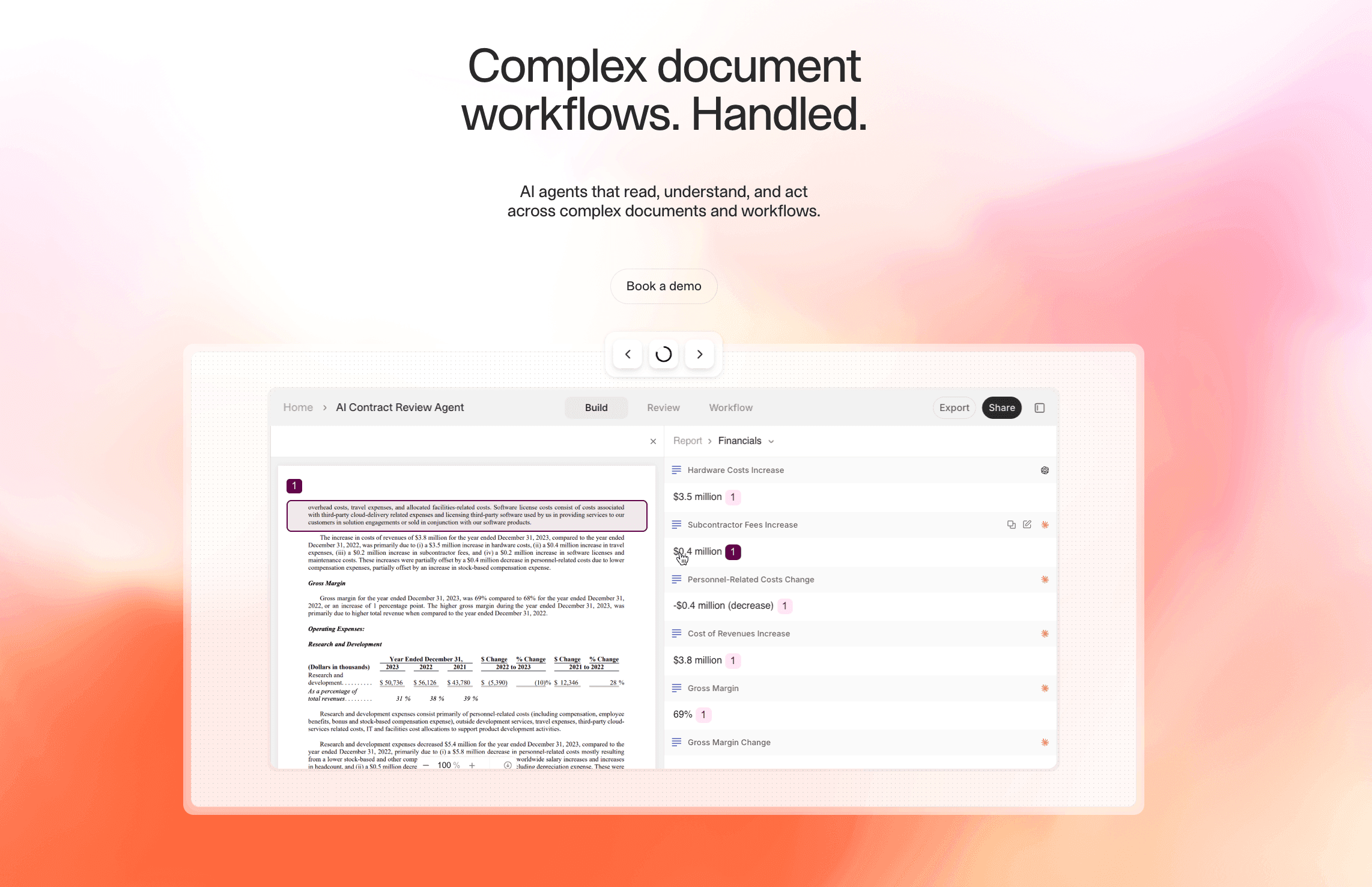
Website: v7labs.com/go
Core Positioning: Best for teams that need to dramatically reduce drafting time while maintaining compliance with company templates and brand voice.
Top 3 Features:
Automated Answer Drafting: The RFI Response Generation Agent reads the prospect's questionnaire, searches your Knowledge Hub, and drafts complete answers with source citations. This is semantic understanding that recognizes when different questions ask about the same capability.
Centralized Knowledge Hub: Consolidates product docs, security policies, past proposals, and marketing materials into a single, searchable repository. The agent uses this as context, not training data, so your IP stays private and updates take effect immediately.
Visual Grounding and Citations: Every drafted answer includes a citation that links back to the source document and highlights the specific passage used. This makes internal review fast. Your legal team can verify claims in seconds instead of hours.
Pricing Model: Custom/Enterprise
What Users Report: Teams see 90% time savings on RFP response. The visual citations build trust with internal stakeholders who are skeptical of AI-generated content. The multi-modal document processing handles complex Excel spreadsheets and scanned PDFs without manual reformatting.
Where It Requires Investment: Initial setup requires consolidating and organizing your knowledge base, which can take 2-4 weeks for teams with scattered documentation. The platform is designed for knowledge work automation beyond just RFPs, so there is a learning curve if you only need basic response management.
Loopio
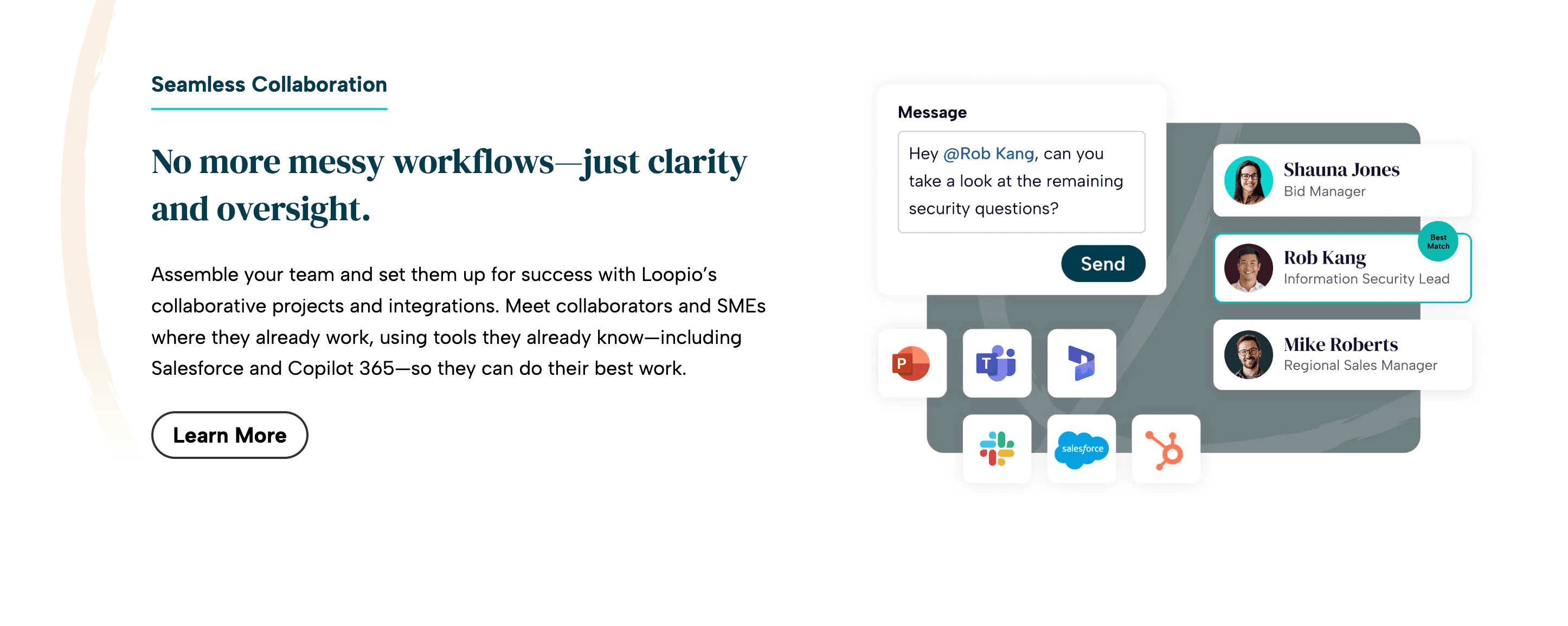
Website: loopio.com
Core Positioning: Streamlined RFP response management for collaborative teams that prioritize ease of use over cutting-edge AI capabilities.
Top 3 Features:
Centralized content library with smart answer suggestions based on historical responses
Collaborative workflows with task assignment and approval chains
Integration with Salesforce, HubSpot, and other CRMs for automatic RFP tracking
Pricing Model: Custom/Enterprise
What Users Report: Highly rated for team collaboration and ease of onboarding. The interface is intuitive, and the content library is easy to maintain. Good for teams that respond to 50-100 RFPs per year with mostly standard questions.
Where It Struggles: The AI answer suggestions rely on keyword matching, not semantic understanding. Users report that as the question library grows beyond 1,000 entries, the system becomes slow and hard to navigate. One Reddit user noted, "Loopio setup is painful—the bigger our question/answer list gets, the harder it becomes to use."
Responsive/RFPIO
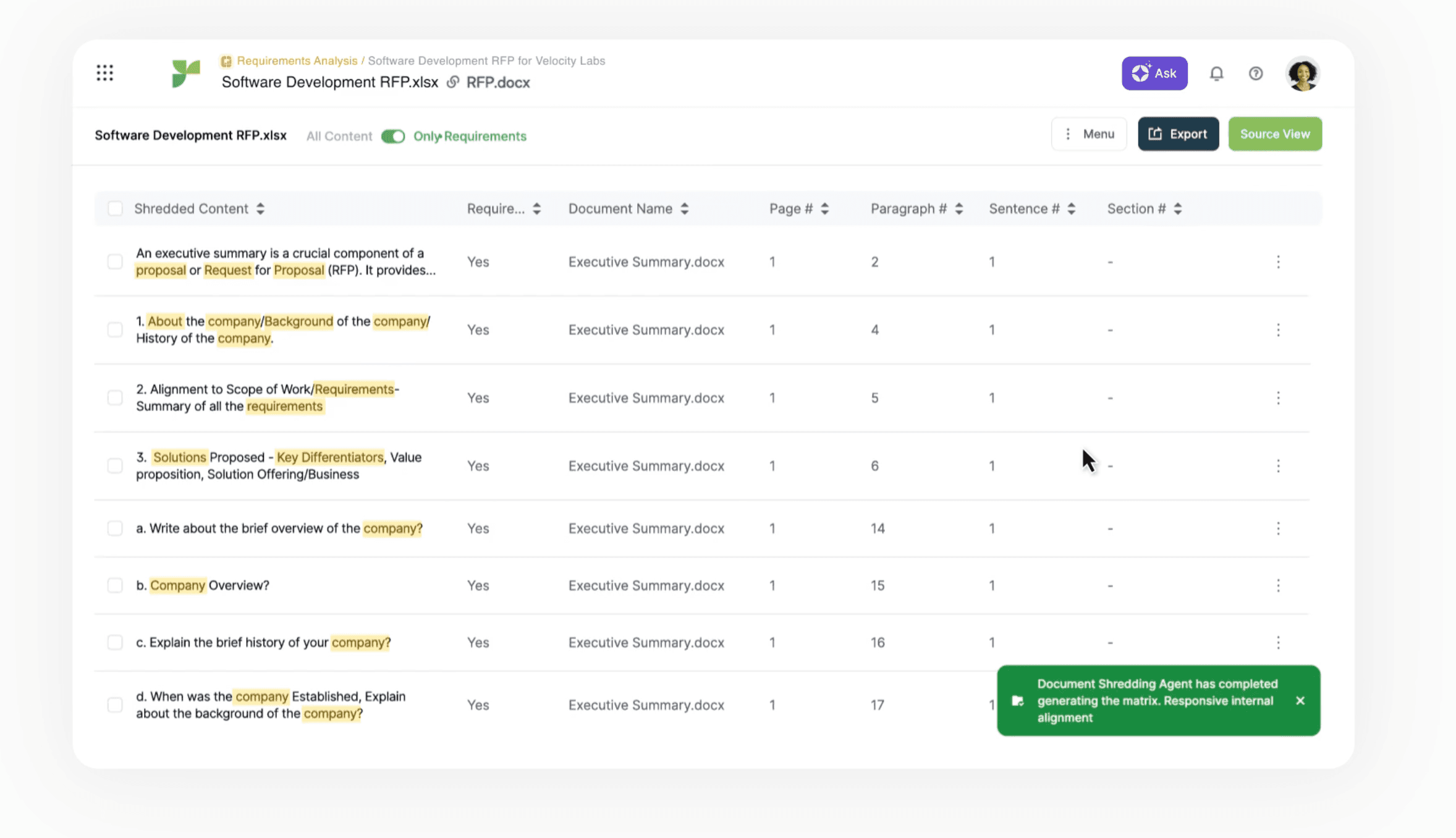
Website: rfpio.com
Core Positioning: Scalable RFP automation for large enterprises with complex approval workflows and multiple product lines.
Top 3 Features:
Automated response drafting with AI answer suggestions
Deep integrations with Salesforce, Microsoft Dynamics, and SharePoint
Embedded analytics to track win rates, response times, and content reuse
Pricing Model: Custom pricing
What Users Report: Strong enterprise integrations and analytics. The platform handles complex approval chains well, making it a good fit for regulated industries like finance and healthcare.
Where It Struggles: The user interface is complex and requires dedicated training. Some users report that AI answer suggestions are hit-or-miss, often requiring significant manual editing. Customer support response times can be slow during peak proposal seasons.
QorusDocs
Website: qorusdocs.com
Core Positioning: Dynamic document automation with real-time collaboration and smart content reuse, particularly for Microsoft-centric organizations.
Top 3 Features:
Intelligent content suggestions based on document context
Real-time collaborative editing with version control
Native integration with Microsoft Office and SharePoint
Pricing Model: Custom/Enterprise
What Users Report: Excellent for teams that live in Microsoft Office. The real-time collaboration features are best-in-class, and the content library is easy to maintain.
Where It Struggles: Expensive relative to the feature set. The AI capabilities are limited compared to newer platforms. It functions more as a smart template engine than true automation.
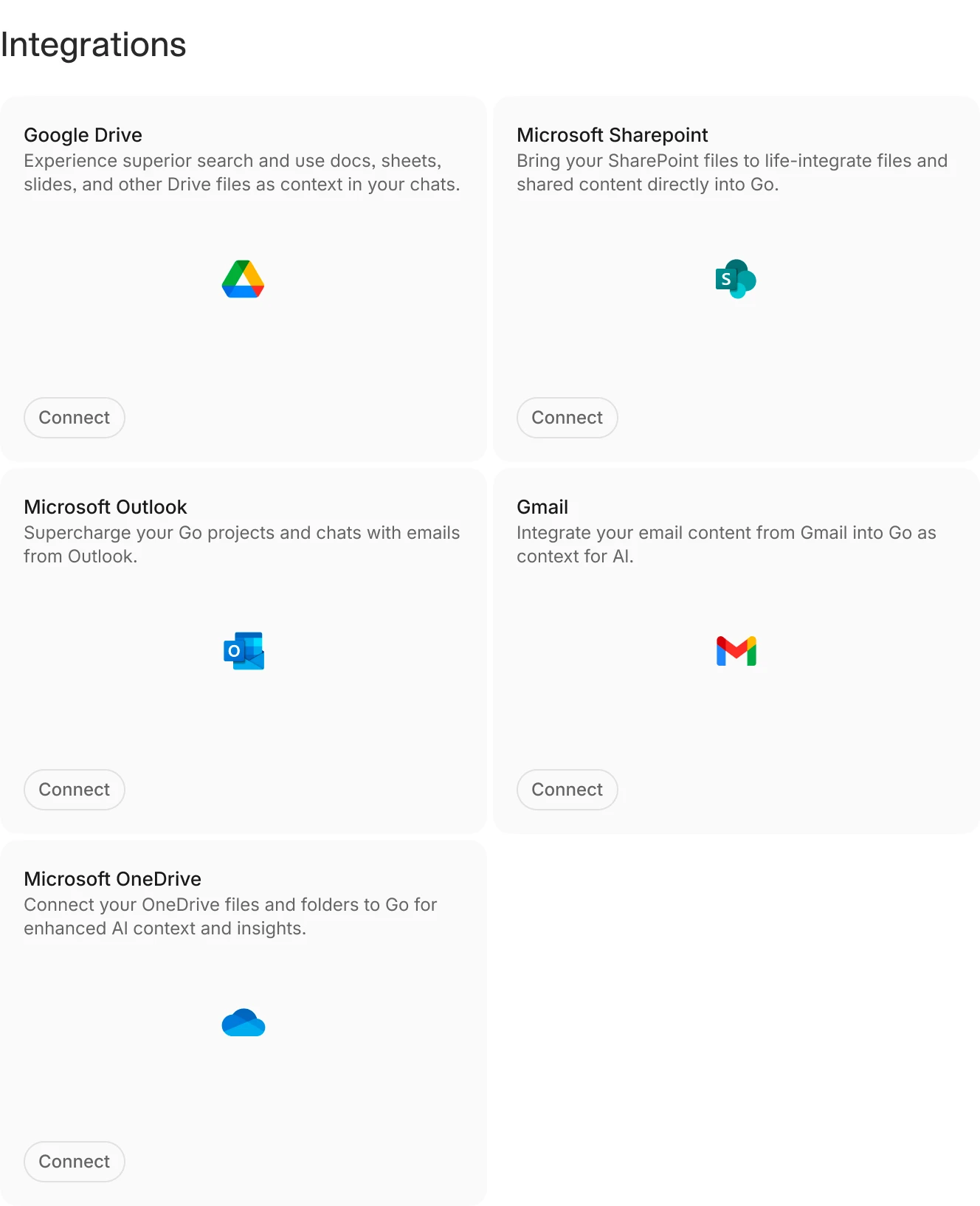
V7 Go's integrations dashboard showing connections to enterprise document storage platforms.
Legacy Incumbents
SAP Ariba
Website: ariba.com
Core Positioning: Comprehensive procurement automation for enterprise-scale operations with deep ERP integration.
Top 3 Features:
Supplier management and vendor collaboration tools
Spend analytics and contract lifecycle management
Native integration with SAP ERP and S/4HANA
Pricing Model: Enterprise pricing
What Users Report: Unmatched for organizations already using SAP. The procurement workflows are mature and battle-tested. Strong compliance and audit trail capabilities.
Where It Struggles: Implementation timelines often stretch to 6-12 months. The RFP response features are basic compared to specialized tools. Most teams still use Excel for actual drafting. The interface feels dated, and customization requires expensive consulting engagements.
Oracle Procurement Cloud
Website: oracle.com/procurement
Core Positioning: Integrated procurement management with a broad suite of financial and supply chain tools.
Top 3 Features:
Advanced vendor management and supplier risk scoring
Detailed analytics and reporting with Oracle BI integration
Cloud-based accessibility with mobile apps for approvals
Pricing Model: Enterprise level
What Users Report: Comprehensive feature set for large organizations with complex procurement needs. Strong financial controls and audit capabilities.
Where It Struggles: Steep learning curve and rigid configuration. The RFP response features are an afterthought. Most users report that the platform is better suited for sourcing and contract management than actual proposal drafting.
Implementation Playbook: From Spreadsheets to AI Agents
Migrating from manual RFP response to an AI workflow is not a software installation. It is a change management project. The teams that succeed treat it as a process redesign, not a technology upgrade.
Phase 1: Knowledge Base Consolidation (Weeks 1-4)
The first step is consolidating your scattered documentation into a centralized Knowledge Hub. This is the most time-consuming part of the implementation, but it is also the most valuable. Even if you never use the AI agent, having a single source of truth for product information and approved messaging will save hours of searching.
What to consolidate:
Product documentation (feature descriptions, technical specs, integration guides)
Security and compliance materials (SOC 2 reports, GDPR policies, penetration test results, data processing agreements)
Past winning proposals (organized by industry, use case, and deal size)
Marketing collateral (case studies, whitepapers, competitive positioning)
Internal playbooks (pricing guidelines, legal disclaimers, messaging frameworks)
Common pitfalls:
Uploading outdated documents without version control
Mixing approved content with draft materials
Failing to tag documents with metadata (product line, industry, compliance level)
Including content with conflicting information across versions
The goal is not to upload everything you have. It is to upload everything you trust. If a document is not approved for external use, it should not be in the Knowledge Hub.
Phase 2: Agent Configuration and Testing (Weeks 5-8)
Once your Knowledge Hub is populated, you configure the AI agent to match your company's voice and compliance requirements. This is where platforms like V7 Go differentiate themselves. The agent is not a black box. You define the rules.
Configuration steps:
Define response templates: Upload your standard RFP response format (Word, Excel, or PDF). The agent will populate this template with drafted answers.
Set confidence thresholds: Decide what level of certainty the agent needs before drafting an answer. Lower thresholds mean more automation but higher risk of generic responses. Higher thresholds mean more human review but better quality.
Configure citation rules: Specify whether citations should link to the source document, the specific page, or the exact paragraph. This affects how easy it is for reviewers to verify claims.
Test with historical RFPs: Run the agent on 5-10 past RFPs that you already responded to. Compare the AI-generated answers to your actual submissions. This reveals gaps in your Knowledge Hub and calibrates your confidence thresholds.
What good looks like:
The agent drafts 70-80% of answers with high confidence
Flagged questions are genuinely edge cases or new topics
Citations are specific enough that reviewers can verify claims in under 30 seconds
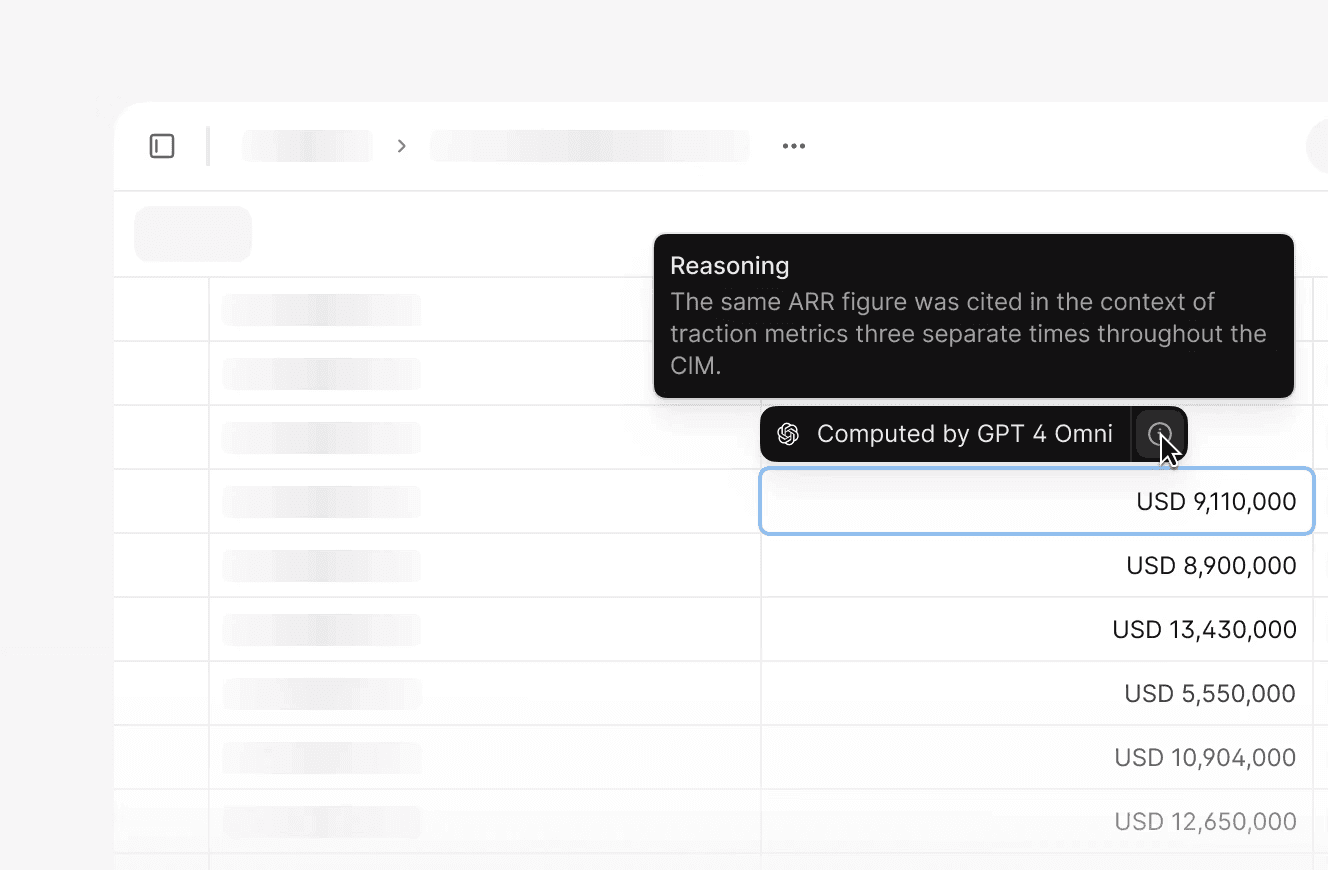
AI reasoning interface showing how the model derived specific data points from source documents.
Phase 3: Pilot with a Live RFP (Weeks 9-12)
The first live RFP is a test of both the technology and the process. Choose a moderately complex opportunity. Not your biggest deal of the year, but not a trivial questionnaire either.
Pilot workflow:
Intake: Sales forwards the RFP to the proposal team as usual. The proposal manager uploads it to the AI platform.
Agent drafting: The agent reads the RFP, searches the Knowledge Hub, and drafts answers. This takes 10-30 minutes depending on the number of questions.
Human review: The proposal manager reviews the drafted answers, focusing on flagged questions and high-stakes claims (pricing, compliance, SLAs). They edit for tone and add prospect-specific customization.
SME review: Subject matter experts review only the questions that were flagged or heavily edited. They are not starting from scratch. They are validating and refining.
Final approval: Legal and executive stakeholders review the complete response. Because every claim is cited, they can verify accuracy without re-reading the entire Knowledge Hub.
Success metrics:
Total time from RFP receipt to submission: Target 1-2 hours of active work (down from 10-20 hours)
Percentage of answers requiring significant editing: Target under 20%
Number of questions flagged for SME review: Target 10-15% of total questions
Phase 4: Scale and Optimize (Ongoing)
After the pilot, the focus shifts to continuous improvement. The Knowledge Hub is a living system. It needs regular updates to stay accurate and relevant.
Optimization tactics:
Track reuse patterns: Identify which answers are used most frequently and prioritize keeping them up to date. If the same security question appears in 80% of RFPs, that answer should be reviewed quarterly.
Capture new content: When a subject matter expert drafts a new answer for a flagged question, add it to the Knowledge Hub immediately. This turns every RFP into a training opportunity.
Monitor win rates: Compare win rates for RFPs responded to with the AI agent versus manual processes. If win rates drop, investigate whether the AI-generated answers are too generic or missing key differentiators.
Refine confidence thresholds: As your Knowledge Hub matures, you can lower confidence thresholds to automate more questions. Start conservative and gradually increase automation as trust builds.
The Economics of RFP Automation
The business case for RFP automation is straightforward: time savings and revenue impact. But the real ROI comes from freeing your best people to focus on strategy instead of copy-paste work.
Direct Cost Savings
A typical proposal manager costs 80,000 USD to 120,000 USD per year in salary and benefits. If they spend 50% of their time on manual RFP response, that is 40,000 USD to 60,000 USD per year in labor cost for tasks that an AI agent can automate.
Automation platforms drive 30-40% reductions in response times and up to 80% cuts in manual research and analysis effort. For a team responding to 100 RFPs per year at 15 hours each, that is 1,500 hours of manual work. A 40% reduction saves 600 hours, equivalent to adding a full-time employee without hiring.
Revenue Impact
The indirect revenue impact is harder to measure but often larger than the direct cost savings. The revenue gains happen for three reasons:
Faster response times: Automated workflows allow you to respond to more RFPs in the same amount of time. If you can only respond to 60% of inbound RFPs due to capacity constraints, automation lets you respond to 80% or 90%.
Higher quality responses: When proposal managers spend less time searching for information, they have more time to customize messaging and address the prospect's specific pain points. Generic, templated responses lose deals.
Consistency across responses: AI agents ensure that every RFP uses the most up-to-date product information and approved messaging. Manual processes lead to inconsistencies. One proposal says "99.9% uptime" while another says "99.95% uptime." These discrepancies erode trust.
The Hidden Cost: Burnout
The hardest cost to quantify is the impact on employee morale and retention. Proposal managers and subject matter experts burn out when they spend their days doing repetitive, low-value work. The best people leave for roles where they can focus on strategy and creativity.
Automation does not eliminate jobs. It eliminates the parts of jobs that people hate. A proposal manager who spends 80% of their time on copy-paste work and 20% on strategy will jump at the chance to flip that ratio.
Where AI Agents Struggle (And What to Do About It)
AI RFP agents are not magic. They have clear limitations, and understanding these limitations is critical to setting realistic expectations and designing effective workflows.
Limitation 1: Poor Quality Source Documents
If your Knowledge Hub contains outdated, inconsistent, or poorly written documentation, the AI agent will produce outdated, inconsistent, or poorly written answers. The agent can only work with what you give it.
Mitigation: Treat Knowledge Hub maintenance as a core business process, not a one-time project. Assign ownership to a specific person or team. Set a quarterly review cadence for high-use content. Establish a process to archive outdated documents rather than leaving them searchable.
Limitation 2: Highly Customized or Strategic Questions
AI agents excel at answering factual questions with clear answers in the Knowledge Hub. They struggle with questions that require strategic judgment, prospect-specific customization, or creative positioning.
For example: "How would your solution help us achieve our goal of reducing customer churn by 15% in the next 12 months?" This question requires understanding the prospect's business model, competitive landscape, and internal constraints. An AI agent can draft a generic answer about churn reduction features, but it cannot craft a compelling, customized narrative.
Mitigation: Use the agent to draft the factual foundation (product features, case studies, technical specs). Reserve human effort for the strategic overlay, the "why this matters to you" narrative that wins deals.
Limitation 3: Complex Excel Spreadsheets with Conditional Logic
Some RFPs use Excel spreadsheets with dropdown menus, conditional formatting, and embedded macros. These are designed to enforce specific answer formats and prevent free-text responses.
AI agents can read these spreadsheets and extract the questions, but they cannot always populate the answers in the required format without breaking the conditional logic. If a cell expects "Yes" from a dropdown and the agent writes "Yes, we support this feature," the validation fails.
Mitigation: For highly structured RFPs, use the agent to draft answers in a separate document, then manually copy the dropdown selections into the prospect's template. Use the drafted text as reference for the elaboration columns. This is still faster than drafting from scratch.
Limitation 4: Ambiguous or Poorly Worded Questions
Some RFP questions are genuinely unclear. "Describe your approach to innovation." "How do you ensure customer success?" These questions are so broad that even a human expert would struggle to provide a focused answer.
AI agents tend to produce generic, buzzword-heavy responses to ambiguous questions because they lack the context to know what the prospect actually cares about.
Mitigation: Flag ambiguous questions for human review. Use the agent's draft as a starting point, but invest time in clarifying the question with the prospect or tailoring the answer based on discovery calls.
Limitation 5: Questions About Future Roadmap or Unreleased Features
Prospects often ask about features you do not have yet or roadmap items that are not publicly announced. "Do you plan to support integration with X in the next 12 months?" These questions require judgment about what can be disclosed and how to frame gaps constructively.
Mitigation: Create a roadmap FAQ document in your Knowledge Hub with approved language for common future-feature questions. Flag any question that references unreleased capabilities for review by product or legal.
The Future of RFP Response: From Automation to Intelligence
The next evolution of RFP automation is not just faster drafting. It is intelligent orchestration. Instead of treating each RFP as an isolated task, future platforms will connect RFP response to the broader sales and product development cycle.
Predictive RFP Intelligence
Imagine a system that analyzes your CRM data and predicts which prospects are likely to issue an RFP in the next 30 days. It pre-drafts answers based on the prospect's industry, company size, and known pain points. When the RFP arrives, 80% of the work is already done.
This is not science fiction. It is the logical next step for platforms that already integrate with Salesforce and HubSpot. The data is there. The AI models are there. The missing piece is the workflow integration.
Continuous Learning from Win/Loss Data
Today's RFP platforms treat each response as a discrete event. You draft, submit, and move on. But the most valuable data is what happens after submission: Did you win? If not, why?
Future platforms will close this loop. They will analyze win/loss data to identify which answers correlate with wins and which correlate with losses. Over time, the AI agent learns to prioritize the messaging that actually moves deals forward.
For example: If prospects who ask about "data residency" and receive Answer A win 60% of the time, but prospects who receive Answer B win only 30% of the time, the agent should default to Answer A. This is not possible with static content libraries. It requires continuous learning.
Integration with Product Development
The most forward-thinking companies are using RFP data to inform product roadmaps. If 40% of RFPs ask about a feature you do not have, that is a signal. If you lose deals because of a specific compliance gap, that is a priority.
Future RFP platforms will surface these patterns automatically. Instead of manually reviewing lost deals, product managers will see a dashboard: "Top 10 feature requests from RFPs in Q4." This turns RFP response from a cost center into a strategic intelligence function.
What Changes on Monday Morning
If you implement an AI RFP agent this quarter, here is what changes for your team:
For proposal managers: You stop spending 80% of your time searching for information and reformatting documents. You spend that time on strategic messaging, prospect research, and coaching subject matter experts. Your job becomes more interesting and more valuable.
For subject matter experts: You stop getting pinged for the same questions over and over. The AI agent handles the routine questions. You only get involved for edge cases and strategic opportunities. Your expertise is used where it actually matters.
For sales teams: You get faster, higher-quality responses. Instead of waiting 2 weeks for a proposal, you get a draft in 2 days. You can respond to more opportunities without burning out your proposal team.
For executives: You get better visibility into what prospects are asking for and where you are losing deals. RFP data becomes a strategic asset, not just a cost of doing business.
The technology is ready. The question is whether your organization is ready to change how it works. If you are still using spreadsheets and email threads to manage RFP response, book a demo with V7 Go to see what AI automation actually looks like.
How long does it take to implement RFP automation software?
<p>Implementation timelines vary by platform and team maturity. For a cloud-native AI platform like V7 Go, you can be live in 2-4 weeks if your knowledge base is already consolidated. Legacy enterprise platforms like SAP Ariba or Oracle Procurement Cloud often take 6-12 months due to complex integrations and change management requirements. The bottleneck is rarely the software installation. It is consolidating your scattered documentation into a centralized Knowledge Hub and training your team on the new workflow.</p>
+
Can AI fully automate RFP response?
<p>No, and you should be skeptical of vendors who claim it can. AI automates the tedious parts: reading the RFP, searching for relevant information, and drafting initial answers. Strategic questions, prospect-specific customization, and final approval still require human judgment. The realistic goal is 70-80% automation for factual questions and 1-2 hours of human review per RFP, down from 10-20 hours of manual work.</p>
+
What is the difference between RFP automation and proposal management software?
<p>RFP automation focuses specifically on responding to inbound questionnaires: reading the prospect's questions and drafting answers. Proposal management software is broader, covering the entire proposal lifecycle: opportunity tracking, team collaboration, document assembly, and post-submission analytics. Many modern platforms like Loopio and RFPIO combine both capabilities, but the core value proposition is different. If your bottleneck is drafting answers, you need automation. If your bottleneck is coordinating multiple stakeholders, you need collaboration tools.</p>
+
How do you measure ROI on RFP automation?
<p>The most direct metric is time savings: hours spent per RFP before and after automation. A typical baseline is 10-20 hours per RFP for manual processes. With automation, this drops to 1-2 hours of active review time. Multiply the time savings by your team's hourly cost to get direct labor savings. The indirect ROI comes from revenue impact: faster response times, higher win rates, and the ability to respond to more opportunities without hiring. Track win rates and deal velocity before and after implementation to quantify this.</p>
+
Is it safe to use AI for RFP response in regulated industries?
<p>Automation does not eliminate jobs. It eliminates the parts of jobs that people hate. Proposal managers stop spending 80% of their time on copy-paste work and start focusing on strategic messaging, prospect research, and coaching subject matter experts. Subject matter experts stop getting pinged for the same questions repeatedly and only get involved for edge cases and high-value opportunities. The best people stay because their work becomes more interesting and impactful. The risk is not job loss. It is failing to retrain your team for the new workflow and losing them to competitors who offer more strategic roles.</p>
+
What happens to my proposal team when we automate RFP response?
Go is more accurate and robust than calling a model provider directly. By breaking down complex tasks into reasoning steps with Index Knowledge, Go enables LLMs to query your data more accurately than an out of the box API call. Combining this with conditional logic, which can route high sensitivity data to a human review, Go builds robustness into your AI powered workflows.
+
Casimir is a seasoned tech journalist and content creator specializing in AI implementation and new technologies. His expertise lies in LLM orchestration, chatbots, generative AI applications, and computer vision.