16 min read
—


A complete guide to modern AI document processing, from solutions like V7 Go and Super AI to RPA/IDP/OCR systems and building-block technologies like Amazon Textract.

Imogen Jones
Content Writer
V7 Go
A smarter way to manage due diligence and underwriting
On a recent Tuesday afternoon, statistically indistinguishable from any other Tuesday afternoon, a highly trained professional spent nearly an hour re-typing information from one system into another. Not because the work required thought or judgment, but because the document in front of them sat in that familiar limbo: digital, yet not usable.
Somewhere else that same day, a nurse reconciled intake forms instead of speaking to patients, a logistics coordinator cross-checked bills of lading line by line, a loan officer chased missing fields, and a paralegal verified dates a machine had already “extracted.” Different industries, different titles, identical problem.
These manual workflows quietly siphon time away from patient care, risk assessment, customer relationships, analysis, strategy, and decision-making. If intelligent document processing truly worked as advertised, this would be the exception, not the norm. Yet surveys show that 94% of U.S. knowledge workers still spend a significant portion of their day on repetitive, time-consuming tasks, much of which involves spreadsheets and documents.
The document processing platform market has fractured into three distinct tiers; end-to-end AI solutions traditional IDP and RPA platforms, and building-block technologies give developers raw capabilities to construct custom pipelines.
Choosing the wrong tier for your use case leads to either overspending on features you do not need or underinvesting in capabilities you cannot live without.
In this article:
How end-to-end AI platforms, traditional IDP systems, and building-block technologies differ in capability, implementation effort, and cost.
Detailed analysis of V7 Go, Super AI, Rossum, Nanonets, Amazon Textract, and Kofax.
The specific problems that cause document processing projects to fail: degraded scans, handwritten amendments, multi-document reconciliation, and exception handling.
How to select the right architecture, define success metrics, plan for exceptions, and integrate with downstream systems.
The Document Processing Platform Landscape: A Three-Tier Model
The market has stratified into three distinct tiers, each serving different organizational needs and technical capabilities. Understanding this hierarchy is the first step toward choosing the right solution.
Tier 1: End-to-End AI Platforms
End-to-end AI platforms are designed to automate entire document-driven processes, not just data extraction. They combine OCR, classification, extraction, validation, decision logic, exception handling, and downstream actions into a single system.
While these platforms still require upfront effort (mapping workflows, defining success criteria, and planning for edge cases) the work goes into shaping the process, not stitching together tools.
The defining characteristic of this tier is flexibility at the workflow level. Instead of treating documents as static inputs that produce structured outputs, these platforms treat documents as triggers for multi-step business operations. A contract review workflow doesn’t stop at clause extraction; it evaluates risk, checks against policy, flags deviations, and routes outcomes to the right systems or people.
V7 Go's agent library showing pre-built workflows for invoice processing, receipt analysis, and batch document extraction.
The strength of Tier 1 platforms is their ability to absorb variation across formats, document types, and edge cases while still automating most of the end-to-end process. Leading platforms in this tier include V7 Go, super.AI, Rossum, and Nanonets.
Tier 2: Traditional IDP and RPA Platforms
This tier includes the enterprise workhorses: Kofax (now Tungsten Automation), ABBYY FlexiCapture, OpenText, IBM Datacap, and UiPath Document Understanding. These platforms offer deep customization and can support highly complex, multi-step workflows at scale. When fully implemented, they are capable of matching very specific process requirements with a high degree of precision.
The key difference from Tier 1 platforms is where that flexibility lives. Traditional enterprise IDP systems expose detailed controls over classification rules, extraction templates, validation logic, and exception paths. This makes it possible to closely mirror existing processes, but it typically requires significant implementation effort. Most deployments involve teams of developers, platform specialists, and business analysts.
While this level of control is valuable, it also introduces organizational friction. Workflow changes often depend on engineering capacity, and even small process adjustments can take weeks to implement. In contrast, many Tier 1 platforms push configurability closer to business users, making it easier to evolve workflows as documents, policies, and exceptions change.
Over time, this can make Tier 1 systems easier to keep aligned with how work actually happens, even if they expose fewer low-level knobs.
Where Tier 2 platforms continue to be strong options is in regulated, compliance-driven environments where auditability and governance are paramount. These platforms were built for enterprises that prioritize control, predictability, and regulatory defensibility over speed of iteration.
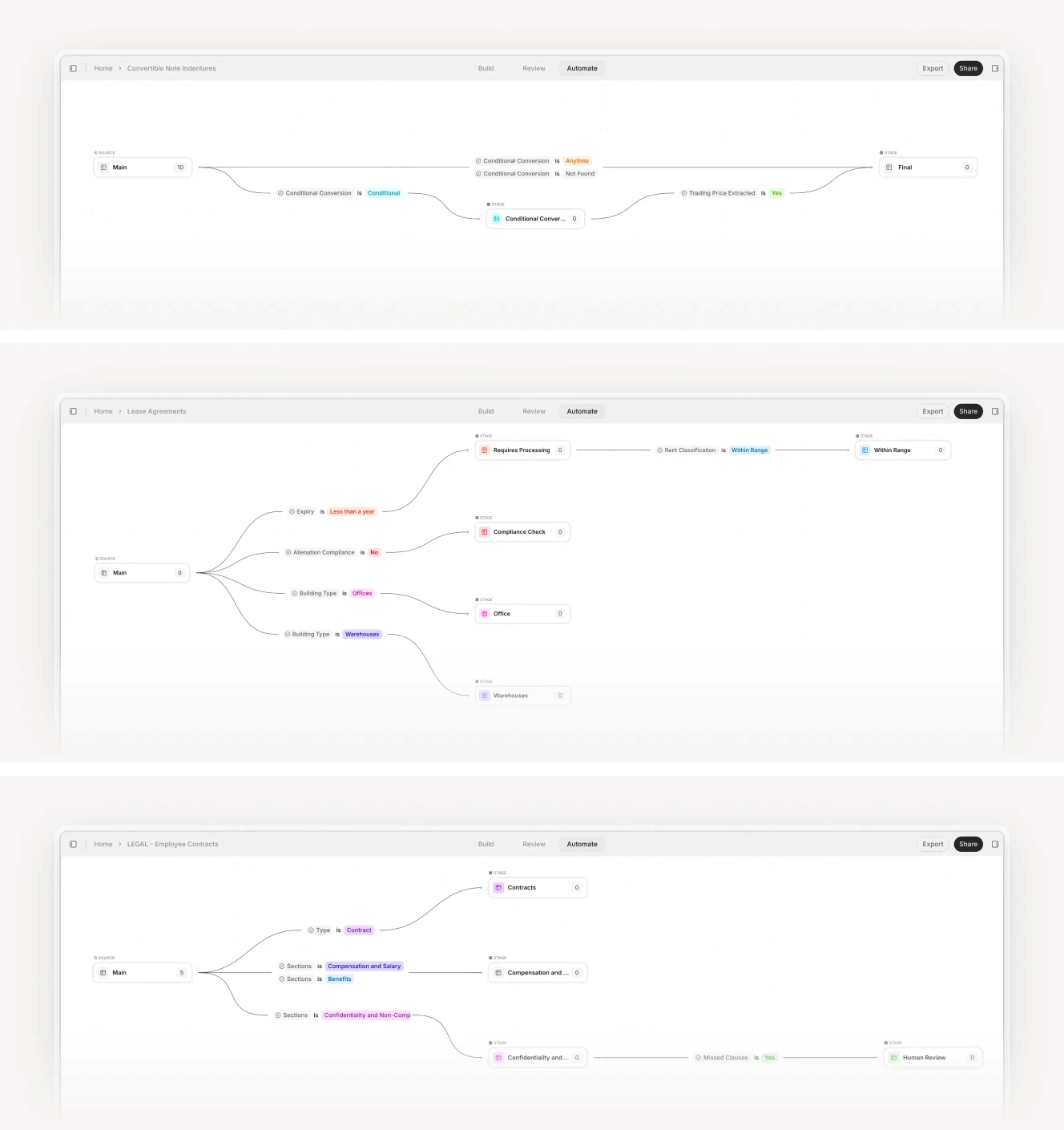
Multi-stage workflow diagram showing classification, extraction, and validation with decision trees. V7 combines the usability of no-code with advanced capabilities.
Tier 3: Building-Block Technologies
This tier includes services like Amazon Textract, Google Document AI, and Azure Form Recognizer. They aren't complete platforms, they are APIs that extract text and structure from documents. You use them to build your own document processing pipeline from scratch.

Amazon Textract is the most widely deployed. It handles OCR, table extraction, and form field detection. You send it a document image or PDF, and it returns structured data: detected text, table cells with row and column indices, and key-value pairs from forms. If you have an engineering team and want full control over your data pipeline, Textract gives you the raw extraction capabilities without the opinionated workflow.
The challenge is that you are responsible for everything else. Document classification, validation rules, error handling, integration with downstream systems, monitoring and alerting; all of this must be built and maintained by your team.
Organizations choose building-block technologies when they have unique requirements that no platform addresses, when they have the engineering resources to build and maintain custom pipelines, or when they need to embed document processing into a larger application. The flexibility is real, but so is the development burden.
Production Realities: What Actually Breaks
The gap between vendor demos and production reality is vast. Demos use clean, well-formatted documents. Production systems receive scanned faxes with coffee stains, screenshots forwarded via email, and handwritten amendments on legal contracts. Here is what actually causes document processing projects to fail.
Scanned Documents, Handwriting, and Different Formats
Across industries, documents rarely arrive in a single, predictable format. The same underlying record might show up as a native PDF, a scanned PDF, a low-resolution JPEG, a faxed TIFF, a photographed page, or a multi-page bundle with mixed orientations, annotations, stamps, and missing margins. Typed text, tables, signatures, and handwriting are often combined on the same page. Handling this reality requires intelligent, multimodal ingestion, not just text extraction.
Those scanned PDFs are a classic example. Consider an insurance underwriter processing loss run reports. These documents arrive from brokers who received them from carriers who generated them from legacy systems. The broker prints the PDF, faxes it to the underwriter, and the fax machine converts it to a 200 DPI image with JPEG compression. The right margin gets cut off because the original document was wider than letter size. A platform that achieves 98% accuracy on clean PDFs might fail on 40% of these documents.
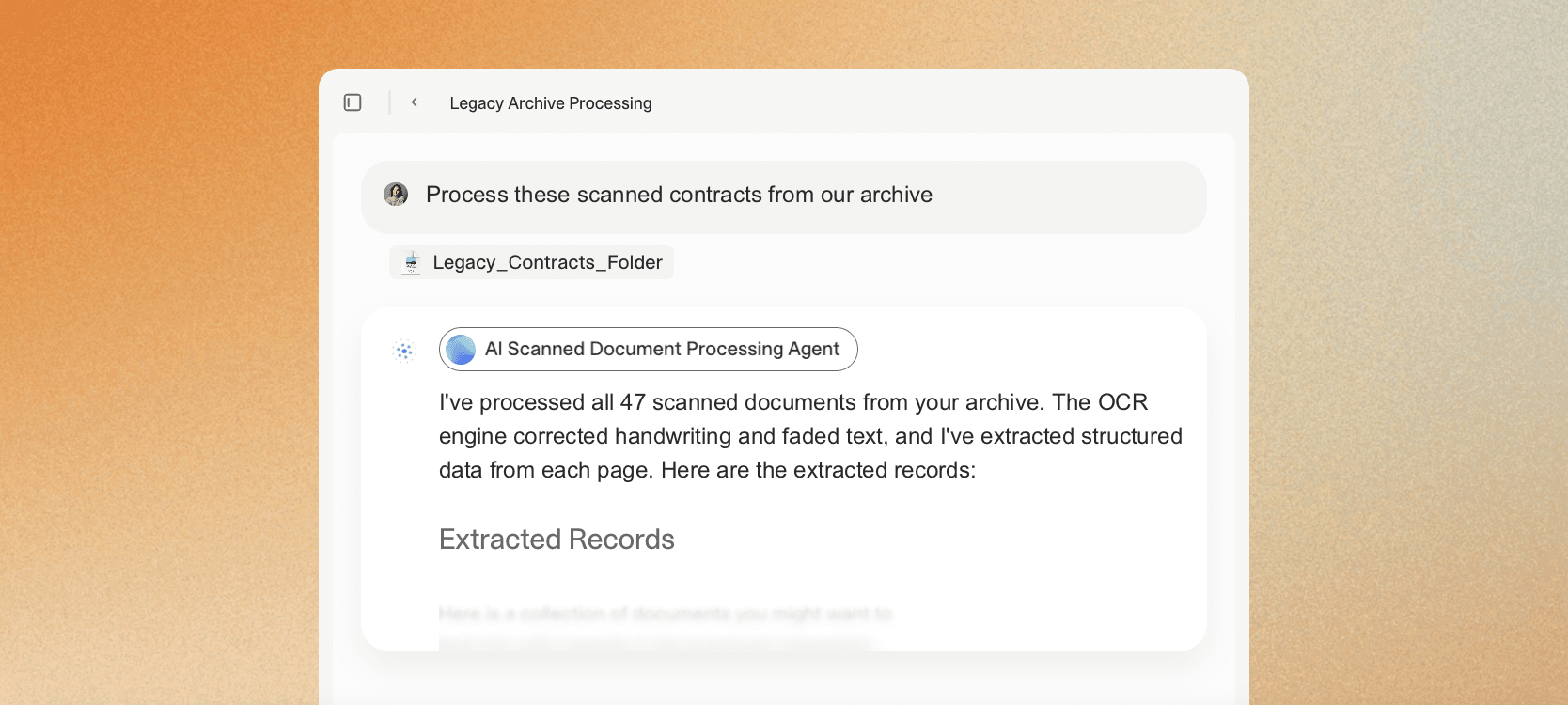
Handwriting is another inclusion that can present a challenge for older or less powerful document processing systems. Even newer platforms with handwriting recognition often lack context. They may correctly read “$4,500” but fail to understand that it replaces the typed “$4,000” in the adjacent paragraph.
V7 Go, on the other hand, combines accurate handwriting extraction with document understanding.
Commercial lease agreements are a classic example. The base lease is typed, but amendments are frequently made by hand. A property manager crosses out the original rent and writes in a new figure. A tenant adds a handwritten note to a rider. An attorney annotates the margins during negotiation.
In V7, a Lease Abstraction Agent can read the written content, recognize that the handwritten number supersedes the typed one, understand that a strikethrough means deletion, that initials near a change indicate approval, and that a handwritten annotation in the margin near a rent clause is likely a rent modification.
Multi-Document Reconciliation
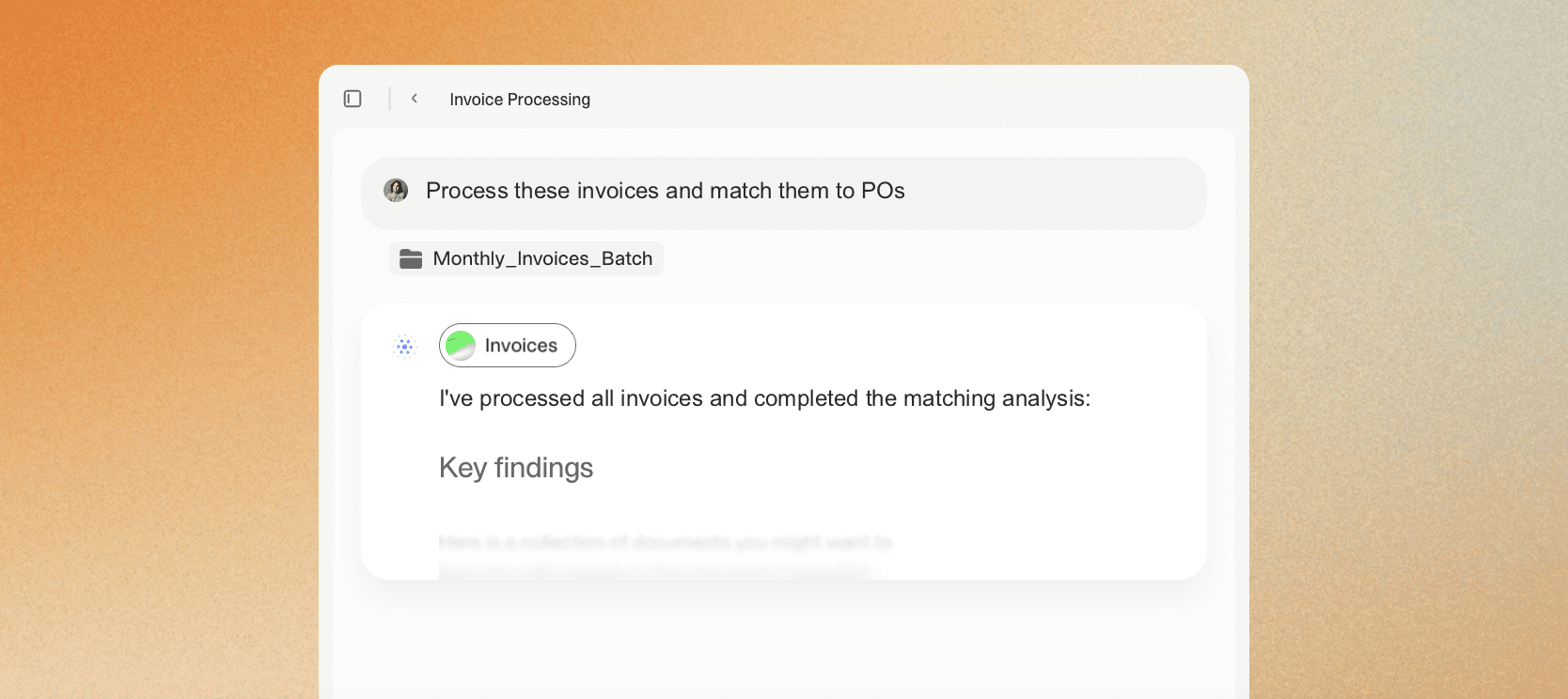
Processing a single invoice is straightforward. Processing 500 invoices and reconciling them against 500 purchase orders and 500 delivery receipts is where systems break. This three-way match workflow is standard in accounts payable, and it exposes the limitations of platforms that treat each document as an isolated extraction task.
The reconciliation requires extracting data from three different document types with different formats and field names. It requires normalizing vendor names across inconsistent representations: "ABC Corp" on the invoice, "ABC Corporation" on the PO, and "ABC Co." on the delivery receipt. It requires matching line items across documents where descriptions differ: "Widget Model 7" on the PO, "W-7 Widget" on the invoice, and "Widgets (7)" on the delivery receipt. It requires flagging discrepancies—quantity mismatches, price differences, missing items—for human review.
Batch processing workflow showing multiple documents being processed simultaneously with status tracking.
Most platforms handle the extraction step but leave reconciliation to downstream systems. You extract the data, export it to Excel or your ERP, and then build matching logic in a separate tool. This approach works but creates integration complexity and delays exception handling.
V7 Go treats reconciliation as part of the document processing workflow. For example, an AI Procure-to-Pay Agent extracts data from all three document types, performs fuzzy vendor name matching, compares line items using semantic similarity, and surfaces exceptions in a unified interface. The analyst reviews discrepancies within the same tool that performed the extraction, reducing context switching and accelerating resolution.
Exception Handling
No platform achieves 100% accuracy. The question is not whether exceptions will occur but how efficiently you can resolve them when they do. A platform that extracts 95% of fields correctly but provides no tooling for fixing the remaining 5% creates more work than one that extracts 90% but routes exceptions to reviewers with full context.
Effective exception handling requires visibility into what failed and why. Did the OCR misread a character? Did the extraction model identify the wrong field? Did the validation rule flag a false positive? Without this diagnostic information, reviewers must re-examine the entire document from scratch, negating much of the automation benefit.











Platform Deep Dive: Detailed Analysis
This section provides detailed analysis of the leading platforms across all three tiers, based on real implementation experience, user feedback from forums like Reddit and Gartner Peer Insights, and documented capabilities.
V7 Go: Multi-Modal Agentic AI Platform
Website: https://www.v7labs.com/
V7 Go is an agentic work automation platform for document-heavy knowledge work, with powerful multimodal docuent processing capabilities.
Documents can be stored in Knowledge Hubs where they become queryable context for AI agents. Upload your policy manuals, underwriting guidelines, or contract playbooks. When an agent processes a new document, it can reference this context to make better decisions. An analyst can ask "What is our total exposure to flood risk in Florida properties?" and the system searches across thousands of insurance policies to answer, with citations linking back to source documents.
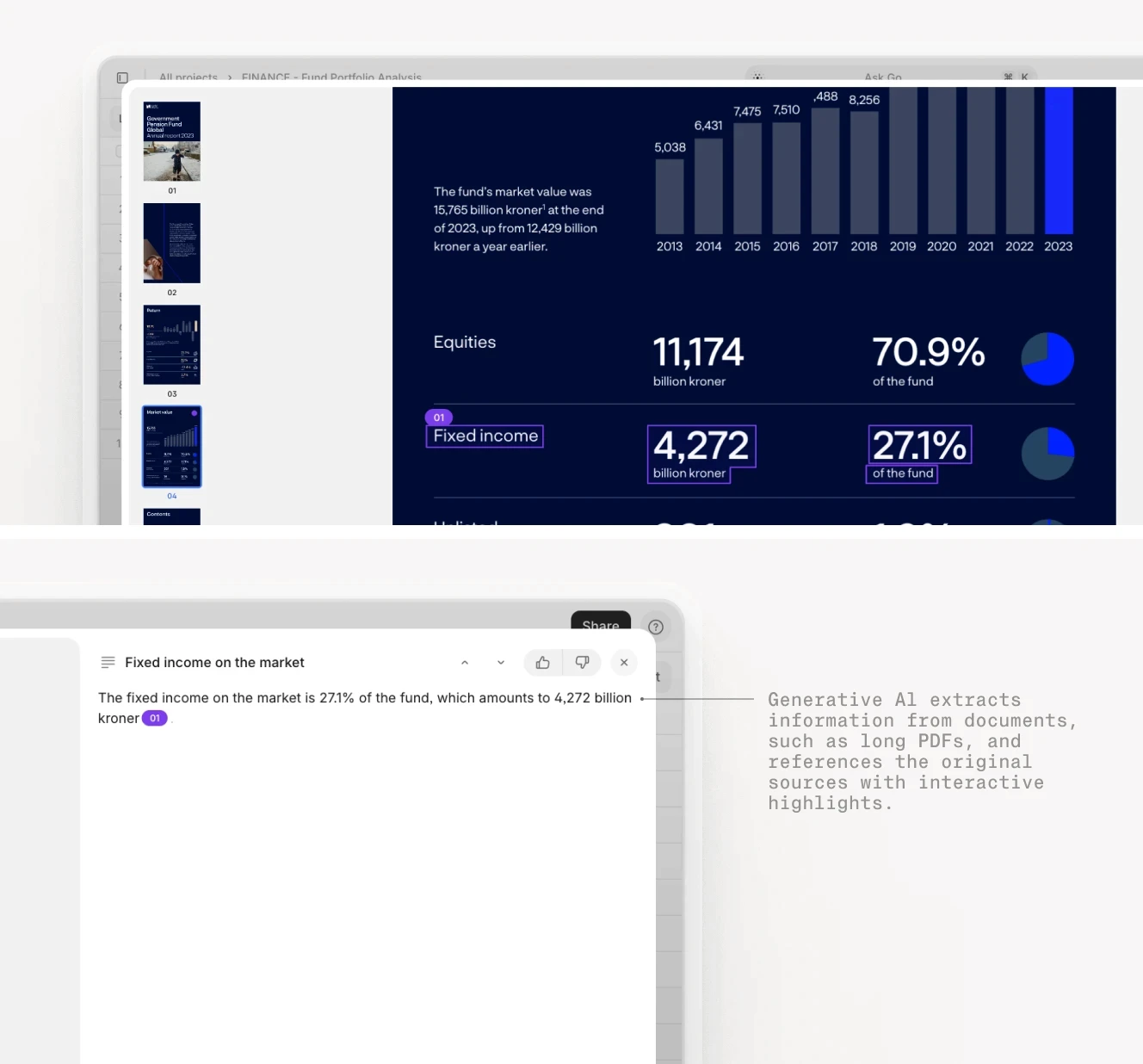
Fund performance analysis showing extracted metrics with visual grounding linking back to source pages.
Tradeoffs: V7 Go may be overkill if you only need fast, cheap OCR or a narrow “invoice fields → ERP” pipeline. Its strengths show up when workflows include judgment, exceptions, and policy-aware decisions.
Super AI
Website: https://super.ai/
super.AI promises enterprise-grade document processing workflows. It is positioned around guaranteed results for complex documents by combining AI automation with strong human-in-the-loop controls. Every extraction includes a confidence score based on the model's certainty. Fields below a configurable threshold are automatically routed to human review.
This creates a self-correcting loop: high-confidence extractions proceed automatically, while low-confidence cases receive human attention.
Tradeoffs: Super AI can be less flexible when you want to deeply customize business logic, entity resolution, or cross-document reconciliation in very domain-specific ways.
Rossum
Website: https://rossum.ai/
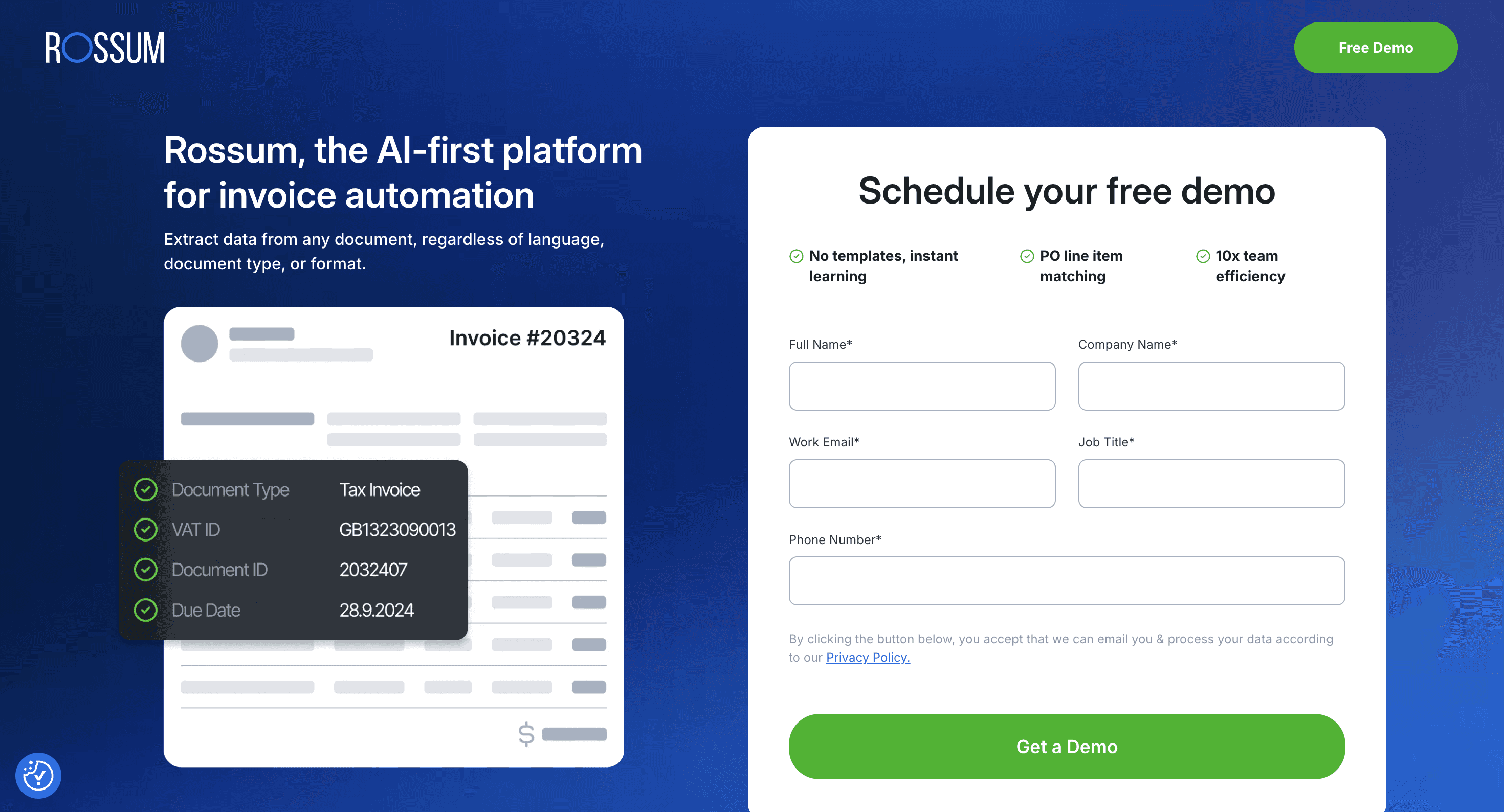
Rossum is a specialist in transactional document automation, especially accounts payable flows—think invoices, supporting documents, and matching against purchase orders and receipts. It’s built around template-free extraction for variable invoice layouts, including robust handling of line items, which is where many general-purpose IDP tools struggle.
Rossum also markets itself as an end-to-end AP workflow layer, capturing documents from common channels, extracting, validating, and integrating with downstream systems, so AP teams can focus on exceptions and approvals rather than rekeying.
Tradeoffs: Rossum’s strengths are also its boundaries. It shines in transactional/AP-style workflows, but can be a less natural fit for “weird” domain documents (clinical narratives, long contracts, technical reports) unless you’re prepared for customization. Multiple review sources flag pricing and performance/training-time concerns in some environments.
Nanonets
Website: https://nanonets.com/
Nanonets is a popular choice for teams that want fast time-to-value and a relatively no-code path to extraction. It’s typically used for common business workflows, like data capture from PDFs/emails/forms, classification, and pushing results into spreadsheets, CRMs, ERPs, or internal tools, without requiring a heavy engineering buildout.
It also stands out for accessible packaging: pricing and consumption models are designed to be approachable for smaller teams experimenting with automation, and user review ecosystems tend to highlight usability and “gets us out of manual entry” value when the document formats are reasonably consistent.
Tradeoffs: Nanonets can feel less comfortable when the job demands deep auditability, complex exception handling, or highly variable multi-doc workflows. At that point you may need more custom logic than you expected. Also, “no-code” doesn’t remove the need for operations work: you still have to define fields carefully, manage edge cases, and maintain quality as formats drift.
Amazon Textract
Website: https://aws.amazon.com/textract/
Amazon Textract is a building-block API: it gives you text extraction plus higher-level structure like forms, tables, and selection elements, and you assemble the rest (classification, validation, exception handling, human review, monitoring, integrations).
For teams already invested in AWS, it fits neatly into event-driven pipelines (S3/Lambda/Step Functions patterns are common), and the service also supports more directed extraction via queries.
Tradeoffs: You’re responsible for everything that makes it production-grade: business rules, confidence thresholds, retries, review UIs, analytics, and integration logic. It also doesn't offer the powerful, intuitive workflow automation features of platforms like V7 Go.
Tungsten TotalAgility (formerly Kofax TotalAgility)
Website: https://www.tungstenautomation.com/products/totalagility
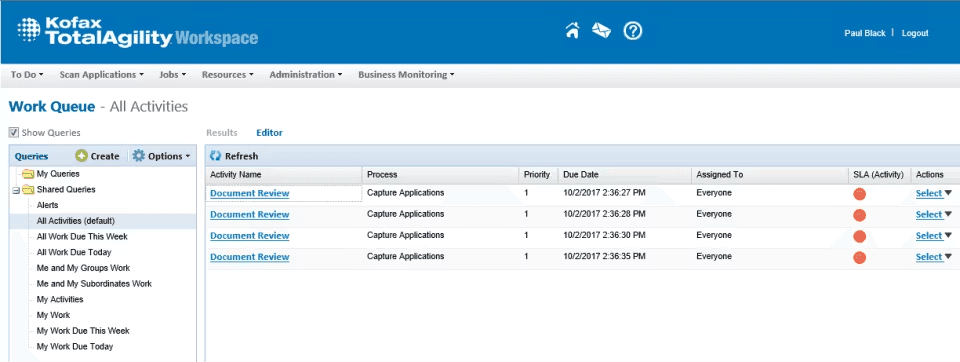
TotalAgility is an enterprise automation suite that combines intelligent document processing + workflow orchestration in a low-code environment, aimed at content-intensive processes across regulated or complex orgs. Tungsten (formerly Kofax) positions it as a unified platform that collects data from documents, turns it into structured information, and automates downstream process steps—often alongside broader task automation.
It’s typically chosen when requirements go beyond extraction accuracy into enterprise-grade concerns: standardized workflow design, governance, and compatibility with large-scale operational models.
Tradeoffs: The power comes with complexity: TotalAgility implementations can be heavyweight, and many teams find the real cost is specialist time (design, configuration, maintenance) rather than licenses alone. It can be more clunky and less intuitive than more modern AI platforms.
Choosing the Right Architecture
The decision framework depends on four factors: document complexity, processing volume, organizational capabilities, and regulatory requirements. The wrong choice leads to either overspending on features you do not need or underinvesting in capabilities that will become critical.
Implementation Playbook: 5 Tips To Avoid Common Failures
Most document processing projects fail not because of technology limitations but because of poor implementation planning. The platform works in the demo. It fails in production because the real documents are messier, the integration is harder, and the exception handling is undefined.
Don't try to automate all document processing at once. Pick one high-value, high-volume use case and prove it works before expanding. Success on a narrow use case builds organizational confidence, provides concrete ROI data to justify broader deployment, and teaches your team how to work with the platform.
A private equity firm should start with CIM processing for deal screening, not try to automate their entire due diligence process. Extract company name, industry, revenue, EBITDA, and deal size from incoming CIMs. Route deals that pass initial criteria to the investment team. Only after this workflow is proven should you expand to full due diligence automation.
An insurance company should start with claims intake for a single line of business—property claims, auto claims, or workers compensation—not all claims across all products. Extract claim details, validate against policy information, route to adjusters. Prove the workflow works, measure the ROI, then expand.
"Automate document processing" is not a success metric. Define specific, measurable outcomes that justify the investment and guide implementation decisions. Without clear metrics, you cannot determine whether the project succeeded or identify where it needs improvement.
Good metrics include: reduce invoice processing time from 5 days to 1 day, decrease data entry errors from 8% to less than 1%, process 10,000 documents per month with 2 FTEs instead of 8, cut month-end close from 7 days to 3 days, eliminate 90% of manual data entry for loss run processing.
These metrics should be measurable before implementation so you have a baseline, achievable with the chosen platform based on vendor claims and reference customers, and relevant to business outcomes that justify the investment.
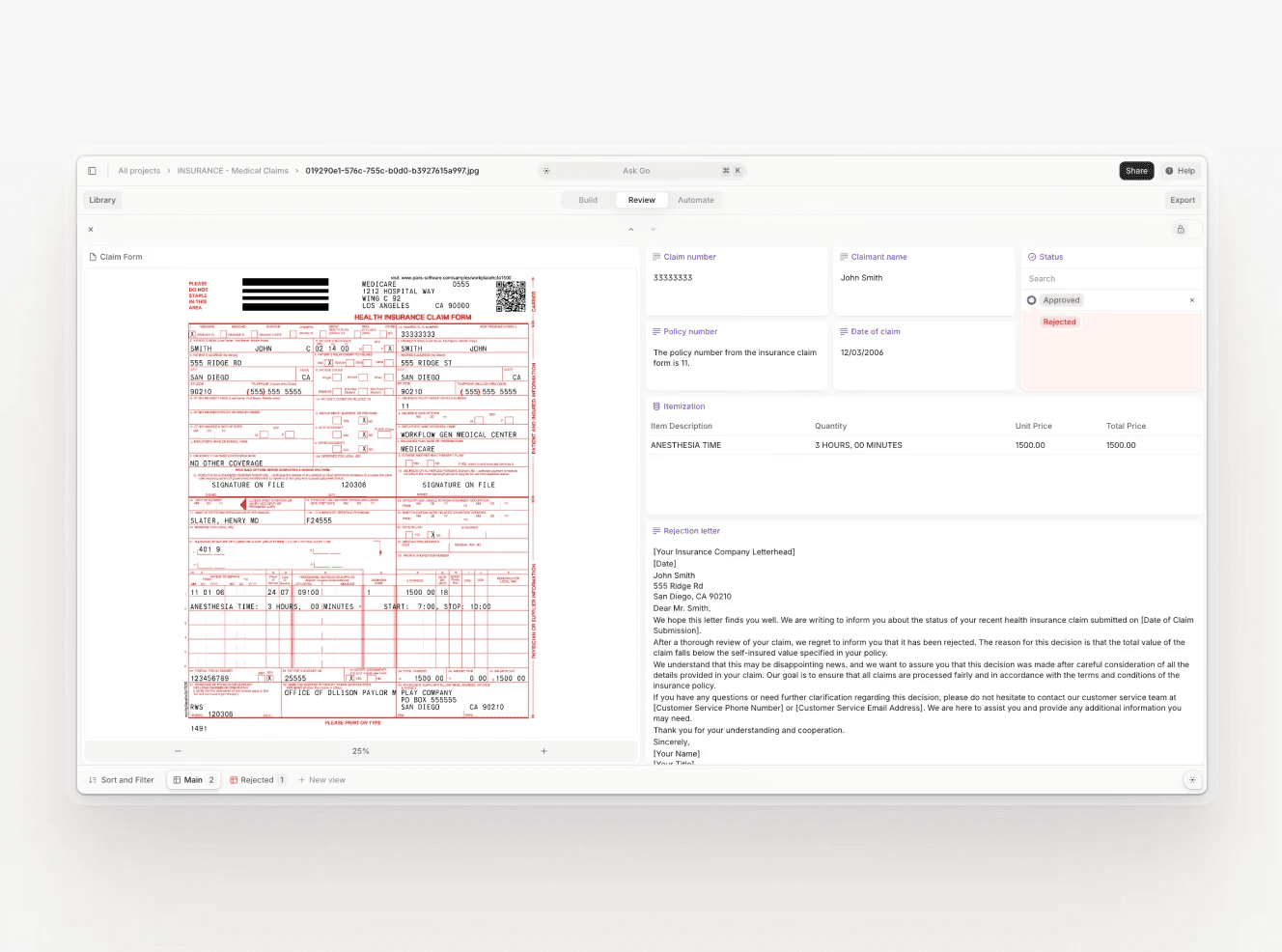
No platform achieves 100% accuracy. Plan for how you will handle the documents that fail automated processing. This planning is often more important than the automation itself—a process that automates 90% of documents but creates chaos for the remaining 10% may be worse than no automation at all.
Key questions to answer: What happens when the system cannot extract a required field? Who reviews flagged documents and within what SLA? How do you route urgent documents differently from routine ones? What training do reviewers need to handle exceptions efficiently? How do you track exception rates and identify patterns that indicate model degradation?
V7 Go handles this through Cases—workspaces where agents, documents, and human reviewers collaborate. An agent processes a batch of contracts, flags three with unusual clauses, and creates a Case for legal review. The reviewer sees the flagged clauses with context and can approve, reject, or request changes. Exception handling is built into the workflow, not bolted on afterward.
Cases interface showing CIM analysis with extracted company data, risk flags, and collaboration workspace.
Document processing is not valuable in isolation. The extracted data needs to flow into your ERP, CRM, data warehouse, or other systems of record. Test this integration early in the pilot phase, not at the end.
A platform that extracts invoice data perfectly but cannot push it to your ERP in the right format is useless. Discover integration challenges early when you can address them. Verify that field mappings work, that data types are compatible, that error handling is reliable, and that the integration performs at production volume.
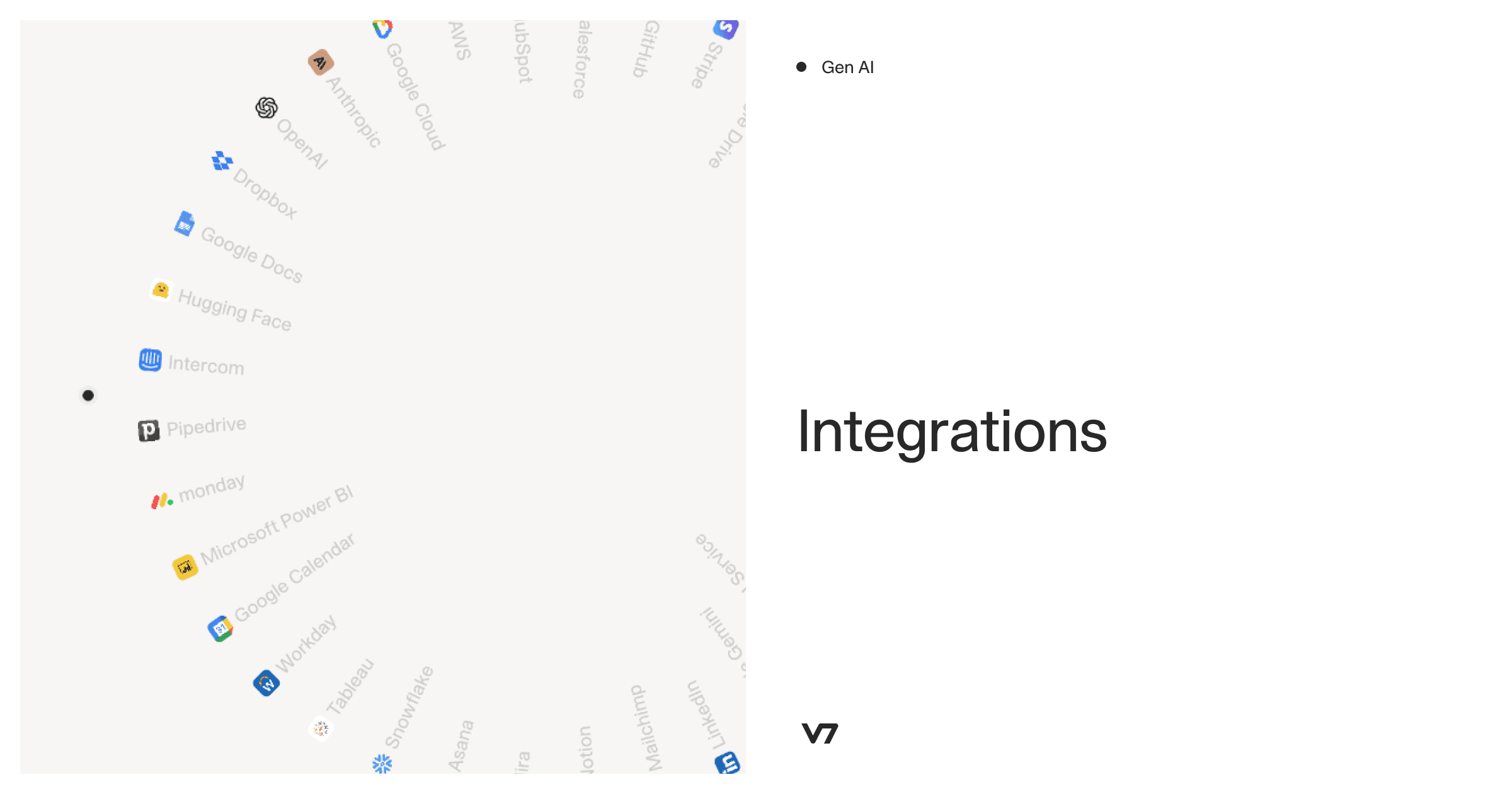
V7 Go provides pre-built integrations with common systems and a flexible API for custom connections. For example, an Accounts Payable Automation Agent can extract invoice data and push it directly to NetSuite, SAP, QuickBooks, or Microsoft Dynamics. The integration is part of the agent configuration, not a separate development project.
Accuracy degrades over time as document formats change, new vendors appear, and edge cases accumulate. Establish monitoring from the start to detect degradation before it becomes a crisis.
Implement sampling: review a random 2-5% of automatically processed documents to verify accuracy. Track exception rates: a sudden increase suggests document format changes or model issues. Monitor downstream errors: rejected records in your ERP, failed validations in your workflows, and complaints from users who receive bad data. Set thresholds that trigger alerts and define escalation procedures when those thresholds are breached.
Document Processing: From Extraction to Understanding
The document processing market is shifting from extraction to understanding. Early platforms focused on getting data out of documents, including identifying fields, reading text, and parsing tables. Modern platforms focus on what that data means in context and how it connects to business decisions. This is not document processing, it is document intelligence. The platform understands what documents mean in the context of your business, not just what text they contain.
This is a move to Intelligent Document Processing, which you can learn more about here: Intelligent Document Processing with GenAI: Key Use Cases.
Consider a private equity firm's deal flow process. Documents arrive from multiple sources: CIMs via email, data room uploads, management presentations, and financial models. A standalone document processing platform extracts data from each document type. But the real work is synthesizing that data into an investment decision.
V7 Go treats this as a single workflow. An Investment Memo Generation Agent ingests all the documents, extracts relevant data, performs analysis, and generates a draft memo. The agent references portfolio company comparables stored in a Knowledge Hub, applies investment criteria configured by the team, and flags risks based on patterns learned from previous deals. The analyst reviews the draft, makes edits, and the system learns from those edits to improve future memos.
This convergence of document processing, AI agents, and knowledge management represents the direction the market is heading. Documents are not processed in isolation; they are inputs to business processes that span multiple systems, require human judgment at key decision points, and benefit from institutional knowledge accumulated over time.
AI Document Processing for Finance, Legal and Insurance
The value of document processing automation and intelligent document processing shows up in faster, more accurate workflows. Here is what actually changes for teams that implement it successfully.
For a Finance Team Implementing Invoice Processing:
Before: Junior analysts spend 15 hours per week manually entering invoice data into Excel, then uploading to the ERP. Month-end close takes 5 days because reconciliation cannot start until all invoices are entered. Error rate is 8%, requiring constant rework and vendor disputes.
After: Invoices are automatically extracted and validated against purchase orders. Exceptions are flagged for review with context. Month-end close takes 2 days. Error rate is below 1%. Junior analysts spend their time investigating discrepancies and improving vendor relationships instead of copying data between systems.
For a Legal Team Implementing Contract Review:
Before: Associates spend 40% of their time reading contracts to identify non-standard clauses. Review of a 50-page agreement takes 3-4 hours. Quality varies based on reviewer experience and attention. Partners review associate work, often catching issues the associate missed.
After: An AI Contract Review Agent pre-reads every contract, flags deviations from the playbook, and generates a risk summary. Associates spend 30 minutes reviewing the summary and investigating flagged clauses. Quality is consistent because the agent applies the same rules to every contract. Partners focus on strategic negotiation, not quality control.
For an Insurance Team Implementing Underwriting Intake:
Before: Underwriters receive submissions via email and manually key data into the underwriting system. A complex commercial submission takes 45 minutes to enter. High-value submissions wait in queue while underwriters process routine work. Keystroke errors lead to mispriced policies.
After: Submissions are automatically extracted and validated against underwriting guidelines. Data flows directly into the underwriting system. Underwriters review a pre-populated screen, correct any errors, and make decisions. Complex submissions surface immediately based on risk indicators. Processing time drops to 10 minutes. Underwriters focus on risk assessment, not data entry.
You can learn more about AI and technology for underwriting document processing and workflow automation here: Artificial Intelligence for Insurance Underwriting: Key Use Cases & Tools.
The shift in all three cases is from manual processing to exception handling. Teams spend their time on the 5% of documents that require human judgment, not the 95% that follow standard patterns. This is where document processing automation delivers its value: redirecting human attention to work that actually requires it.
Ready to automate your most complex document-heavy workflows? Book a demo.
What is the difference between OCR and intelligent document processing?
OCR (Optical Character Recognition) converts images of text into machine-readable text. It is a single technology that outputs raw characters. Intelligent document processing (IDP) is a complete workflow that includes OCR plus classification, extraction, validation, and integration. IDP platforms use OCR as one component but add AI to understand document structure, extract specific fields based on context, and validate data against business rules. The key difference: OCR tells you what characters are on the page; IDP tells you what those characters mean in the context of your business process.
+
How accurate are modern document processing platforms?
Accuracy depends heavily on document quality and complexity. For clean, digital-native PDFs with standard formats—invoices from major vendors, regulatory filings, bank statements—modern platforms achieve 95-98% field-level accuracy. For scanned documents, handwritten forms, or unusual formats, accuracy drops to 70-85%. The more important metric is how the platform handles uncertain extractions: routing them to human review, flagging them for validation, or silently passing through errors. A platform with 90% accuracy and excellent exception handling often outperforms one with 95% accuracy and poor exception handling.
+
Can document processing platforms handle handwritten documents?
Yes, with limitations. Modern platforms use specialized handwriting recognition models that work well for printed handwriting in structured forms: checkboxes, date fields, signature blocks, and short text entries. They struggle with cursive handwriting, poor penmanship, and unstructured handwritten notes. The key advancement is contextual understanding: recognizing that a handwritten number near a rent clause is likely a rent modification, not random noise. Platforms like V7 Go combine handwriting recognition with document understanding to improve accuracy on annotated documents.
+
How long does it take to implement a document processing platform?
Implementation time varies significantly by platform tier and use case complexity. End-to-end AI platforms like V7 Go can be live in 1-2 weeks for standard use cases using pre-built agents; custom workflows take 4-8 weeks. Traditional IDP platforms like Kofax require 6-12 months for enterprise deployments due to customization, integration, and training requirements. Building-block technologies like Amazon Textract require 3-6 months of development to reach production quality, assuming you have engineering resources. The fastest path is choosing a pre-built agent that matches your use case closely.
+
What is the ROI of document processing automation?
Most modern platforms are cloud-only, which provides faster deployment, automatic updates, and lower infrastructure costs. Legacy platforms like Kofax and ABBYY offer on-premise deployment for regulated industries that require full data control. Hybrid deployments—where sensitive data stays on-premise but processing uses cloud resources—are possible but add complexity and cost. For most organizations, cloud deployment is the right choice unless regulatory requirements specifically mandate on-premise. Even heavily regulated industries like financial services and healthcare increasingly accept cloud deployment with appropriate security certifications like SOC 2 and HIPAA compliance.
+
Do I need to choose between cloud and on-premise deployment?
Go is more accurate and robust than calling a model provider directly. By breaking down complex tasks into reasoning steps with Index Knowledge, Go enables LLMs to query your data more accurately than an out of the box API call. Combining this with conditional logic, which can route high sensitivity data to a human review, Go builds robustness into your AI powered workflows.