18 min read
—


How investment banks and PE firms are replacing brittle VBA with AI agents that read PDFs, reconcile data, and build audit-ready models.

Imogen Jones
Content Writer
V7 Go
A smarter way to manage due diligence and underwriting
If you ask a Vice President of Finance at a mid-market private equity firm how they prepare their quarterly LP reports, they will likely point to Excel. If you ask them how the data gets into those spreadsheets, they might just point to a junior analyst who spends three days each quarter manually re-keying numbers from scanned capital call notices, portfolio company financials, and email attachments.
This is the operational reality behind the financial industry's dependency on spreadsheets. Despite billions spent on enterprise software, much of the actual work happens in Excel.
The problem less so the tool itself, and more the manual data entry, the VLOOKUP formulas that break you adjust the reporting reporting template, and the VBA macros written in 2014 that nobody dares to touch.
AI is often positioned as the fix, but today’s LLMs have real limitations. They can’t reliably understand tables, they struggle to replace deterministic formulas or complex calculation logic, and integrating AI directly with Excel usually requires custom code and ongoing maintenance.
The shift happening now is not about replacing Excel. It’s about replacing the brittle, manual processes that feed it. And that’s exactly what we’re here to explore; AI solutions that actually work.
In this article:
Why VBA and manual workflows fail at scale.
AI tools compared, from the latest platforms to legacy automation.
How AI reads unstructured documents and writes to structured models.
What to automate first and how to measure ROI.
The Automation Paradox: Why Excel Remains Irreplaceable in 2026
Every few years, a new generation of enterprise tools promises to kill the spreadsheet. And yet, Excel’s dominance in finance and analysis hasn’t budged. There’s a reason Satya Nadella once called it Microsoft’s “best consumer product.” Excel is both loved and loathed, and for many, utterly indispensable.
Microsoft Excel is the epitome of corporate drudgery. Its dreaded #VALUE! error has driven an incalculable number of users to despair. Yet among financial analysts, management consultants and even the odd business journalist, the spreadsheet program, which this month entered its 40th year, is a handy tool for everything from interrogating company financials to pricing assets.
Excel endures because it hits a rare trifecta: familiar, versatile, and cost-effective. Everyone already knows how to use it. It can shape-shift into almost any analytical tool. And it comes bundled with nearly every corporate laptop.
It’s the universal language of business logic.
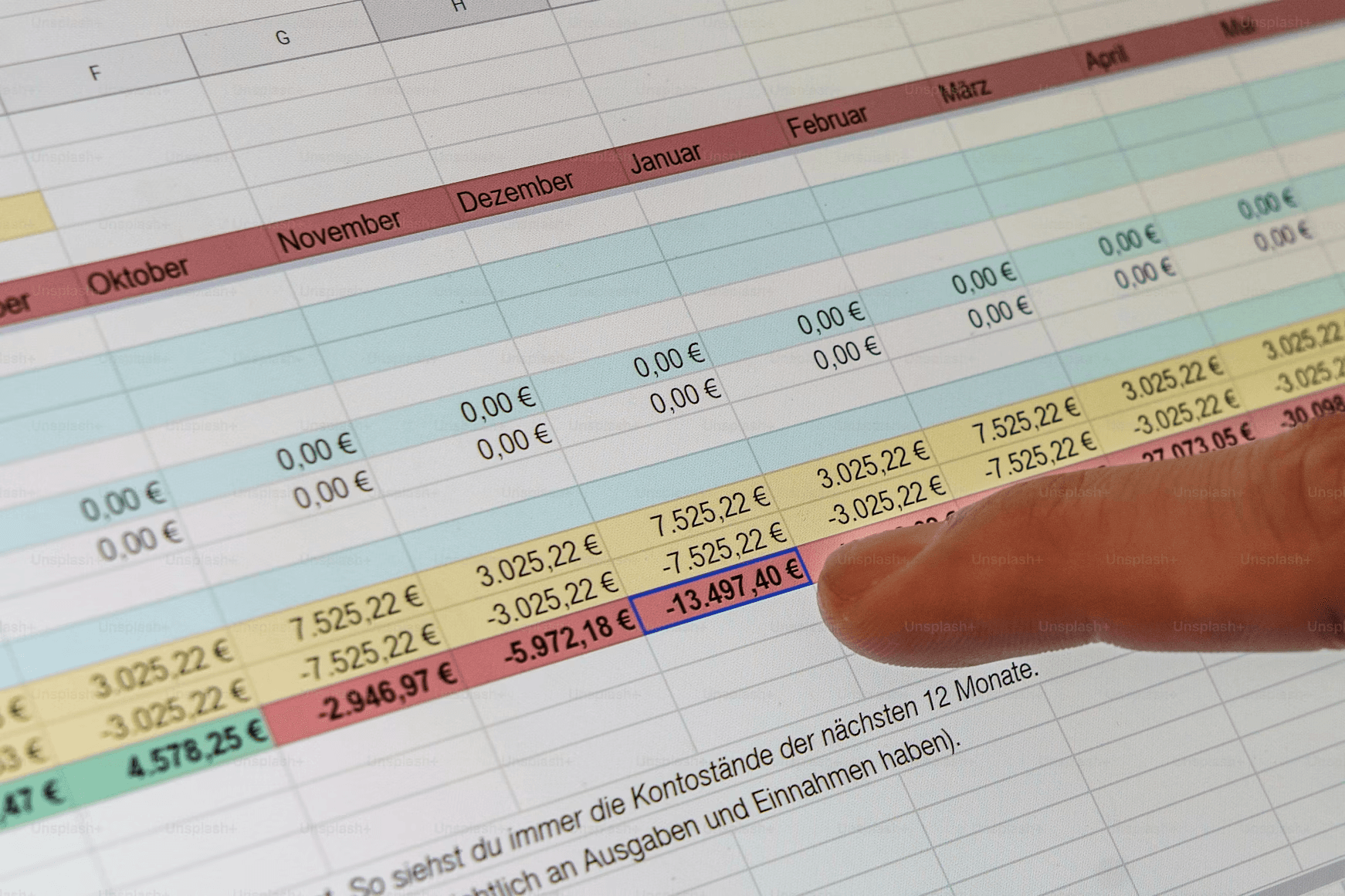
The paradox is that while Excel is flexible enough to model anything, it is terrible at ingesting the data those models need. Take a simple Discounted Cash Flow (DCF) model. It might contain 200 cells of assumptions, but filling them requires:
reading a 10-K filing line-by-line
extracting revenue growth rates from the MD&A
pulling debt schedules from the footnotes
tracing guidance from the latest earnings call
reconciling historicals across multiple filings
This is knowledge work, not data entry, but it is often treated as the latter.
The Three Failure Modes of Traditional Automation
Most firms have tried to automate Excel workflows using one of three approaches, and all three have structural limits that prevent them from scaling effectively.
VBA Macros are the classic solution. A developer writes a script that opens a file, finds specific cells, copies values, and pastes them into the model. This works until the source file changes its structure. A GP switches from a two-column to a three-column format in their capital call notice, and the macro breaks. Maintenance becomes a full-time job.
Outsourced Data Entry involves sending PDFs to offshore teams who manually key the data into templates. This is reliable but slow. Turnaround is typically 24 to 48 hours, and there is no way to verify accuracy beyond spot-checking. For time-sensitive workflows like M&A due diligence, this delay is unacceptable.
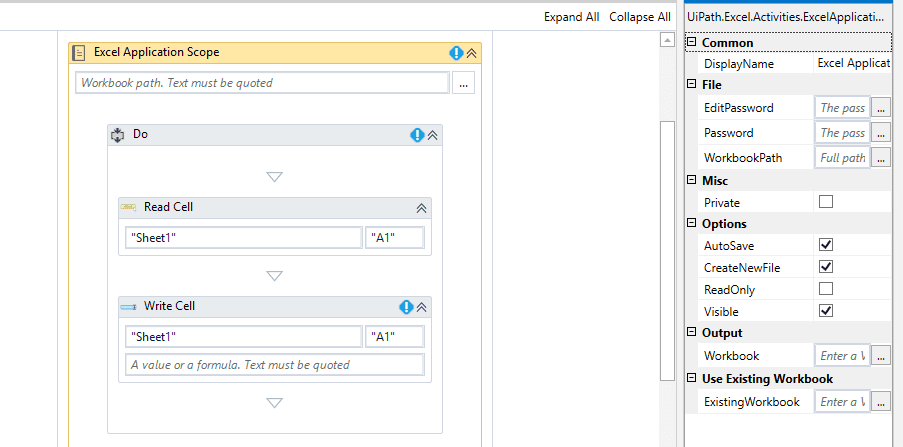
RPA Bots like UiPath can click through applications and copy data. They are faster than humans but just as brittle as VBA. If a website redesigns its layout or a PDF shifts a table by two pixels, the bot fails. RPA works for highly standardized processes but struggles with the variability inherent in financial documents.
What Makes AI (And AI Agents) Different
If you live in spreadsheets, you’ve likely felt the shift in the air. We’ve seen AI tools that can write complex formulas instantly, explain confusing errors, and even generate sample data sets with a simple prompt.
It is an exciting time to be an analyst. The drudgery of syntax and the frustration of #REF! errors are vanishing, replaced by natural language interactions. But if we stop there, viewing AI merely as a "better Clippy" or a formula generator, we are missing the bigger picture.
Why Generative AI Alone Cannot Fix Excel
With the rise of Large Language Models (LLMs), many assumed the problem was solved. If an AI can pass the Bar Exam, surely it can read a spreadsheet?
In reality, integrating generic LLMs into Excel workflows is fraught with technical peril.
LLMs process information linearly (token by token), whereas spreadsheets are two-dimensional grids. When an LLM ingests a large CSV or Excel file, it converts that grid into a long string of text. By the time the model processes the data in Row 50, it has often "forgotten" the column headers defined in Row 1 due to context window limitations. This leads to misalignment, where the AI might mistake a "Debt" figure for a "Revenue" figure simply because of how the text was serialized. That’s why you need additional preprocessing with location markers or dedicated functionality that can pre-process charts and tables in a way that makes them AI-friendly.
AI cannot safely perform complex calculations or deterministic logic that’s encoded inside formulas. In many cases, you still need to type data into Excel templates to get things done.
Even if the AI reads correctly and calculates correctly, another obstacle remains: integration. Chat interfaces operate in isolation. Moving extracted values into a complex Excel model typically requires custom scripts, API glue, ad-hoc macros, or manual copy-and-paste.
AI Agents For Excel
This brings us to the most powerful concept in modern automation: AI Agents.
Think of an AI Agent as a smart junior analyst. You don’t tell a smart analyst which specific keys to press; you tell them the business objective, and they figure out the execution. A capital call notice from Blackstone looks different from one from KKR. A 10-K from a tech company has a different structure than one from a manufacturer. An AI agent trained on document understanding can adapt to these variations without reprogramming.
Agentic platforms like V7 Go can function as the missing orchestration layer between unstructured documents and the deterministic logic of Excel. Bespoke agents can read filings, statements, contracts, data room materials, and scanned PDFs with the kind of structural understanding that generic LLMs lack. They can standardize the content, validate the extracted data, and then populate Excel templates directly, without fragile scripting, custom code, or integration headaches.
Because V7 Go includes its own spreadsheet-style interface, analysts can inspect results in a familiar grid, adjust values, apply formulas, or sync data bi-directionally with real Excel files. Spreadsheets, CSVs, and tables can be used both as inputs (context the agent should reference) and as destinations (cells the agent should populate). The entire workflow becomes cohesive, transparent, and audit-ready.
The result is that Excel continues doing what it does best—precise, deterministic calculation—while AI agents finally do what analysts have always wished for: handling the messy, time-consuming, unstructured work surrounding the model.
AI For Excel: Core Capabilities
Using modern AI tools for Excel rely on three technical capabilities working together to solve the unstructured data problem.
The ability to read PDFs, images, and scanned documents and understand their structure. This goes beyond OCR software. The AI identifies tables, headers, footnotes, and the relationships between them. It knows that a number in parentheses in a financial statement represents a negative value. It understands that a footnote reference links to additional context.
Once the AI reads the document, it extracts specific data points based on a schema. As an example, for a capital call, this might be the call amount, due date, and allocation by LP. The AI then validates these extractions against business rules. Does the total match the sum of individual allocations? Is the due date in the future? Are the amounts formatted as currency?
The final step is writing the data into the correct cells in the model. This requires understanding the model's structure. Some tools use cell references. Others use named ranges or table structures. The best systems allow analysts to define the mapping once and then apply it to hundreds of documents.
Market Landscape: The Tools Compared
The market for AI-enhanced Excel tools splits into three tiers: native integrations, specialized agents, and legacy enterprise platforms. Each serves a different use case depending on the complexity of the workflow.
Microsoft Copilot: The Native Option
Microsoft Copilot is built directly into Excel as part of the Microsoft 365 suite. For general users, this is the easiest entry point. You can ask Copilot to generate a formula, create a pivot table, or summarize a dataset using natural language.
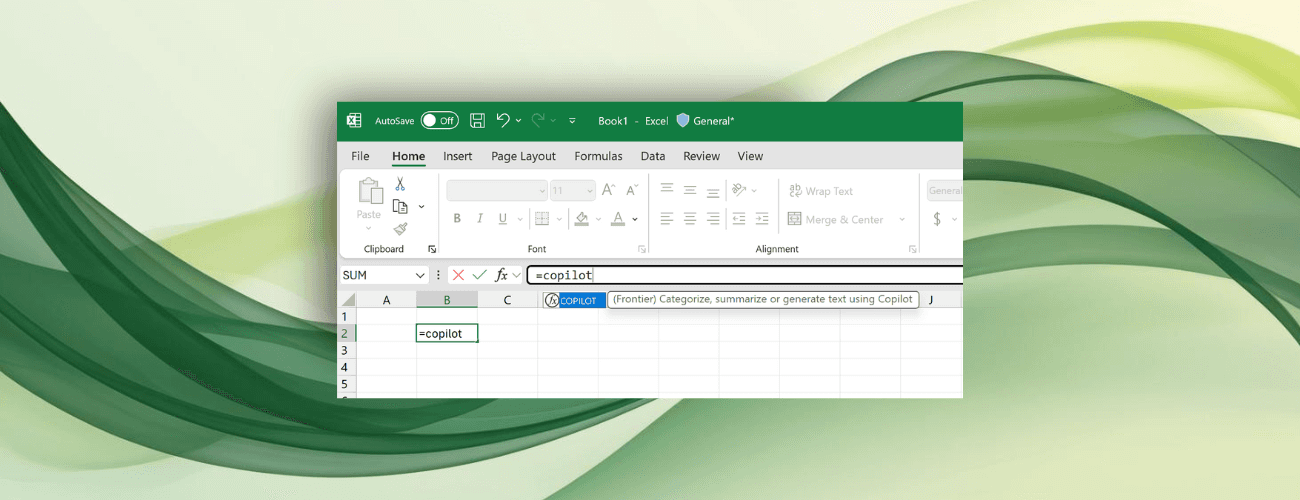
Strengths: The integration allows for immediate access without context switching. There is no separate login, no data export, and no security review needed because it operates within the existing Microsoft environment. For tasks like writing a SUMIF formula or creating a chart, Copilot is fast and accurate.
Limitations: Copilot struggles with complex, multi-step workflows that involve external documents. If you need to read a 50-page CIM, extract key metrics, cross-check them against a data room, and populate a valuation model, Copilot typically cannot handle the end-to-end orchestration. It is designed for single-turn interactions. Furthermore, without strict grounding in uploaded documents, general-purpose LLMs can occasionally hallucinate figures, which presents a significant audit risk in finance.
V7 Go: The Workflow Specialist
V7 Go is engineered for the demands of document-heavy, multi-step workflows, offering a level of flexibility that goes far beyond a standard plugin. It is designed so that you can utilize it in tandem with Excel when you need that familiarity, or rely on it to automate entire end-to-end processes independently.
Multimodal ingestion capabilities means platform can read tables, figures, charts, scanned documents, handwriting, footnotes, and even visuals like diagrams or supporting images embedded in filings or data-room materials. Whether it’s extracting a number from a footnote, interpreting a complex revenue bridge chart, or reading a scanned bank statement with uneven formatting, V7 Go treats all these inputs as part of the same analytical context.
It can perform automated flagging and rigorous analysis across documents and spreadsheets, spotting inconsistencies that a human review might miss and effectively acting as a proactive analyst rather than a passive tool.
V7 Go provides a library of specialized agents; such as an AI Financial Statement Analysis Agent that reads 10-Ks and 10-Qs, an AI Financial Due Diligence Agent that triages data rooms, and an AI Statement Processing Agent that normalizes bank statements from different custodians into a standard format.
This is just the beginning; all agents can be changed to meet your most bespoke requirements, or built from the ground up. You can interact with and tweak your agents directly with automated workflows in a spreadsheet or visual view, or query them together in natural language through the Concierge.
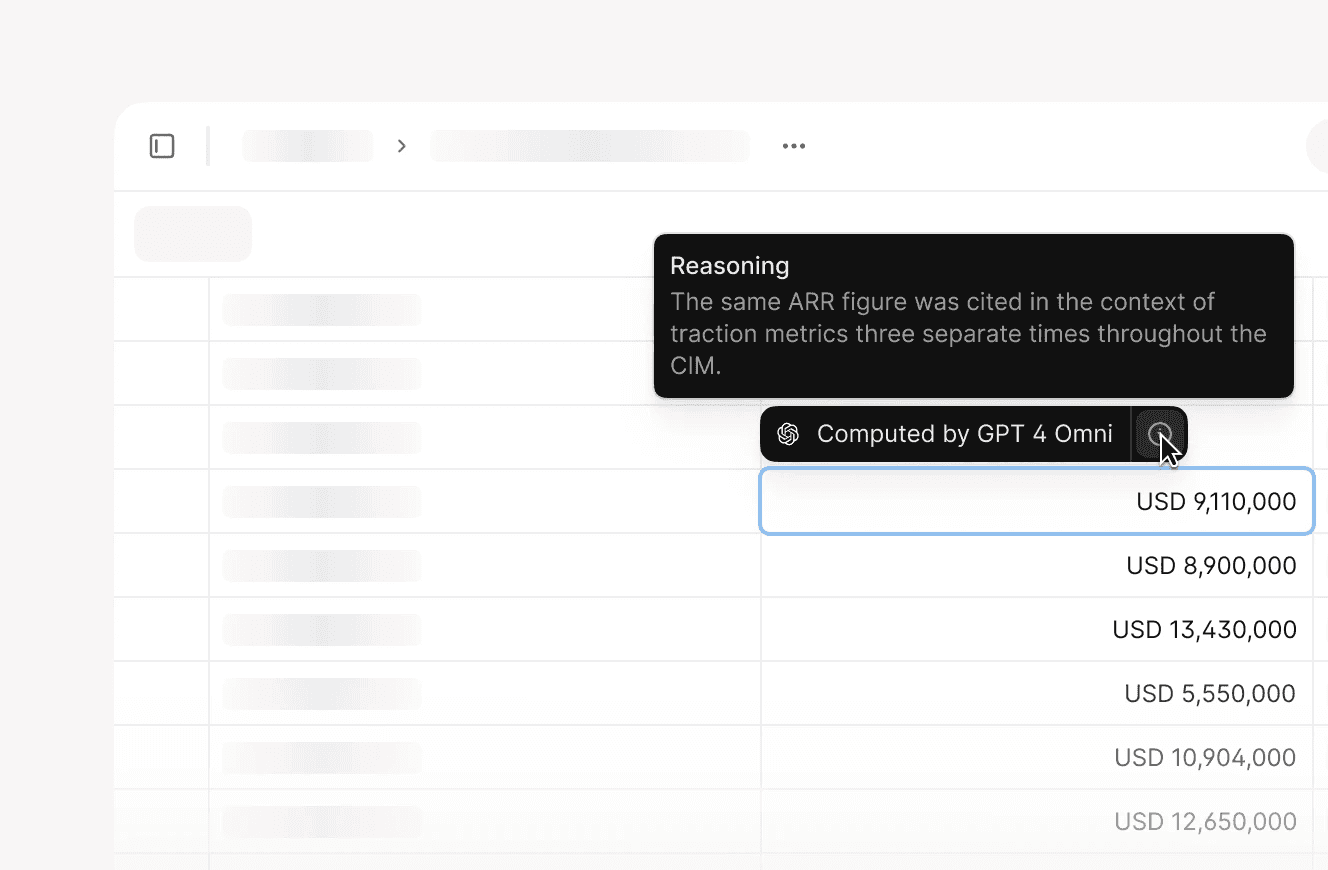
When V7 Go extracts a number from a document, it returns a citation showing exactly which page, paragraph, and sentence the number came from. This is critical for audit trails. A CFO reviewing a model can click on a cell and see the source document with the relevant text highlighted. This level of transparency separates a useful tool from one that can be trusted in a regulatory environment.
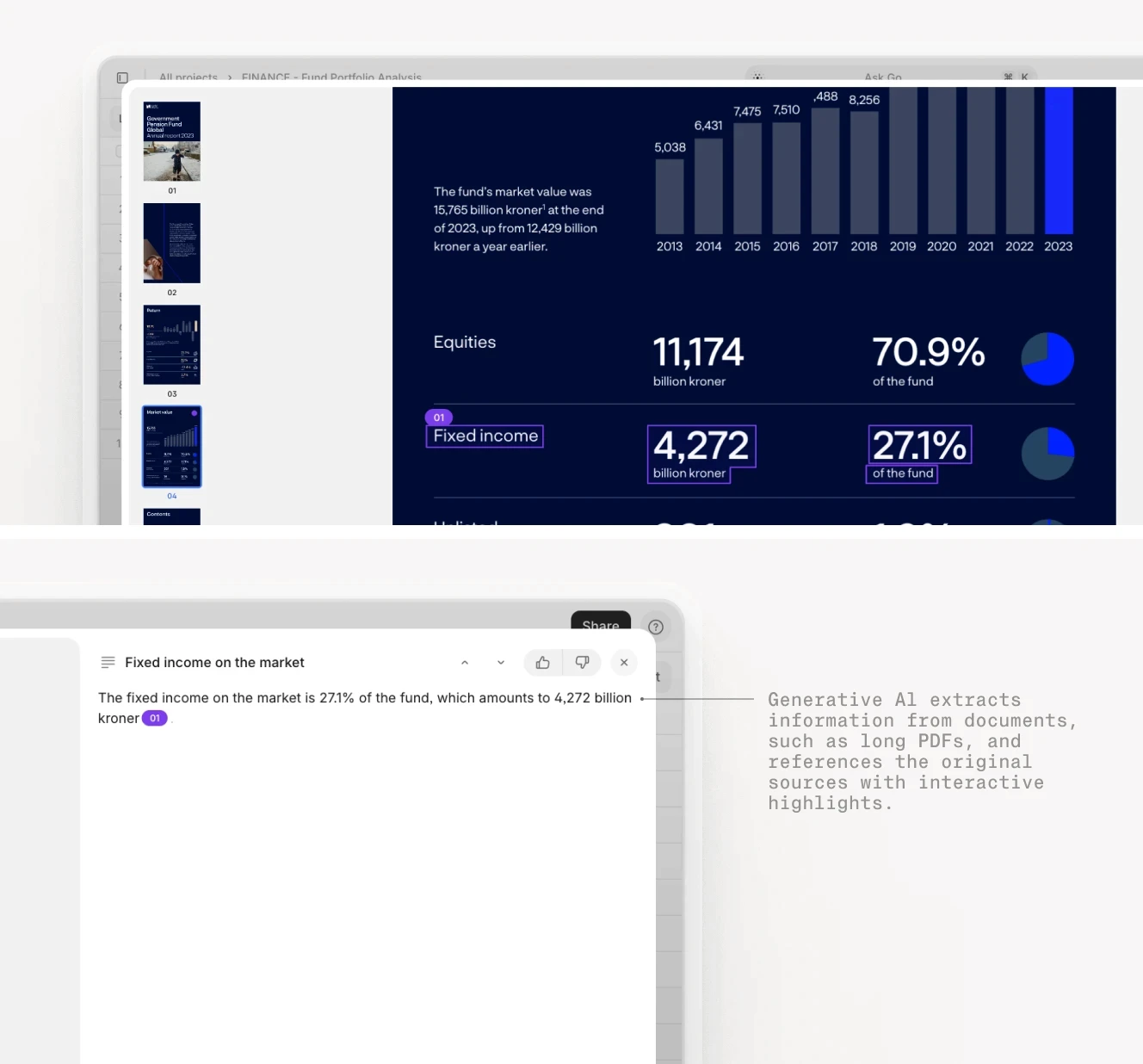
AI citations in action: Each extracted metric links directly to the source paragraph in the original document.
FormulaBot and SheetAI: The Formula Helpers
Tools like FormulaBot and SheetAI (for Google Sheets) focus on a narrower problem: helping users write formulas faster. You describe what you want in plain English, and the tool generates the formula. They also offer some analysis and visualization features.
Strengths: These tools are cost-effective, easy to install, and immediately useful for analysts who are not Excel power users. They reduce the cognitive load of remembering syntax. Instead of searching for how to construct a complex VLOOKUP, you simply ask the tool.
Limitations: They do not handle data ingestion. They assume the data is already in Excel. For a firm dealing with hundreds of PDFs, emails, and scanned documents, a formula assistant does not solve the core bottleneck. They are useful productivity boosters for analysts who already have clean data, but they are not a replacement for document processing workflows.
Legacy Enterprise Platforms
Large firms often rely on enterprise platforms like Oracle Hyperion, SAP BusinessObjects, IBM Cognos, and OneStream to manage the backbone of their financial consolidation and reporting processes. These systems were purpose-built for environments where accuracy, governance, and control are non-negotiable.
The Trade-Off: They handle complex accounting logic, multi-currency consolidation, and regulatory reporting perfectly. They are auditable and scalable. However, they are also expensive, slow to implement, inflexible, and difficult to customize. A full implementation can take months and cost hundreds of thousands of dollars.











Real-World Implementation: What to Automate First
The mistake most firms make is trying to automate everything at once. They want a single AI that handles capital calls, quarterly reports, invoices, contracts, and tax documents. This fails because each document type has different extraction logic, different validation rules, and different downstream systems.
"Dream big. Start small. But most of all, start."
— Simon Sinek
The right approach is to start with one high-volume, high-pain workflow and prove the ROI before expanding. Below are three examples.
Workflow 1: Capital Call Processing
For fund-of-funds and LPs, capital calls are the highest-volume document type. A large LP might receive 500 capital call notices per quarter. Each one needs to be read, the amount extracted, the allocation verified, and the payment scheduled.
This is an ideal first automation because the document structure is relatively consistent within a single GP, the validation rules are clear (amounts must sum correctly), and the downstream action is simple (schedule a wire transfer).
Expected Impact: A manual process that takes 30 minutes per capital call (reading, extracting, entering into the payment system, filing) can be reduced to a few minutes of review time. For 500 calls per quarter, this saves hundreds of hours of analyst time annually.
Workflow 2: Quarterly Portfolio Company Reporting
Private equity firms receive quarterly updates from their portfolio companies including financial statements, KPI dashboards, and management commentary. The data needs to be extracted and rolled up into a fund-level performance report for LPs.
AI agents can streamline this by:
Extracting financials and KPIs from each company’s report
Normalising the data so metrics align across industries
Automatically populating Excel models and templates
Applying validation rules (e.g., checking if EBITDA matches the cash flow statement)
Flagging exceptions or unusual swings for human review
Instead of analysts spending hours copying numbers into Excel, adjusting units, or reformatting tables, they begin with a clean, structured workbook already filled with the correct figures. They can then focus on interpretation, variance analysis, and preparing commentary, where their judgment adds real value.
To learn more about this use case, read our blog, How AI Can Finally Fix Investor Reporting and Investor Relations.
Expected Impact: Automating the extraction of key metrics from 20 different portfolio companies can save dozens of hours each quarter, allowing the team to focus on analyzing performance rather than data entry.
Workflow 3: Invoice and Receipt Processing
For firms with high volumes of invoices (e.g., real estate operators, logistics companies), automating invoice processing can eliminate accounts payable bottlenecks. AI can read the invoice, extract the vendor, amount, line items, and due date, and match it against a purchase order. This removes the need for manual data entry and reduces exceptions long before an analyst ever touches the spreadsheet.
Instead of accounts payable staff keying values into spreadsheets one cell at a time, the AI agent can populate the workbook automatically.
This means:
No more retyping line items from PDFs
Fewer copy-and-paste mistakes
Cleaner data flowing directly into models
Faster month-end close and more reliable accruals
To see this in action, have a look at V7's AI Invoice Processing Agent.
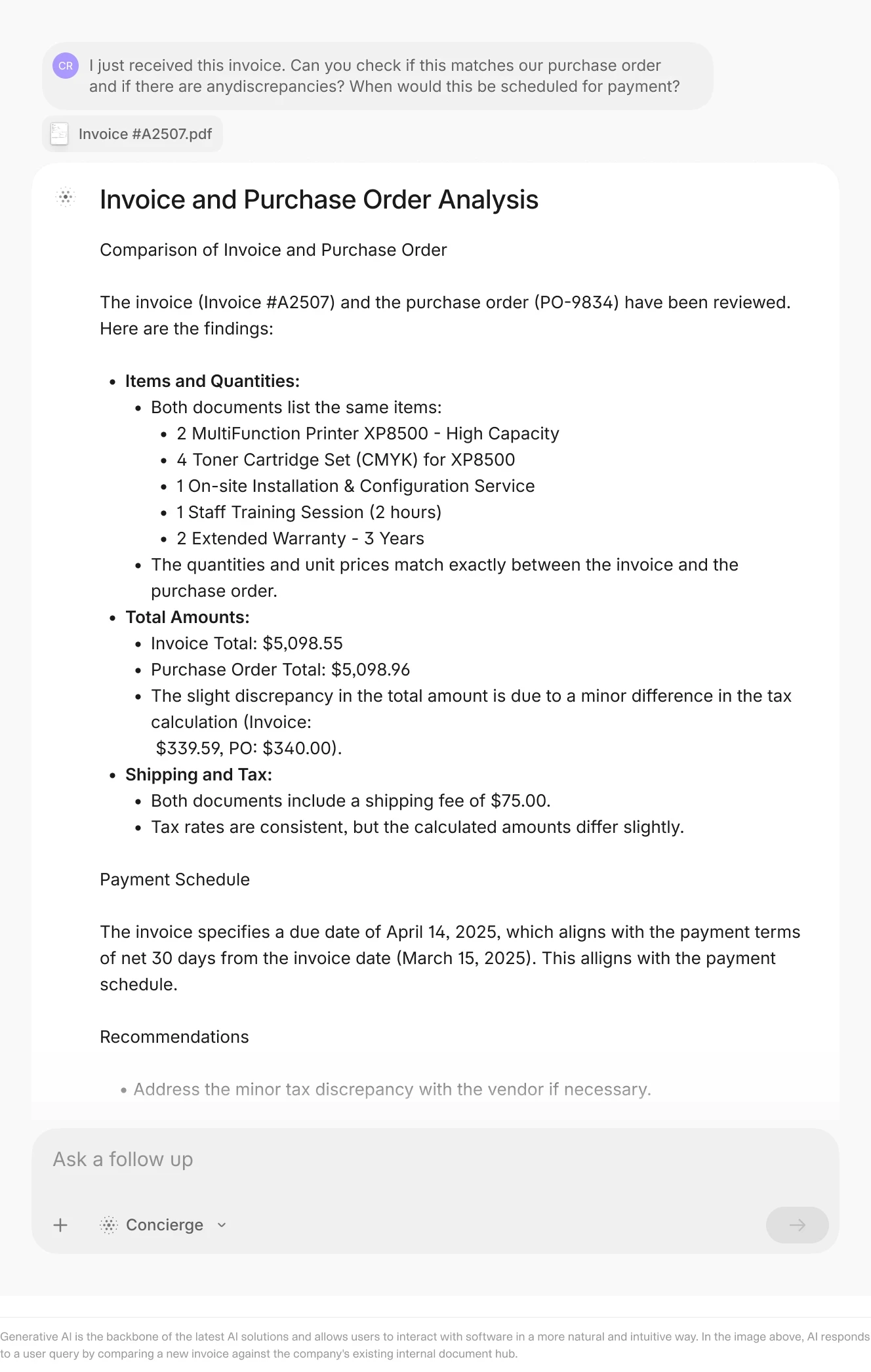
Three-way match in action: AI compares invoice, purchase order, and receipt to flag discrepancies before payment.
Measuring Success: Beyond Time Savings
Most firms measure automation ROI in hours saved. This is useful but incomplete. The real value of AI agents in Excel workflows comes from three less obvious benefits.
Manual data entry in Excel always carries an error rate.Even a small mistake like a misplaced digit, an incorrect formula, or an overwritten cell can cascade across an entire model. A wrong revenue figure affects margins, cash flow, ratios, forecasts, and ultimately the decisions made from the output.
AI agents don’t eliminate errors entirely, but they dramatically reduce them by removing the “fat-finger” risk of manual typing and the inconsistency of human data entry. Automated validation rules also create an additional layer of protection, catching outliers, unit mismatches, missing values, or logic inconsistencies before they propagate.
Whether you work in corporate finance, FP&A, accounting, or audit, closing the books is often the most time-sensitive and resource-intensive period of the month or quarter. Delays typically come from manual reconciliation: collecting data from multiple sources, re-entering figures, fixing spreadsheet errors, and validating the final outputs.
AI agents accelerate this process by automating core inputs such as data extraction, consolidation, and first-pass validation. This removes the manual bottlenecks and creates a smoother, more predictable close.
Traditionally, when workload increases (more statements to process, more business units, more reporting requirements) the default solution is to add more analysts. Manual workflows scale linearly with headcount.
AI agents break this pattern.
Once deployed, an agent can process larger volumes of documents, data, and reports without requiring additional staff. Whether your organisation grows in size, complexity, or reporting frequency, the automation scales at negligible marginal cost.
This also frees up the existing team to focus on higher-value activities, like:
Applying expertise to solve complex or ambiguous problems
Interpreting trends and making meaning from data
Building and strengthening relationships
Refining assumptions and improving analytical frameworks
Supporting high-stakes decisions
Common Pitfalls and How to Avoid Them
Even with the right tool, implementations can fail. Understanding where these projects typically go wrong is the first step toward preventing delays, accuracy issues, or user pushback.
Below are the most common pitfalls finance teams encounter when deploying AI for Excel, and the practical steps you can take to avoid them
The Missing Human-In-The-Loop
Some firms assume that AI agents are fully autonomous and do not build a review workflow. This is risky. Even the most advanced AI can misread a low-quality scan, misunderstand a footnote, or overlook nuance in a legal clause. Treating the system as infallible creates the very risks automation is meant to eliminate.
Strong oversight is essential, especially early on. Focus on building strong processes, including good reporting and a structured approach to reviewing the outputs.
Modern platforms like V7 can make human-in-the-loop review easier by automatically flagging discrepancies, unusual values, or anything that doesn’t match expected patterns. Instead of requiring analysts to sift through everything, a handful of items are surfaced that genuinely need human attention. This creates a balanced workflow: the agent carries the heavy load, while humans oversee the outliers and apply judgment where it matters.
See below an example of a manual correction made in V7.

Ignoring Change Management
Analysts who have spent years perfecting Excel models or manual review processes are often skeptical of AI automation. They worry about accuracy, transparency, or losing control over the workflow.
Ignoring this dynamic is one of the biggest reasons AI initiatives stall.
The solution is inclusion:
Involve analysts early in the process
Let them define validation rules and business logic
Give them full visibility into how decisions are made
Show them the audit trail and source citations
Allow them to influence how the agent evolves
Once analysts see that AI removes grunt work while preserving their judgment, adoption accelerates dramatically. AI becomes a partner, not a threat.
Underestimating Data Quality Issues
AI agents are only as good as the documents they read. If your GPs send you scanned PDFs with poor image quality, the OCR will struggle. If the documents are inconsistent (some GPs report in thousands, others in millions), the validation rules need to account for that.
Spend time upfront cleaning and standardizing your document corpus where possible. Well-prepared data dramatically improves reliability, reduces manual corrections, and accelerates trust in automation.
With that being said, agents and AI models are improving rapidly. Modern multimodal systems can handle noisy scans, irregular layouts, multi-language content, and complex tables far better than even a year ago. While data cleanliness will always matter, the technology is closing the gap, and every iteration expands the range of documents AI can process accurately.
The Future: From Automation to Intelligence
The firms that adopt this technology early will have a structural advantage. They will close faster, report more accurately, and scale without proportional headcount growth. The firms that wait will find themselves competing with rivals who have better data, faster insights, and lower costs.
If your team spends significant time on manual data entry, extraction, or reconciliation in Excel, you have a candidate workflow for automation. The question is not whether to adopt AI agents. The question is which workflow to start with and how quickly you can prove the ROI.
To see how V7 Go can automate your specific Excel workflows, from capital calls to financial statement analysis, book a demo.
Do I need to change my existing Excel models to use AI agents?
No. AI agents can be designed to work with your existing models. You define where the extracted data should go (specific cells, named ranges, or table rows), and the agent writes to those locations. Your formulas, pivot tables, and charts continue to work exactly as they do today. The only change is that instead of manually typing data into those cells, the AI populates them automatically. Some firms choose to refactor their models over time to take advantage of table structures or named ranges, which make the integration more robust, but this is optional.
+
What security measures are in place when using AI agents with sensitive financial data?
Enterprise-grade AI platforms use the same security standards as financial institutions. This includes encryption in transit and at rest, SOC 2 Type II certification, role-based access controls, and audit logs that track every document processed and every user action. Critically, your data is never used to train public models. The AI uses your documents as context to perform the extraction, but those documents remain private and are not incorporated into the model's training data. For firms with strict data residency requirements, some platforms offer on-premise or private cloud deployments.
+
How do AI agents handle documents with poor scan quality or handwritten notes?
Modern AI agents use advanced OCR that can handle low-resolution scans, skewed images, and even some handwritten text. However, accuracy degrades with document quality. A crisp, native PDF will have higher extraction accuracy than a faded, photocopied scan. The agent flags low-confidence extractions, so a human can review and correct them.
