17 min read
—


This is your guide to leading AI automation platforms for your most complex document-heavy workflows.

Imogen Jones
Content Writer
V7 Go
A smarter way to manage due diligence and underwriting
What if you never had to do that same pattern of clicks again? The ones you’ve memorised so well you can do them without thinking. Maybe it's copying numbers out of CIMs, rekeying claim data, or abstracting leases line by line. Individually, these tasks are trivial. Collectively, they consume entire careers.
Automating workflows is one of the most powerful levers an organisation can pull. Done well, repetitive work disappears and bottlenecks shrink. People spend more of their day on judgment, creativity, and decision-making instead of administration.
Generative and agentic AI are now accelerating this shift, making it possible to automate workflows that were previously out of reach.
But this explosion of capability has created a new problem: choice. The market is crowded with platforms that make big promises. Some are AI-native, designed from the ground up for document-heavy, judgment-driven work. Others are established incumbents, layering AI onto existing automation stacks.
Pick the wrong platform and you inherit complexity, brittle workflows, and stalled adoption. Pick the right one and you unlock compounding returns.
In this guide, we break down the major automation platforms. Just as importantly, we cover what actually determines success after the contract is signed: implementation best practices, common pitfalls, and the workflows that are most effective to automate first.
In this article:
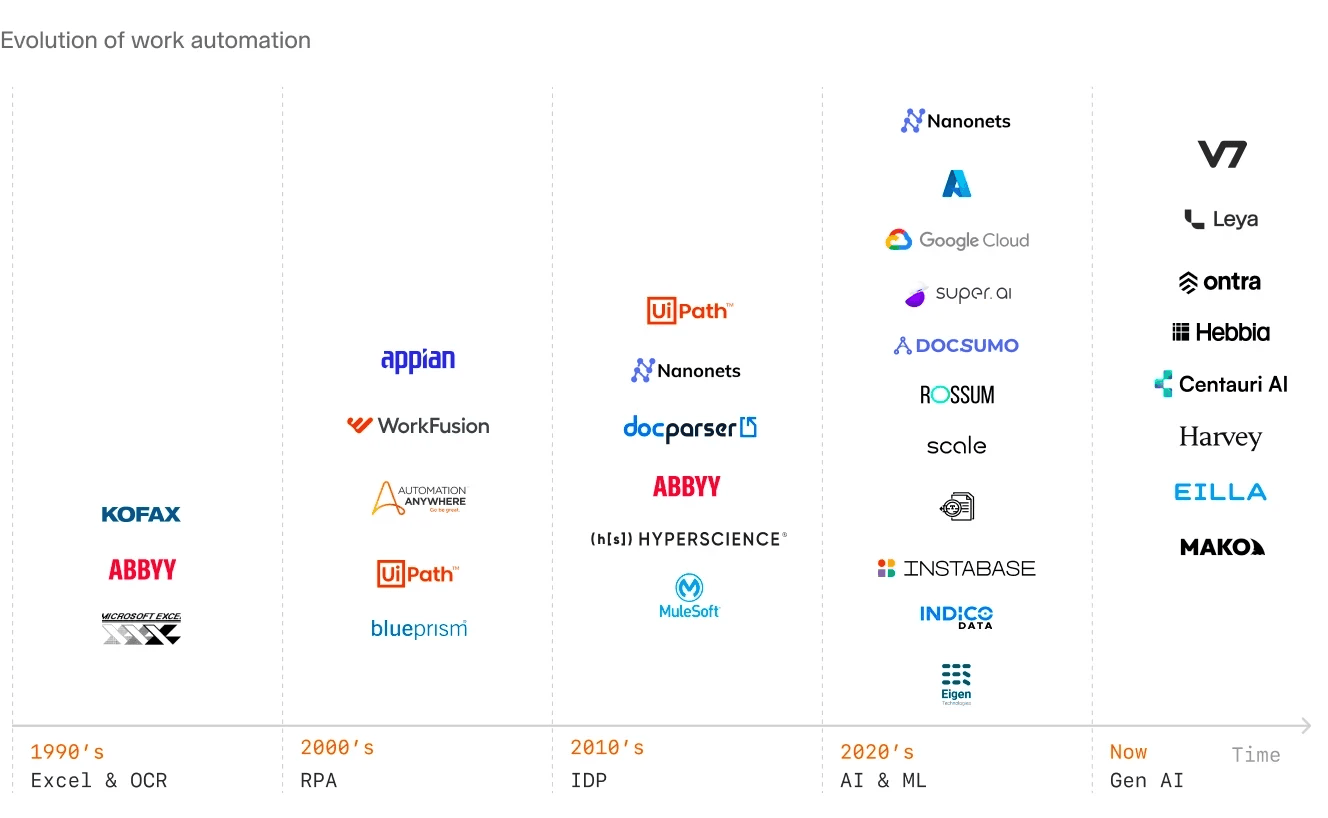
Why traditional RPA fails at document-heavy workflows and what changed with generative AI.
Detailed reviews of modern AI platforms and legacy incumbents.
How to evaluate platforms, run pilots, and avoid the common traps that turn a 6-week proof-of-concept into a 6-month professional services engagement.
How to identify workflows you can automate.
Why Does Traditional Automation Fail With Complex Knowledge Work?
To understand which AI automation platform fits your organisation, it helps to first understand why so many automation initiatives stall or fail in complex industries like finance, legal, real estate, and insurance. The root cause is usually the same: a mismatch between what traditional RPA was designed to automate and what modern, document-heavy workflows actually require.
In these industries, work rarely consists of a single, repeatable step. It spans multiple documents, systems, decisions, and handoffs. Just as vitally, it often depends heavily on context and interpretation.
RPAs: Structured Data, Deterministic Workflows
Traditional RPA platforms like UiPath, Blue Prism, and Automation Anywhere were built for a specific use case: automating repetitive, rules-based tasks in structured environments. They excel when the input is predictable. A bot can log into a web portal, scrape a table of numbers, paste them into an ERP system, and trigger an approval workflow. The logic is deterministic. If Field A equals X, then do Y.
This approach works well for tasks like:
Moving data between databases with fixed schemas
Triggering alerts when thresholds are breached
Reconciling structured reports where formats are known in advance
But it breaks down completely when the input is a scanned PDF of a commercial lease agreement, a handwritten insurance claim form, or a 300-page Confidential Information Memorandum with inconsistent formatting. Traditional RPA has no native ability to understand what a "break clause" is, where to find the "DSCR covenant" in a loan document, or how to extract the "management team" section from an investment teaser when every teaser uses a different template.
As a result, teams either fall back to manual review or attempt to build brittle, document-specific rules that break as soon as inputs change. Automation stops at the system boundary, while the most time-consuming work remains manual.
Generative AI: From Rules to Reasoning
What changed in 2023 was the maturation of large language models capable of reasoning over unstructured text.
Instead of writing 500 if-then rules to parse a lease, modern large language models can read documents the way humans do: identifying relevant sections, interpreting language in context, and mapping messy inputs into structured outputs. Instead of encoding hundreds of fragile rules, teams can now express intent directly:
“Extract the lease term, rent mechanics, escalation clauses, and any break options.”
This isn't magic, it's probabilistic pattern matching trained on billions of documents. But for document-heavy workflows, it materially changes how teams handle unstructured inputs and the automation of complex tasks.
Consider a private equity firm evaluating renewable energy deals. Each opportunity includes a teaser, CIM, power purchase agreements, technical reports, grid interconnection contracts, and financial models. Historically, extracting key terms required hours of analyst time or bespoke parsers for each document type. With generative AI, an agent can ingest the full data room, identify relevant sections across documents, and populate a standardized screening or diligence template in minutes.
From Generative AI to Agentic AI
Agentic AI extends this capability beyond single tasks into full workflow automation.
An agent can route exceptions, request missing information, apply internal guidelines, update downstream systems, and escalate edge cases for human review. This is what enables true end-to-end automation in complex industries: not just reading documents, but orchestrating the multi-step workflows built around them.
AI agents can support highly complex and ambiguous use cases across industries and business functions. They can use tools designed for humans, like a web browser, as well as tools designed for computers, such as an API. The ability to do both gives AI agents the flexibility to operate across technology architectures, inside and outside of organizations, without requiring significant modifications to those architectures.
What Makes an AI Automation Platform "Good" for Document Work?
Not all platforms are created equal. Here is what actually matters.
1. Accuracy on Unstructured Documents
The platform must handle poor scans, handwritten notes, inconsistent formatting, and multi-column layouts. A tool that works perfectly on clean invoices but fails on scanned lease agreements is not useful for real estate firms. Look for platforms that publish accuracy benchmarks on real-world documents, not sanitized test sets.
In practice, this means testing with your actual documents. Take 50 PDFs from your backlog (the messy ones, the scanned ones, the ones with tables that span multiple pages) and measure extraction accuracy. Poor accuracy will create more work than it saves because you will need to manually review every output.
2. Visual Grounding and Citations
This is the difference between a black-box summary and an auditable extraction. When an AI agent claims the DSCR covenant is 1.25x, you need to see the exact page and paragraph where it found that number. V7 Go's visual grounding feature highlights the source text and provides bounding boxes around extracted data. This is critical for legal and financial workflows where every figure must be traceable to its source.
Without citations, you are trusting the model blindly. For a deal team preparing an investment committee memo, that is unacceptable. The analyst needs to verify every number before it goes into the presentation.
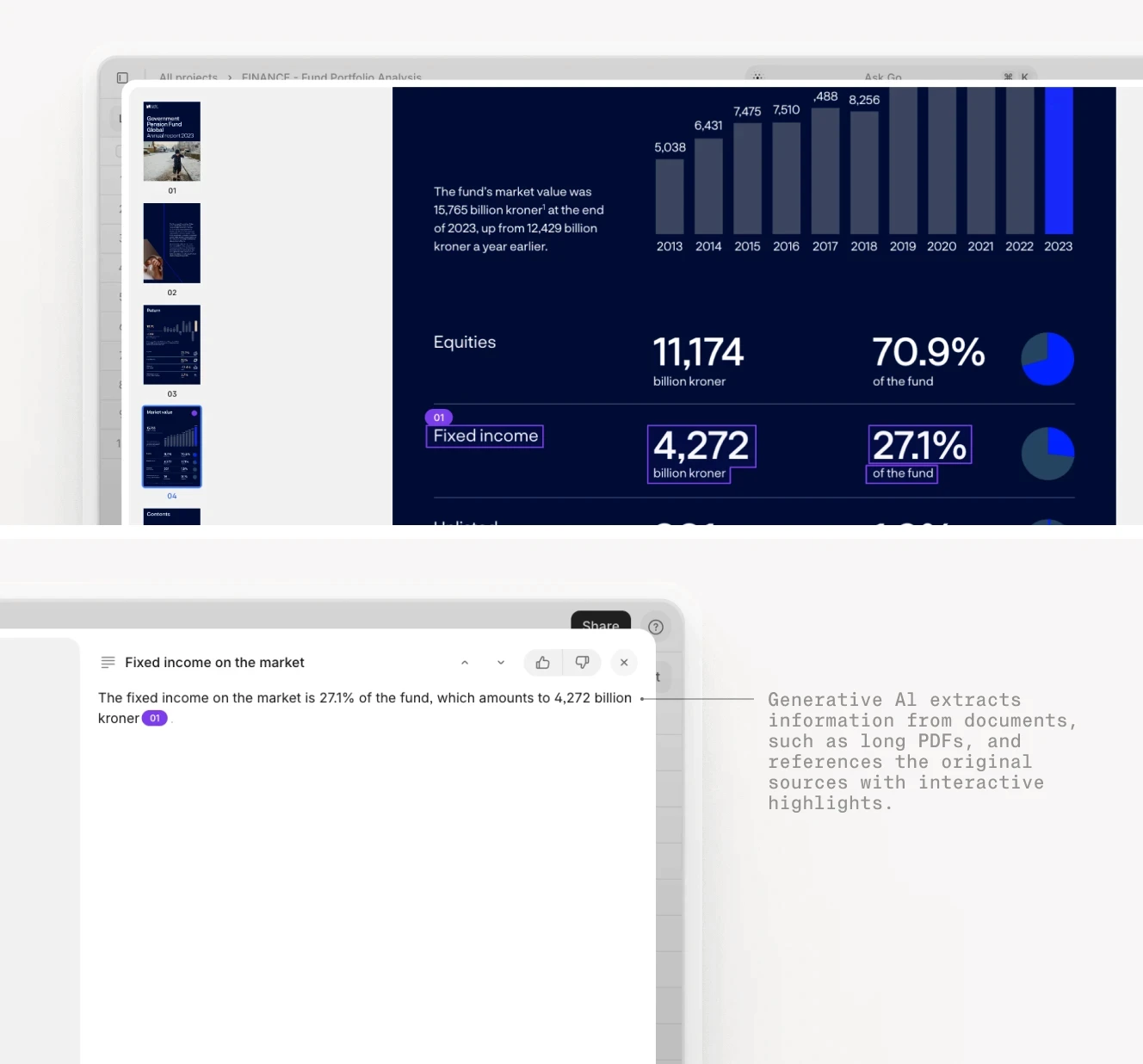
Visual grounding in action: AI extracting financial metrics with direct citations to source pages for audit trails.
3. Customizable Workflows
The best platforms allow non-technical users to configure agents. If every workflow change requires a developer, the platform becomes a bottleneck. Look for visual workflow builders, template libraries, and the ability to define custom fields without writing Python.
For example, a lease abstraction workflow might need to extract 50 different fields: landlord, tenant, premises address, lease term, base rent, rent escalations, CAM charges, renewal options, break clauses, security deposits, permitted use, and so on. The platform should allow an operations manager to add or modify these fields without involving IT.
At the same time, no-code shouldn’t mean limited. The platform still needs enough depth to handle complex, edge-case workflows when required. The goal is simplicity by default, with advanced capabilities available when the workflow demands it.
Learn more about finding the perfect balance in our blog, How to Create an AI Agent Without Code: A Practical Guide.
4. Integration Depth
The platform must push data into your existing systems—Excel, Google Sheets, Salesforce, SAP, or custom APIs. Bonus points if it supports bidirectional sync, so downstream systems can feed corrections back into the AI for continuous improvement.
The most common failure mode is a platform that extracts data beautifully but cannot get it into your system of record. You end up with another silo. Before committing to any platform, verify the integration path to your specific ERP, CRM, or deal management system.











Platform Deep Dives: The Top 10 AI Automation Platforms
The AI automation platform market is bifurcated. On one side, you have modern challengers built natively for generative AI. On the other, you have legacy incumbents retrofitting AI capabilities.
Modern AI Challengers
These platforms are generally faster to deploy, easier for operations teams to own, and better suited to document-heavy, judgment-driven workflows. They trade some of the establishment and rigidity of legacy platforms for speed, configurability, and AI-native design.
1. V7 Go
Website: v7labs.com/go
V7 Go is an end-to-end automation platform for building agentic services on document-heavy workflows. It comes with pre-built agents for tasks including CIM analysis, NDA processing, lease abstraction, and invoice reconciliation. Each agent is completely configurable. New ones can also be built from scratch, to meet even the most bespoke workflow needs.
Every extracted data point is linked back to the source page with bounding boxes. This eliminates hallucinations and provides audit trails for legal and financial workflows. When an agent extracts a revenue figure from a CIM, you can click through to see exactly where on page 47 it found that number.
V7 Go's Knowledge Hubs allow you to connect agents to your firm's internal documents, playbooks, and guidelines. Instead of training a model (which is expensive and risky), you give the agent access to your existing knowledge base. It uses that context to make better decisions.
For example, an NDA review agent can reference your firm's playbook to flag non-standard clauses. A lease abstraction agent can compare terms against your internal guidelines. The knowledge stays current because it lives in documents you already maintain.
Tradeoffs: To unlock the full value of V7 Go, teams still need to invest time upfront in mapping workflows, defining fields, and aligning agents with internal standards.
V7 Go's Cases interface showing CIM due diligence with extracted company data and entity analysis.
2. Nanonets
Website: nanonets.com
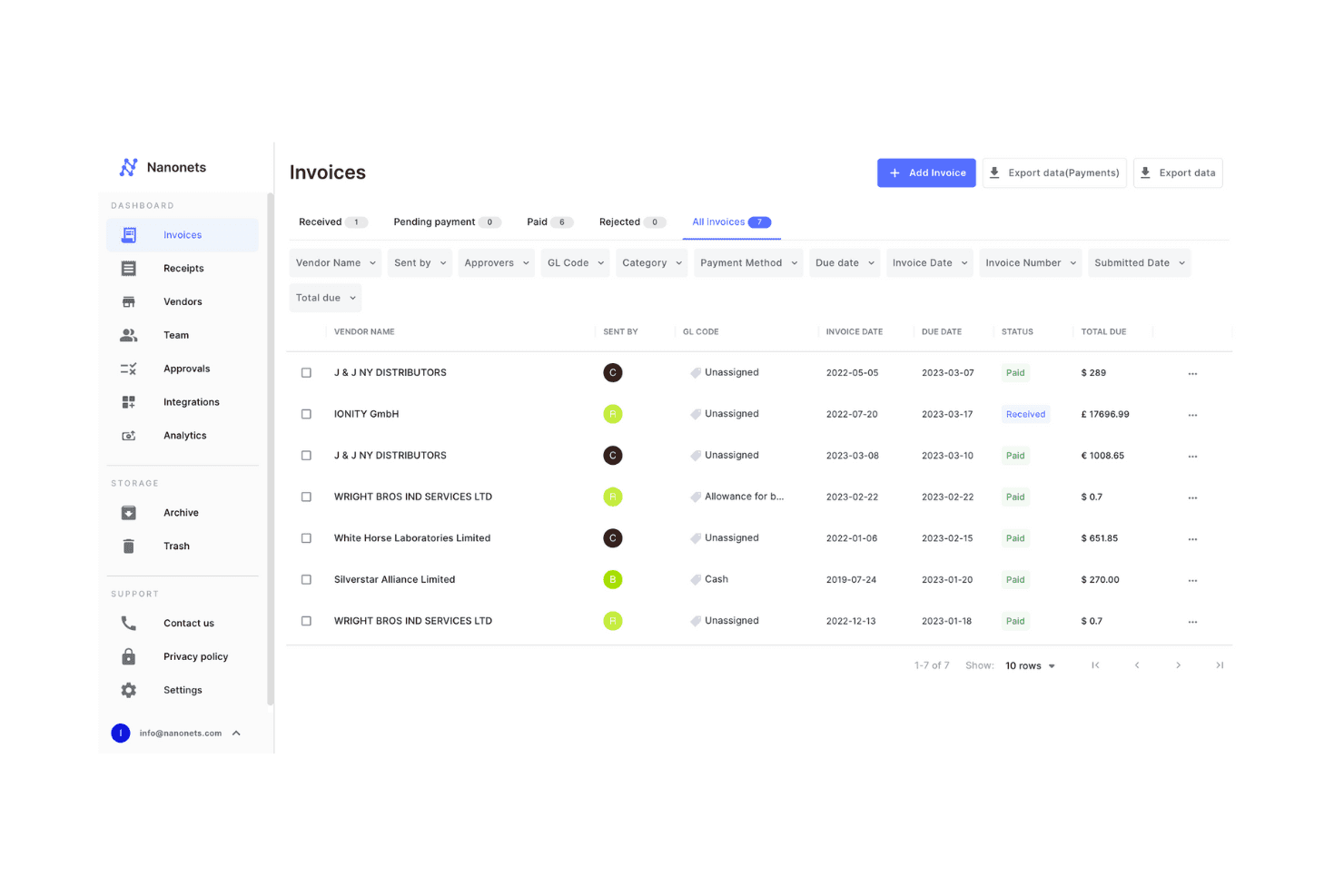
Nanonets focuses on high-volume document OCR and structured data extraction. It’s a strong fit for teams processing thousands of invoices, receipts, or standardized forms each month who care most about speed, reliability, and getting up and running quickly.
The platform is designed to be approachable: users can define extraction fields, validation rules, and basic routing logic without writing code, and can add human-in-the-loop approval workflows to handle edge cases.
The platform includes a clean API for pushing extracted data into downstream systems.
Tradeoffs: Nanonets is optimized for scale and consistency rather than complexity. As workflows become more variable, the platform can feel limiting. Teams may find themselves layering on manual checks or custom logic that sits outside the core product.
3. Rossum
Website: rossum.ai
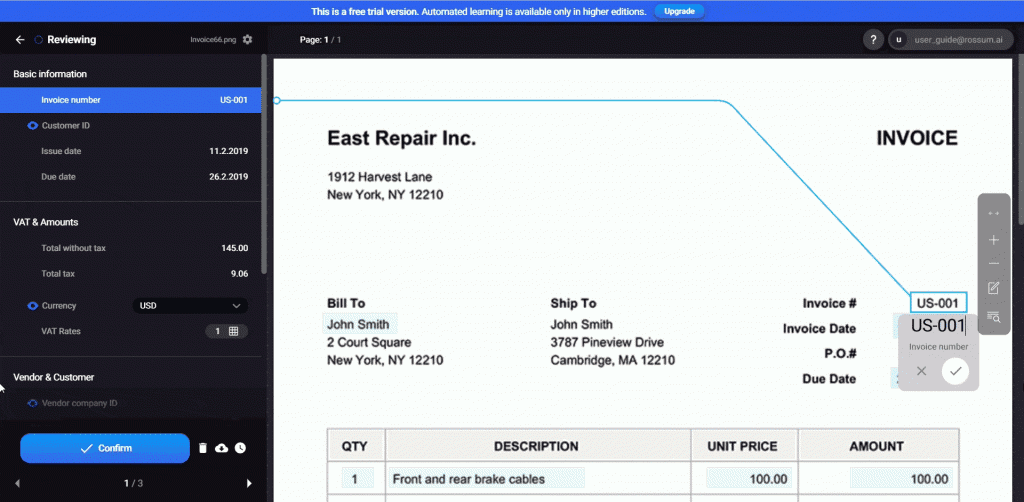
Rossum is a cloud-native document processing platform. It is a specialist in transactional document automation, particularly accounts payable flows including invoices, supporting documents, and matching against purchase orders and receipts. It’s built around template-free extraction for variable invoice layouts. Rossum including robust handling of line items, which is where many general-purpose IDP tools struggle.
Rossum integrates cleanly with downstream finance systems via APIs and prebuilt connectors, making it a solid choice for AP teams looking to reduce manual invoice handling at scale, and focus on exceptions and approvals rather than rekeying.
Tradeoffs: Rossum performs best where document intent and structure are relatively consistent. It can be less natural for highly variable, domain-specific documents such as contracts, technical reports, or multi-document case files unless teams invest in customization and ongoing tuning.
Legacy Incumbents with AI Capabilities
These platforms are typically chosen by large enterprises looking to extend existing RPA or ERP investments. They excel at governance, reliability, and scale, but often trade flexibility and speed for control.
4. UiPath Document Understanding
Website: uipath.com
UiPath is one of the most established enterprise automation platforms, with strengths in orchestrating complex, end-to-end processes across systems. Its core value lies in combining RPA, workflow orchestration, integrations, and AI components into a single automation fabric.
For organisations that already use UiPath, this makes it possible to automate entire business processes, from intake through decisioning to execution, rather than isolated tasks.
UiPath’s ecosystem, tooling maturity, and enterprise controls make it particularly attractive for large organisations standardising automation across departments.
Tradeoffs: If you’re not already a UiPath shop, you’re adopting an RPA platform plus a document stack, not a lightweight IDP tool. For document-centric or rapidly evolving workflows, this overhead can outweigh the benefits. Implementation and maintenance can be complex, and the learning curve can be very steep.
5. Blue Prism
Website: blueprism.com
Blue Prism is built around reliability, governance, and control. Its automation platform is designed for environments where processes must be predictable, auditable, and compliant, such as banking, insurance, and other regulated industries.
Blue Prism excels at running long-lived, mission-critical automations with strict access controls, change management, and audit trails. If a bot handles overnight batch processing for a bank, it needs to work every single time!
For organisations prioritising stability and regulatory defensibility over speed of iteration, this operating model can be a strong fit.
Tradeoffs: The platform can feel rigid and dated compared to newer automation tools. Building or modifying workflows often requires specialised skills, and experimentation with emerging AI capabilities tends to be slow. Blue Prism is best suited to stable, well-defined processes rather than fast-changing ones.
6. Automation Anywhere
Website: automationanywhere.com
Founded in 2003, Automation Anywhere positions itself as a versatile automation platform that spans RPA, workflow automation, and cloud-native deployment. Its strength lies in balancing enterprise capability with broader accessibility: technical users can build sophisticated automations, while less technical teams can participate in simpler workflows.
The platform’s cloud-first orientation makes it easier to deploy and scale than some legacy RPA tools, especially for organisations modernising their automation stack.
Where It Struggles: The learning curve remains steep, and legacy system integration can be tricky. It is more flexible than some other incumbents, but far from lightweight.
7. SAP Intelligent RPA
Website: sap.com
SAP’s automation tooling is designed to extend and automate processes that live primarily inside the SAP ecosystem. Its biggest advantage is native alignment with SAP ERP, S/4HANA, and related products, which reduces integration effort and allows automation to operate close to core transactional data.
For SAP-centric organisations, this enables automation of finance, procurement, and operations workflows without introducing a parallel automation stack. It is built for large organizations with thousands of users and millions of transactions.
Tradeoffs: Outside the SAP ecosystem, the value drops sharply. Even within SAP environments, development and change cycles can be slower than with independent automation platforms, and SAP-specific skills are often required.
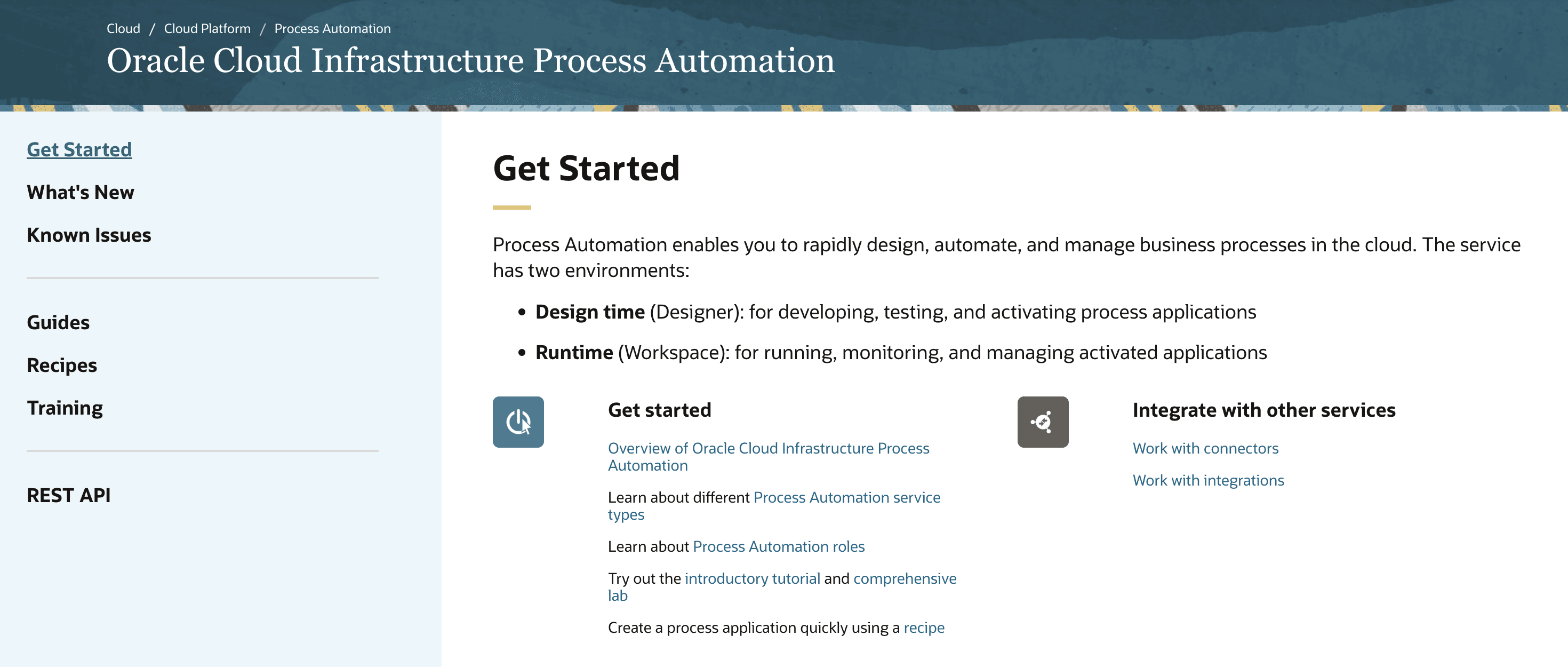
8. Oracle Autonomous Automation
Website: oracle.com/automation
Oracle’s automation capabilities are designed to complement its broader cloud and ERP offerings. The platform focuses on automating processes that span Oracle applications, integrations, and analytics, with strong support for enterprise-scale monitoring and performance management.
It includes strong analytics capabilities for monitoring automation performance, identifying bottlenecks, and optimizing workflows.
For organisations deeply invested in Oracle Cloud, this provides a cohesive way to automate workflows while staying within a single vendor ecosystem.
Tradeoffs: Initial deployments often require close coordination with enterprise IT and Oracle specialists, and the tooling can feel heavyweight and rigid for teams seeking rapid experimentation or lightweight automation outside the Oracle stack.
9. Yardi
Website: yardi.com
Yardi is fundamentally a domain-specific automation platform for real estate. Its automation capabilities are tightly integrated into property management, accounting, and investment workflows, allowing firms to automate processes directly within the systems they already use to run their portfolios. It includes specialized modules for extracting key terms from commercial leases—rent, CAM, options, exclusions—and populating property records automatically.
For real estate organisations, deep vertical integration enables automation that is highly contextual and operationally relevant.
Tradeoffs: Organisations with diversified assets, non-standard workflows, or significant non-real-estate operations may find the platform restrictive and dependent on vendor-led configuration or services.
10. eFront
Website: efront.com
eFront, part of Blackrock, is designed as an operating platform for alternative asset managers, combining automation, data management, analytics, and reporting across the investment lifecycle.
Its core strength is enabling consistent, repeatable processes for private markets, with configurable workflows for extracting data from fund documents, investor communications, and financial statements.
For firms managing complex fund structures and investor reporting, eFront provides automation tightly coupled with financial and performance data.
Tradeoffs: eFront implementations are rarely lightweight. Configuration and customisation often require professional services, and teams can become dependent on specialists for ongoing changes. While powerful once embedded, the platform demands patience, scale, and organisational commitment to realise its full value.
Implementation Playbook: How to Evaluate and Deploy Automation Platforms
Choosing a platform is only half the battle. The other half is deploying it in a way that actually sticks; survives messy inputs, integrates into real workflows, earns user trust, and delivers value month after month.
The playbook below reflects what works in practice in document-heavy industries like finance, legal, real estate, and insurance.
Step 1: Define the Bottleneck
Don’t start with “we need AI.” Start with the specific workflow that is breaking your team. The more precise the bottleneck, the easier it is to measure success, design a pilot, and avoid building something impressive that nobody uses.
Good bottlenecks are measurable and concrete:
“We spend 10 hours per week extracting data from scanned leases into our property management system.”
“Underwriters manually review 50 submissions per day, and 80% are straightforward approvals that follow clear criteria.”
“We reconcile invoices against POs, and discrepancies take three days to resolve because the supporting documents aren’t consistently accessible.”
Each of these is specific enough to quantify. You can count hours, documents, review steps, exception rates, and downstream error correction.
Step 2: Run a Pilot with Real Data and Real People
A successful pilot a technical test, but it's also a joint exercise in understanding how work actually happens.
Do not rely on vendor demos or idealised workflows. Instead, work closely with the people who do the job today and map the workflow end to end before you automate anything. Where does the work start? What documents arrive, in what formats, through which channels? Where do decisions get made? Where do handoffs, checks, and delays occur?
Once the workflow is mapped, run the pilot using 50–100 real items from your backlog. Use the messy cases: scanned PDFs, inconsistent templates, amended documents, handwritten notes, and multi-document packages. These are the cases that define whether automation will hold up in production.
Treat the pilot as an iterative process. If users trust the output and the process fits naturally into their work, scaling becomes straightforward.
Step 3: Evaluate Integration Effort
Automation only delivers value when it fits cleanly into the systems and workflows your organisation already relies on. A platform that extracts data accurately but cannot reliably move that data into your system of record will create a new bottleneck instead of removing one.
Start by mapping where outputs need to go. In finance, that might be an ERP, deal management system, or financial model. In insurance, it could be a policy admin or claims system. In legal and real estate, it may be a DMS, PMS, or case management platform.
Step 4: Plan for Human Review
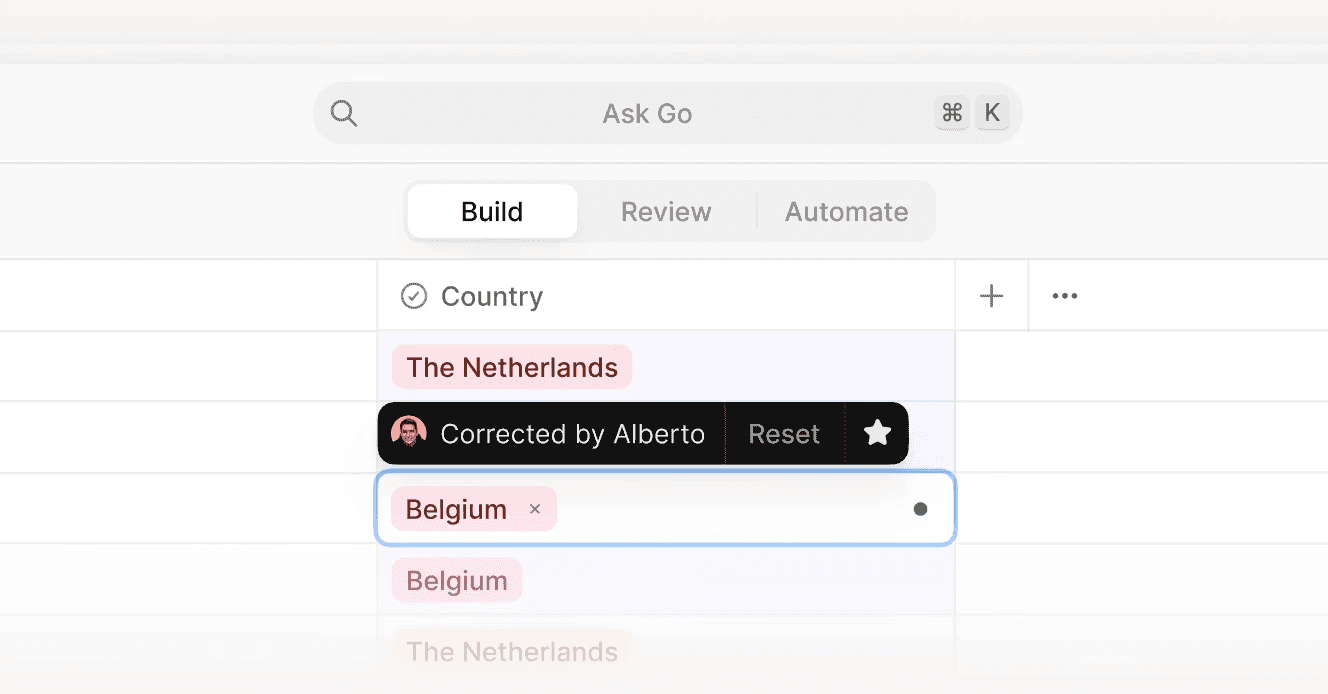
No AI platform is 100% accurate. Plan for a human-in-the-loop workflow where edge cases are flagged for review. The best platforms make this easy with confidence scores, exception queues, and clear escalation paths.

1,328 × 694
Step 5: Measure ROI
ROI isn’t just “hours saved.” The most successful automation deployments track both hard operational gains and the broader outcomes leaders actually care about.
Concrete ROI metrics (easy to quantify):
Time saved per document, cost per processed item, cycle time reduction, throughput increase during peak periods (earnings season, renewals), error rate reduction, fewer rework loops, fewer escalations, fewer missed deadlines, and reduced dependency on overtime or BPO teams.
Holistic ROI metrics (the compounding value):
Better decision quality (fewer missed risks, more consistent underwriting or legal review), improved audit readiness and defensibility (traceable outputs, clearer evidence trails), better customer experience (faster claims, quicker responses, fewer back-and-forths), improved talent leverage (junior staff spend less time rekeying and more time learning), and higher team morale (less grind, lower burnout).
Four Workflows You Could Automate with AI Today
So, we've talked about best practices for implementation, but what are some ways you can get started today?
AI automation isn’t about replacing entire teams or overhauling every process at once. In practice, most successful deployments start with a single, high-friction workflow where documents dominate, rules are repeatable, and human judgment is only needed for exceptions.
The four examples below are not meant to be exhaustive. They’re representative workflows across finance, legal, real estate, and insurance where AI is already delivering measurable gains today when implemented well.
1. Finance: Automating CIM Analysis and Financial Due Diligence
Before:
Investment and finance teams manually read Confidential Information Memoranda (CIMs), extracting key metrics into models and memos. A single CIM can take several hours to process, and work is often duplicated across analysts. Important details are occasionally missed, especially when buried in footnotes or appendices. Senior team members spend time rechecking basic facts rather than focusing on judgment.
After:
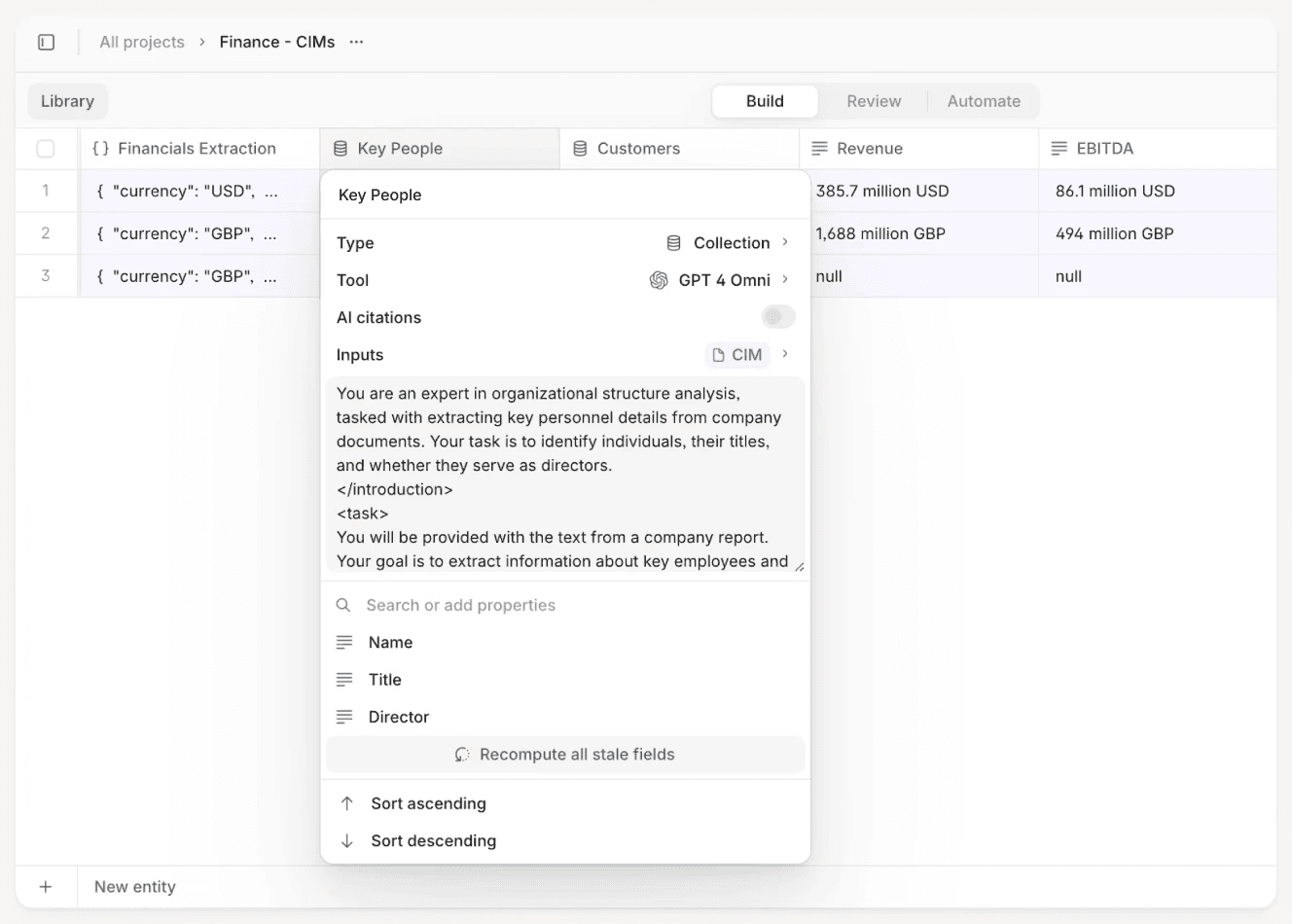
An AI agent ingests CIMs, extracts structured financial data, highlights inconsistencies, and links every figure back to the source page. Analysts review a pre-built output instead of starting from scratch, spending their time validating assumptions and asking better questions. Turnaround times shrink from hours to minutes, and diligence becomes faster, more consistent, and easier to audit.
See the V7 Go CIMs Agent

2. Legal: Automating eDiscovery
Before:
Legal teams sift through large volumes of contracts or discovery documents to identify relevant clauses, risks, or evidence. Review is time-consuming and expensive, with quality varying based on reviewer experience and fatigue. Senior lawyers often spend significant time re-reviewing junior work to catch missed issues.
After:
An AI legal agent pre-reads documents, flags relevant clauses or responsive material, and surfaces deviations from standard playbooks. Lawyers focus on reviewing flagged sections and making strategic decisions rather than reading everything line by line. Review time drops dramatically, quality becomes more consistent, and senior lawyers spend more time on judgment and negotiation instead of quality control.
See the V7 Go AI eDiscovery Agent
3. Real Estate: Automating Lease Abstraction
Before:
Operations or asset management teams manually abstract leases into spreadsheets or property management systems. A single lease can take hours to process, and small errors—missed options, incorrect rent escalations—can have long-term financial impact. Updates are painful when portfolios scale or leases change.
After:
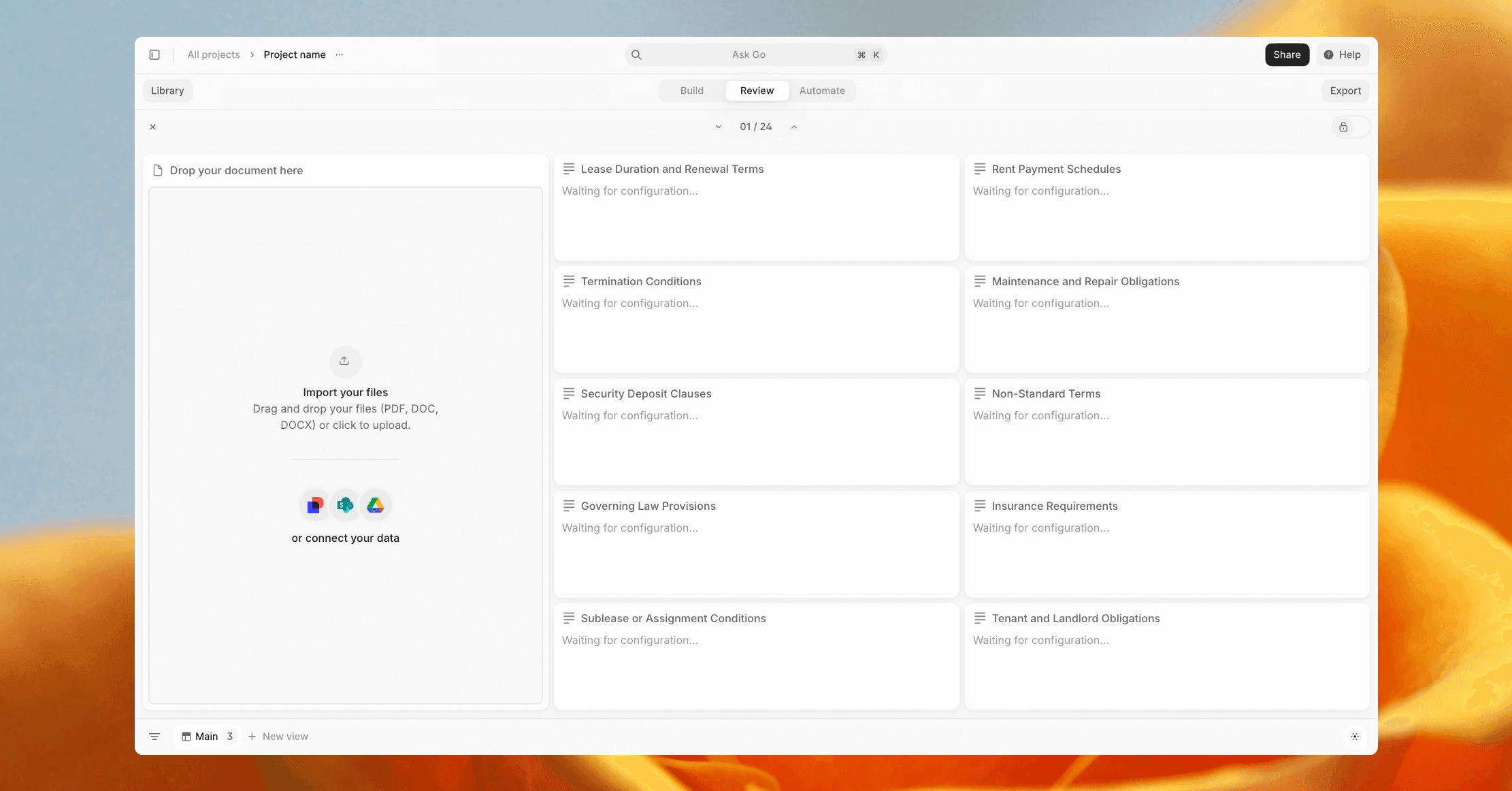
An AI lease abstraction workflow extracts key terms (rent, CAM, options, break clauses, and more) into a structured format with clear references back to the source document. Exceptions and ambiguities are flagged for review. Teams spend their time validating edge cases instead of rekeying data, and portfolio data stays more accurate and up to date.
See the V7 Go AI Lease Abstraction Agent
4. Insurance: Automating Claims Processing
Before:
Claims handlers manually review FNOLs, adjuster notes, medical reports, invoices, and policy wordings. Information is scattered across documents, leading to slow turnaround times and inconsistent decisions. Handlers spend much of their day moving data between PDFs and legacy systems rather than assessing claims.
After:
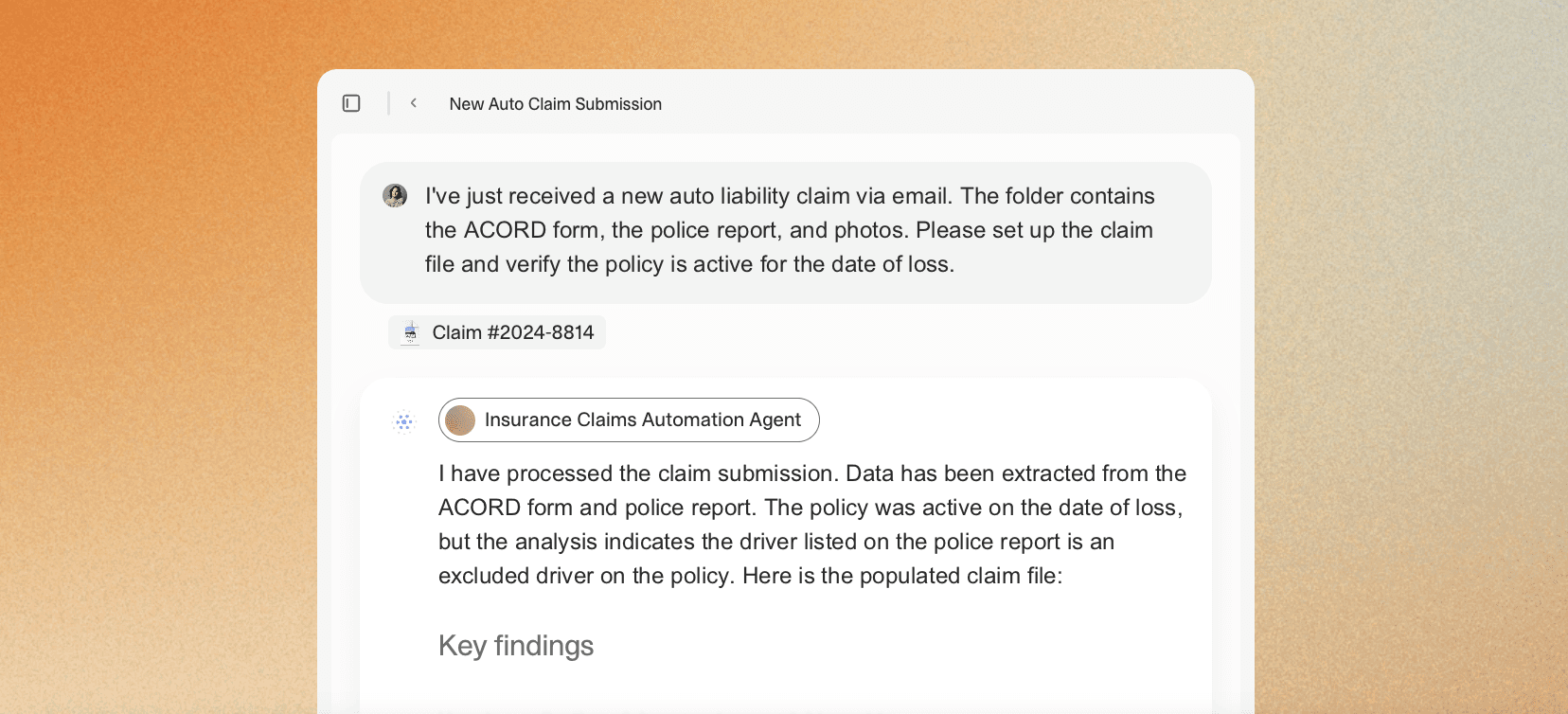
An AI claims agent extracts and organizes evidence, checks coverage against the policy, flags inconsistencies, and highlights potential fraud indicators. Straightforward claims move quickly, while complex cases surface with clear context for human review. Processing times fall sharply, error rates drop, and handlers focus on investigation and settlement rather than administration.
See the V7 Go Claims Processing Agent
Automate Your Workflows With V7 Go
If you’re exploring how to move beyond isolated automation experiments and start automating real, document-heavy workflows end to end, V7 Go is built for exactly that. From finance and legal to insurance and real estate, it enables teams to deploy agentic automation that is auditable, configurable, and designed for production use.
To see how V7 Go can automate your document workflows, book a demo.
What is the difference between RPA and AI automation platforms?
RPA (Robotic Process Automation) automates repetitive, rules-based tasks in structured environments. It excels at tasks like copying data between systems or triggering workflows based on fixed rules. AI automation platforms add intelligence to this process by using machine learning and natural language processing to handle unstructured data like PDFs, emails, and images. The key difference: RPA follows a script, while AI adapts to new inputs and can handle variation in document formats.
+
Can AI automation platforms handle handwritten documents?
Yes, but accuracy varies significantly based on legibility and document quality. Modern platforms like V7 Go, Nanonets, and Rossum use advanced OCR combined with machine learning to read handwritten text. Clear handwriting on standard forms works well. Messy handwriting or unusual formats often require human review. Before committing to any platform, test with real samples from your backlog to verify accuracy on your specific document types.
+
How long does it take to implement an AI automation platform?
It depends on complexity. A simple invoice processing workflow can be live in days with platforms like Nanonets or V7 Go. A complex multi-step workflow involving custom integrations, legacy systems, and professional services can take 3-6 months. The key is to start small with a pilot on a single document type, measure results, and scale gradually. Avoid big-bang implementations that try to automate everything at once.
+
Are AI automation platforms secure enough for financial and legal documents?
Yes, provided the vendor meets enterprise security standards. Look for SOC 2 Type II certification, ISO 27001 compliance, GDPR/CCPA adherence, and encryption in transit and at rest. Enterprise-grade platforms like V7 Go, UiPath, and Blue Prism include these protections by default. Always review the vendor's security documentation and ask about data residency options if you have specific geographic requirements.
+
What is the typical ROI for AI automation platforms?
No. Modern platforms like V7 Go, Nanonets, and Rossum are designed for non-technical users. They provide visual workflow builders, pre-built templates, and no-code configuration. However, complex workflows may benefit from a technical resource to handle integrations, custom logic, or advanced troubleshooting. Start with out-of-the-box features and add technical resources as needed based on what your specific workflows require.
+
Do I need a data science team to use AI automation platforms?
Go is more accurate and robust than calling a model provider directly. By breaking down complex tasks into reasoning steps with Index Knowledge, Go enables LLMs to query your data more accurately than an out of the box API call. Combining this with conditional logic, which can route high sensitivity data to a human review, Go builds robustness into your AI powered workflows.