18 min read
—


A hands-on guide to today’s AI platforms for finance, from modern challengers to legacy incumbents. Includes a practical framework for evaluating, implementing, and scaling these tools inside real finance teams.

Imogen Jones
Content Writer
V7 Go
A smarter way to manage due diligence and underwriting
Back in the ’80s, when shoulder pads were still a respectable design choice, finance teams quietly adopted a tool that would outlive nearly every “digital transformation” that followed: Excel.
Decades later, despite an explosion of enterprise software, that reality hasn’t changed as much as vendors would like to admit. Ask a senior financial analyst where the real data lives, the numbers that settle an urgent CFO question at 8:00 p.m. on a Tuesday, and you’ll often get the same answer: an Excel workbook, versioned by filename, passed through email threads or Slack, and quietly treated as truth.
That gap between formal systems and functional reality has defined financial operations for decades. Most finance teams still rely on a fragile mesh of spreadsheets and manual reconciliations to keep the numbers moving. The work gets done, and Excel continues to earn its place, but at a cost. Time is lost to repetitive preparation. Risk accumulates in unchecked assumptions. Critical context lives in people’s heads rather than in systems.
For years, this reality was treated as a failure of discipline or tooling. In practice, it reflected something simpler: finance work is messy. Documents arrive in inconsistent formats. Data lives across systems. Traditional software struggled because the tools couldn’t adapt to the way work actually moved.
That is beginning to change. A new generation of financial AI tools is emerging, shaped less by rigid workflows and more by the realities of financial operations.
This article is an introduction to AI tools for financial workflows. We’ll examine the platforms behind the hype, the criteria that separate successful deployments from stalled pilots, and the implementation choices that matter more than model benchmarks.
In this article:
The challenges facing financial teams in 2026.
Deep dives into leading platforms.
A straightforward platform evaluation guide.
Implementation best practice.
Why Financial AI Tools Fail
Before evaluating individual tools, it’s worth understanding why some financial AI initiatives stall or underdeliver… and why, despite that, many are now starting to succeed. The underlying tension is familiar. As with every generation of financial technology before it, AI runs into friction when tools are designed around idealized workflows rather than the way work actually happens.
Traditional financial software assumed that processes could be fully standardized in advance. Rules engines expected consistent inputs. OCR systems expected clean documents. Workflow tools assumed exceptions were rare and predictable. Finance teams, meanwhile, operate in a world of ambiguity: inconsistent documents, partial data, shifting formats, and judgment calls that don’t fit neatly into rules.
AI does not eliminate these realities. What has changed is how much variability software can now handle.
Modern AI systems can interpret unstructured documents, reason about context, and adapt to formats they’ve never seen before. That doesn’t make finance work simple, but it does make entire classes of problems tractable in ways they weren’t before.
V7 Go's agent library showing pre-built workflows for invoice processing, OCR extraction, and batch document analysis.
The Shift from Predictive to Generative AI
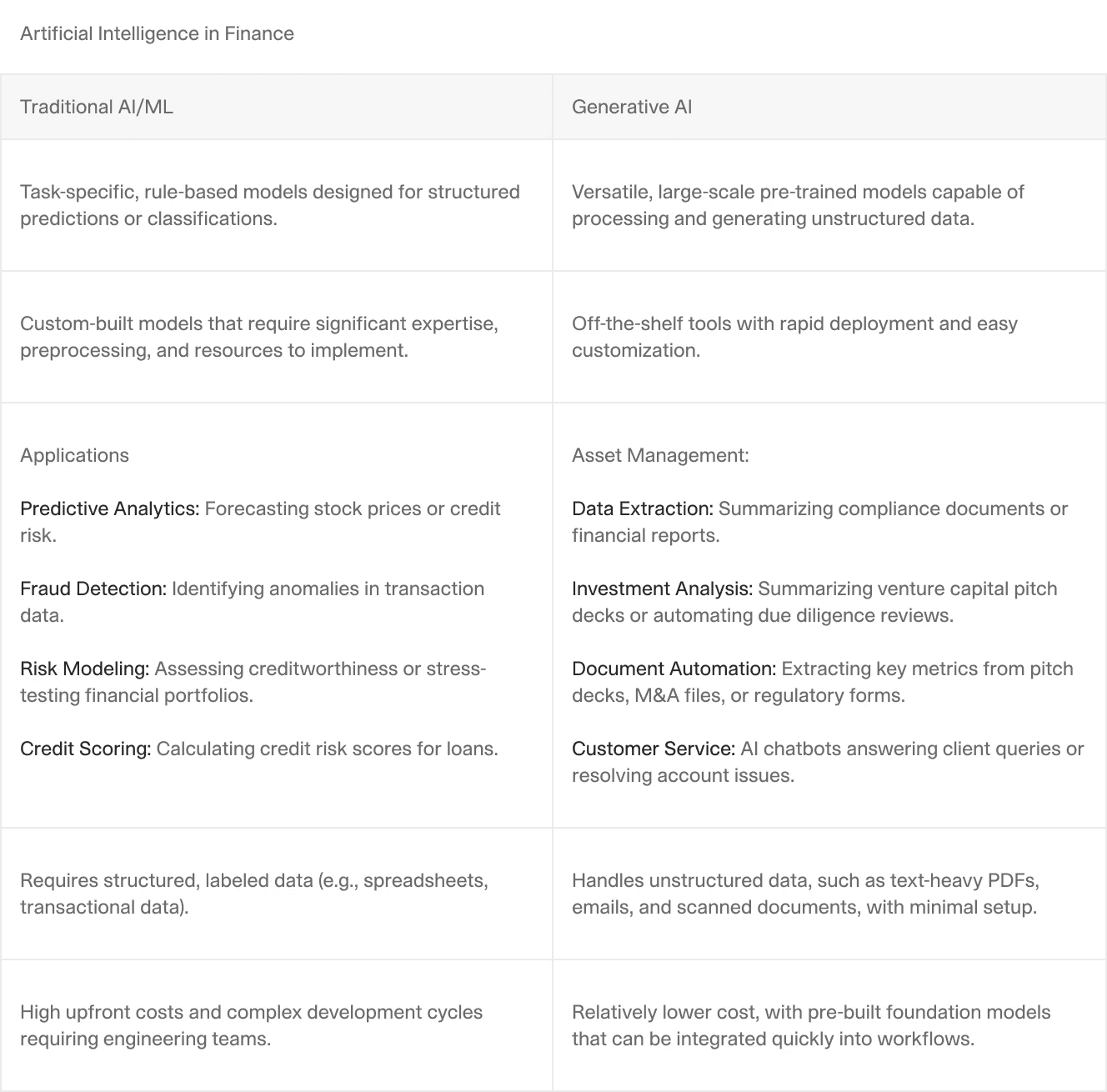
Traditional financial AI focused on predictive models: credit scoring, fraud detection, algorithmic trading. These models excel at pattern recognition on structured data. Feed them ten years of transaction history, and they can predict which customers will default.
But these models were never designed to handle the bulk of day-to-day finance work, which is dominated by documents, narratives, and exceptions. They could tell you what might happen, but not what a document says or how to turn it into structured data.
Generative AI, built on large language models, excels at understanding and generating unstructured content. It can read a 10-K filing and extract the three sentences that describe a material risk. It can parse a vendor invoice in any format and identify the line items.
For finance teams drowning in unstructured documents, generative AI solves a more immediate problem.
The Rise of Specialized Agents for Finance
Even so, many early generative AI deployments had limited impact. In real financial workflows, insight without action only solves half the problem. Knowing that an invoice total is incorrect doesn’t help if someone still has to open the ERP, correct the entry, notify AP, and document the exception. Generative AI can explain problems. It cannot, on its own, resolve them.
This is where agentic AI changes the equation.
Agentic AI systems are designed to take action within defined boundaries. An agent can ingest a document, extract structured data, apply validation rules, flag exceptions, route items for review, update downstream systems, and log its decisions, all as part of a single workflow.
In practice, this means AI can begin to automate entire financial processes, not just individual steps.
McKinsey estimates that in the long term, enterprise use cases of gen AI could create up to $4.4 trillion of value annually. However, organizations won’t be able to turn this potential into business growth and higher productivity unless they can quickly implement AI to reimagine and transform how work is done. AI agents can help mine that mountain of value faster, better, and cheaper than other, older technologies.
— McKinsey
A concrete example is an AI Financial Statement Analysis Agent. Rather than simply summarizing a report, the agent is designed around the workflow itself. It ingests financial statements, extracts relevant line items, applies accounting logic, calculates standard and custom ratios, flags anomalies or inconsistencies, and delivers the results in a predefined, review-ready format aligned to internal templates.
Human analysts remain in the loop, but their role shifts from manual preparation to interpretation and judgment.
CIM due diligence workflow showing the Cases interface with extracted fields like Employee Count, Industry classification, and entity relationships.
Financial AI Tool Evaluation Framework
When evaluating financial AI tools, most teams focus on the wrong criteria. They look at feature lists and pricing tiers. They should be looking at workflow fit and integration architecture. Here are the questions that actually predict success or failure.
The most reliable way to evaluate financial AI is to map a workflow end to end, on paper, before looking at any tools.
For example: how a document, transaction, or dataset enters the organization, where humans touch it, where decisions are made, and where outputs are stored or reported. In most finance teams, work flows across email, shared drives, ERPs, spreadsheets, BI tools, and review meetings. AI rarely replaces this flow; it inserts itself into specific steps.
Teams that skip this mapping tend to buy tools that are “impressive” but poorly placed. Teams that do it well can immediately see whether an AI system is positioned to remove friction or simply add another layer.
Before looking at models or UI, you need to understand where the tool lives architecturally.
Does it:
Replace an existing system of record (ERP, GL, TMS)?
Augment an existing system by adding intelligence on top?
Sit above everything as an orchestration or analysis layer?
Can it process handwritten invoices, scanned bank statements from the 1990s, and complex regulatory filings? Or does it only work with clean, digital PDFs? Ask vendors to run your worst documents through their system. The ugly edge cases reveal more than polished demos.
When the AI is uncertain, does it correctly flag the item for human review, or does it guess? Exception handling is where many tools fail in production. A tool that processes 95% of documents automatically but silently fails on 5% can be worse than one that processes 80% automatically and routes 20% to a review queue.
Financial workflows are built around review, approval, and accountability. AI that does not respect this reality will never fully land.
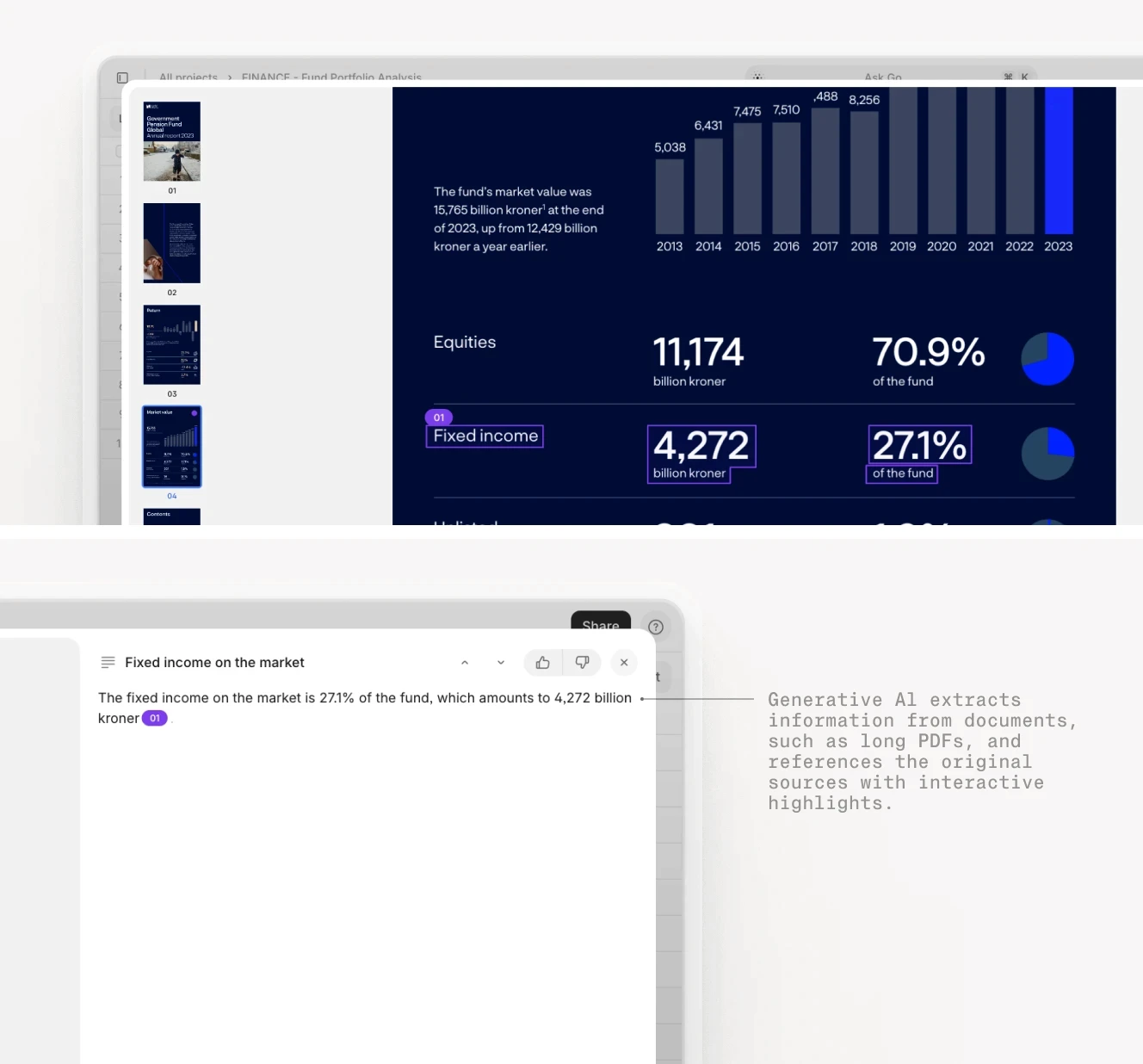
Every output that matters should be traceable back to its source, not just for audits, but for day-to-day trust. When a number appears in a model, memo, or report, a human should be able to answer where it came from without detective work.
Equally important is how easily humans can intervene. Can they correct an output? Override a decision? Feed that correction back into the system?
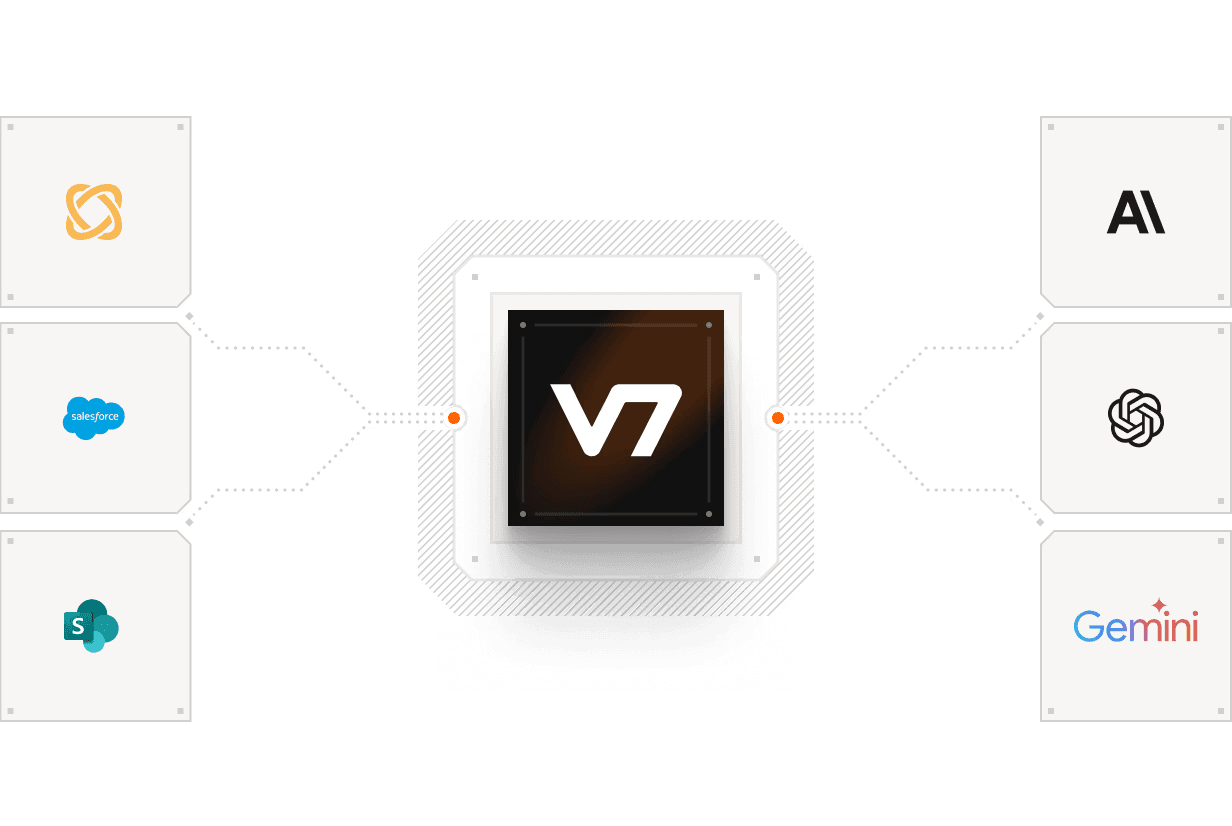
Does it offer pre-built connectors to your ERP, or will you need to build custom APIs? Integration complexity often determines ROI more than the AI's accuracy. A 99% accurate tool that takes six months to integrate delivers less value than a 90% accurate tool that is live in two weeks.











Leading AI Financial Tools
On one side are modern, AI-native platforms built specifically to tackle long-standing pain points in financial workflows. They are designed around real ways of working, and make heavy use of generative and agentic AI to automate work that previously resisted traditional software.
On the other side are large, established financial software providers that already sit at the center of enterprise finance. These incumbents are steadily embedding AI into their products, enhancing forecasting, analytics, controls, and decision support on top of structured data that already lives inside their ecosystems.
Both approaches matter, and most organizations (particularly at scale) end up using a combination of the two. AI-native tools tend to move faster and push the boundaries of what can be automated, especially in document-heavy and exception-driven workflows. Incumbent platforms bring stability, regulatory trust, and deep operational coverage, even if their AI capabilities are typically more incremental and less flexible than those of specialized tools.
Modern AI Challengers: Deep Dive
The new generation of financial AI tools takes a fundamentally different approach than legacy systems. Rather than trying to be an all-in-one platform, they focus on solving specific, high-value problems in the financial workflow. Each tool below excels in a particular niche—understanding these niches helps you build the right stack for your team.
V7 Go: Powerful Knowledge Workflow Automation
Website: v7labs.com
V7 Go is an agentic AI platform that helps finance teams automate repeatable workflows.
V7 Go's multi-modal approach combines OCR, computer vision, and large language models to handle real-world documents. It can read a handwritten invoice, understand the table structure, and extract line items with high accuracy.
A key differentiator is visual grounding. When V7 Go extracts a revenue figure from a 10-K filing, it does not just give you the number. It shows you the exact paragraph and highlights the specific text it used. This makes audit trails straightforward and reduces the risk of hallucinated data.
Pre-built agents for common financial workflows include Financial Statement Analysis for parsing 10-Ks and 10-Qs, Accounts Payable Automation for invoice processing and PO matching, Lease Abstraction for extracting key terms from real estate agreements, and Due Diligence for analyzing data room documents.
All agents are fully configurable. Teams can customize existing agents to match internal standards or build new ones tailored to bespoke workflows, while still operating within the same governance and audit framework.
Tradeoffs: Although intuitive, the system is not a plug-and-play; it requires initial configuration to define your specific document types and validation rules.
AlphaSense: Market Intelligence and Research
Website: alpha-sense.com
AlphaSense is a leading market intelligence and research platform built around AI search and discovery across external financial content. Rather than relying on simple keyword matching, the platform applies semantic search to surface relevant passages based on meaning and context.
For investment, strategy, and research teams, AlphaSense functions as an always-on monitoring system. Users can create alerts tied to companies, themes, competitors, or macro topics and receive notifications when new filings, transcripts, or research reports are published. This makes it particularly valuable for tracking market-moving events, earnings surprises, regulatory changes, and emerging industry trends without manually reviewing large volumes of content.
Tradeoffs: Its value is highest for teams focused on external market and competitive research; it does not support operational finance workflows such as invoice processing, reconciliation, forecasting from internal data, or document extraction from proprietary files.
Cube: FP&A and Forecasting Automation
Website: cubesoftware.com
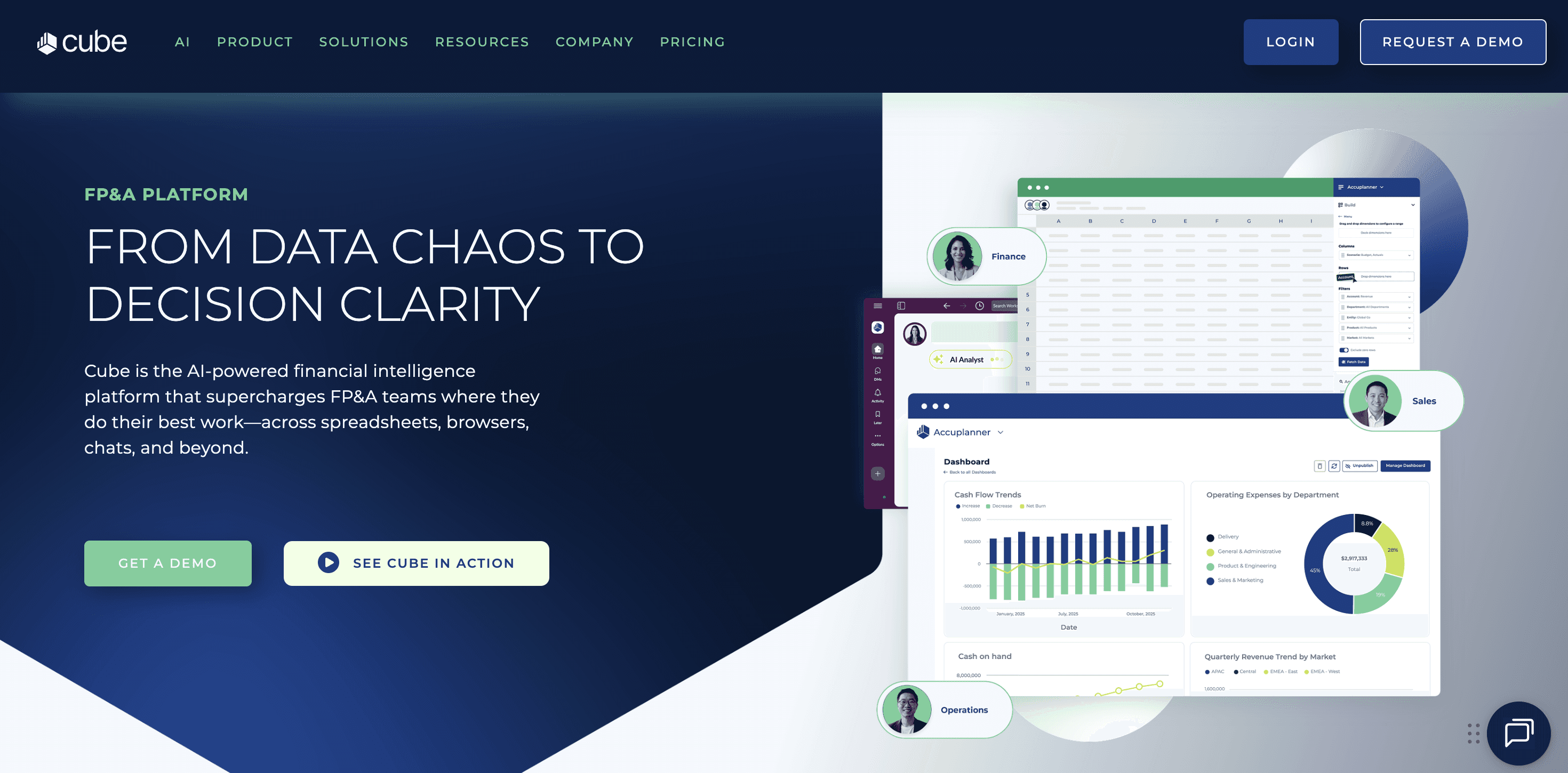
Cube is an FP&A automation platform that bridges the gap between your ERP and your spreadsheets, effectively replacing the sprawling chaos of manual versioning with a single source of truth. It allows finance teams to keep the familiar Excel interface they love while adding a layer of enterprise-grade control, including version history, collaboration features, and automated data validation.
By connecting directly to systems like NetSuite or Sage, Cube ensures that your models are always populated with live data, flagging common errors like negative revenue entries or missing cost centers before they can corrupt a forecast.
The platform has increasingly incorporated automation and AI-assisted features, primarily focused on forecasting workflows rather than generative analysis. These include driver-based planning, automated variance explanations, and pattern-based insights that help teams identify where forecasts are deviating from historical trends or expectations
Tradeoffs: Implementation requires a meaningful upfront investment to map the chart of accounts, business rules, and planning structures correctly. Teams with highly customized or inconsistent historical models may need to rationalize workflows before seeing full value. Cube is tightly focused on FP&A and forecasting; it does not support document ingestion, OCR, contract analysis, or unstructured text workflows.
Rogo AI: Rapid Document Analysis
Website: rogo.ai
Rogo AI is purpose-built for the high-velocity world of investment banking and private equity, specializing in the rapid extraction of key metrics from unstructured documents. It shines in due diligence and credit analysis scenarios where teams must review hundreds of data room files under tight deadlines.
Beyond simple extraction, Rogo serves as an automated defense line against risk and fraud. Its anomaly detection engine analyzes extracted data to flag inconsistencies and red flags that a fatigued human might miss, such as a borrower's reported DSCR not matching calculated figures or a vendor invoice showing a 300% price spike.
Tradeoffs: As a newer, more specialized player, it has fewer pre-built integrations than massive legacy platforms. Some users have noted that the user interface for customizing extraction templates can be challenging, and the tool is better suited for one-off analysis projects than for continuous, day-to-day operational processing.

Nanonets: Adaptable OCR for Finance
Website: nanonets.com
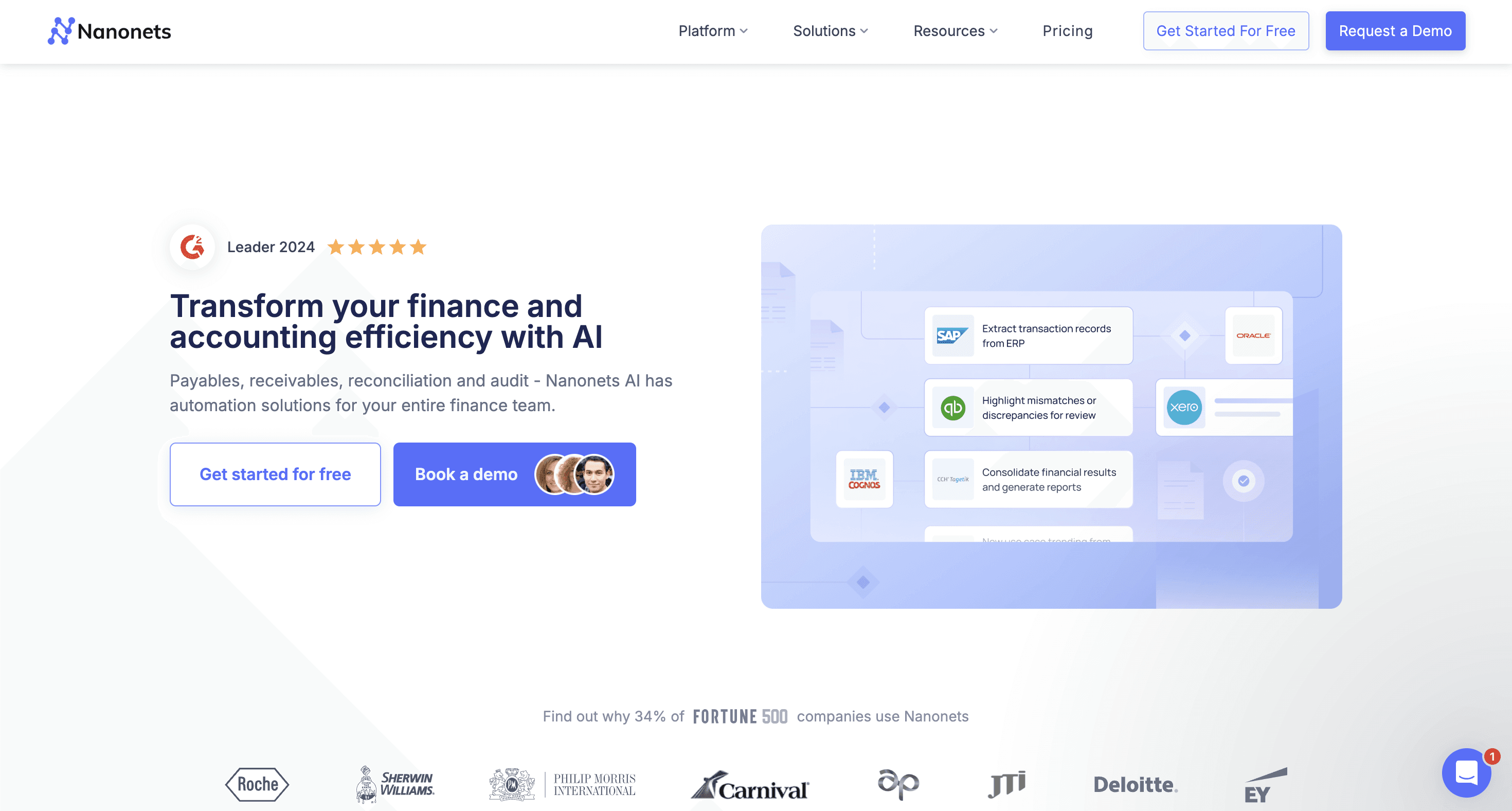
Nanonets is an OCR platform with a focus on financial documents: invoices, receipts, bank statements, tax forms. It uses machine learning to adapt to your specific document formats over time. Nanonets offers an adaptive, machine-learning-first approach to OCR, specifically tailored for financial documents like invoices, receipts, and bank statements.
The platform is designed with an "API-first" architecture, making it highly attractive for technical teams building custom internal tools or automated pipelines. It offers pre-built templates for common finance use cases that can be deployed in weeks, not months, while still allowing for deep customization of fields and validation rules. This flexibility, combined with a lower entry price point (starting around $50/user/month), makes it accessible for smaller agile teams that need to automate data entry without committing to a six-figure enterprise contract.
Tradeoffs: While excellent at standard transactional documents, it can struggle with very complex, non-standard layouts, such as multi-page financial statements with nested tables. It is also purely an extraction engine, meaning it lacks the deeper analytical or forecasting capabilities found in other tools.
Legacy Incumbents: Adapting to the AI Era
The established players in financial software are not standing still. They are integrating AI capabilities into their platforms, though with varying degrees of success. Understanding their evolution helps you decide whether to augment your existing stack or replace it entirely.
SAP Financials / SAP Analytics Cloud
Website: sap.com/products/data-cloud/cloud-analytics
SAP is the dominant provider of enterprise financial software, particularly among large, global organizations with complex operational footprints. Its financial management stack (most commonly SAP S/4HANA Finance) serves as a system of record for core processes including general ledger, accounts payable and receivable, asset accounting, controlling, group reporting, and financial consolidation.
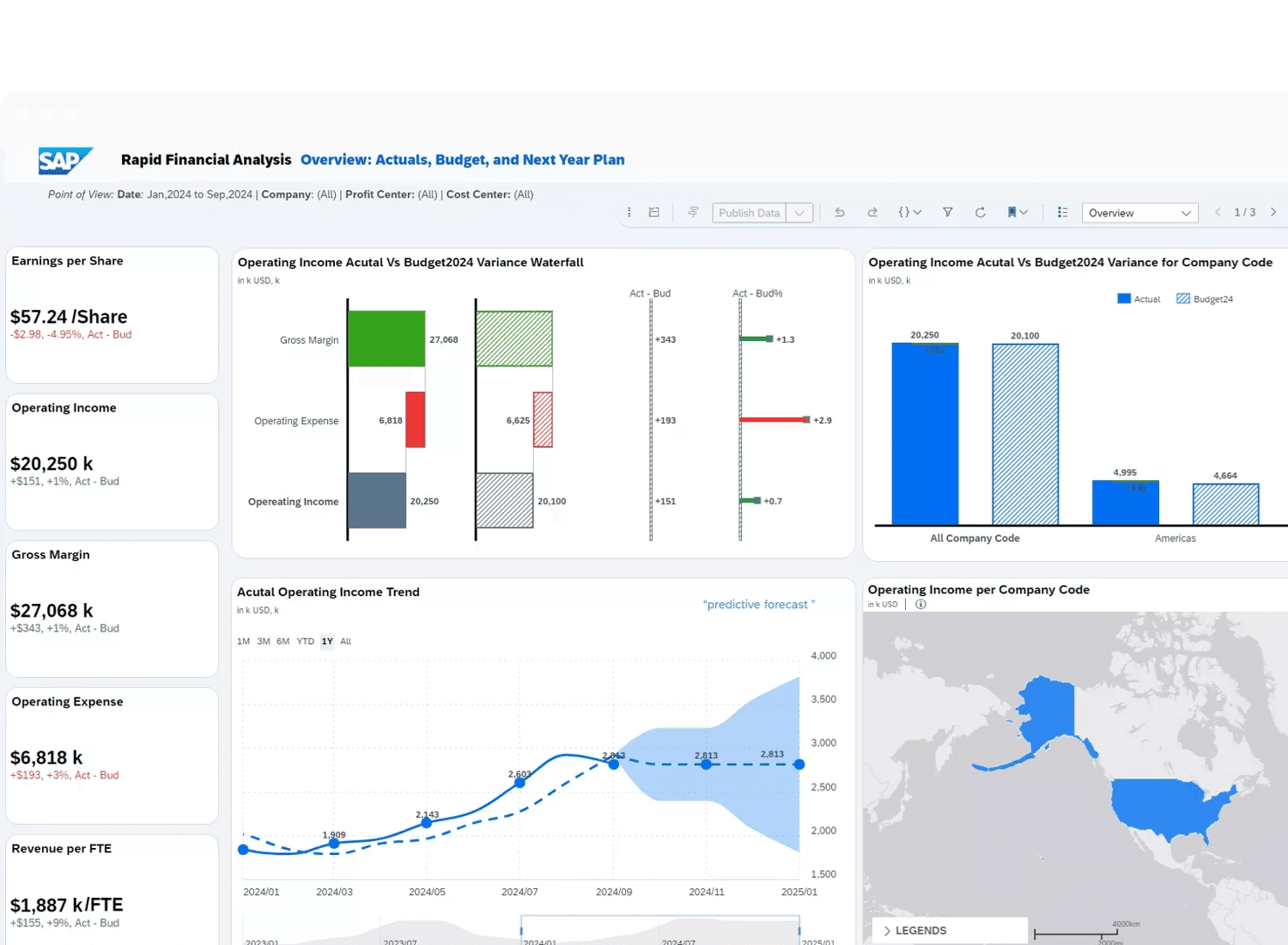
SAP Analytics Cloud sits alongside the core ERP as a combined planning, analytics, and forecasting layer. It brings together BI-style reporting, financial planning and analysis, predictive forecasting, and basic anomaly detection on top of SAP transactional data. When tightly integrated with S/4HANA and other SAP modules, SAC allows finance teams to analyze actuals, budgets, and forecasts in a single environment without extensive data movement.
SAP has also expanded its AI and automation capabilities through tools like Intelligent RPA, embedded machine learning in S/4HANA, and prebuilt financial insights for cash forecasting, variance analysis, and anomaly detection. In practice, these features focus on process optimization and analytical support.
Tradeoffs: SAP implementations are complex and resource-intensive. Initial deployments and major transformations often take 12–18 months or longer and typically require significant consulting support. Customization cycles can be lengthy, making it difficult to respond quickly to changing business requirements. While SAP’s analytics and AI capabilities continue to improve, they are strongest when applied to structured, in-system data and generally lag behind specialized tools for document ingestion, OCR, and unstructured data understanding.
Oracle Financials Cloud
Website: oracle.com/erp
Oracle Cloud ERP is a full-suite enterprise resource planning platform designed to serve as a system of record for core financial operations. It competes most directly with SAP S/4HANA Cloud and Workday Financial Management, and is typically adopted by large enterprises looking to modernize legacy on-prem ERP environments.
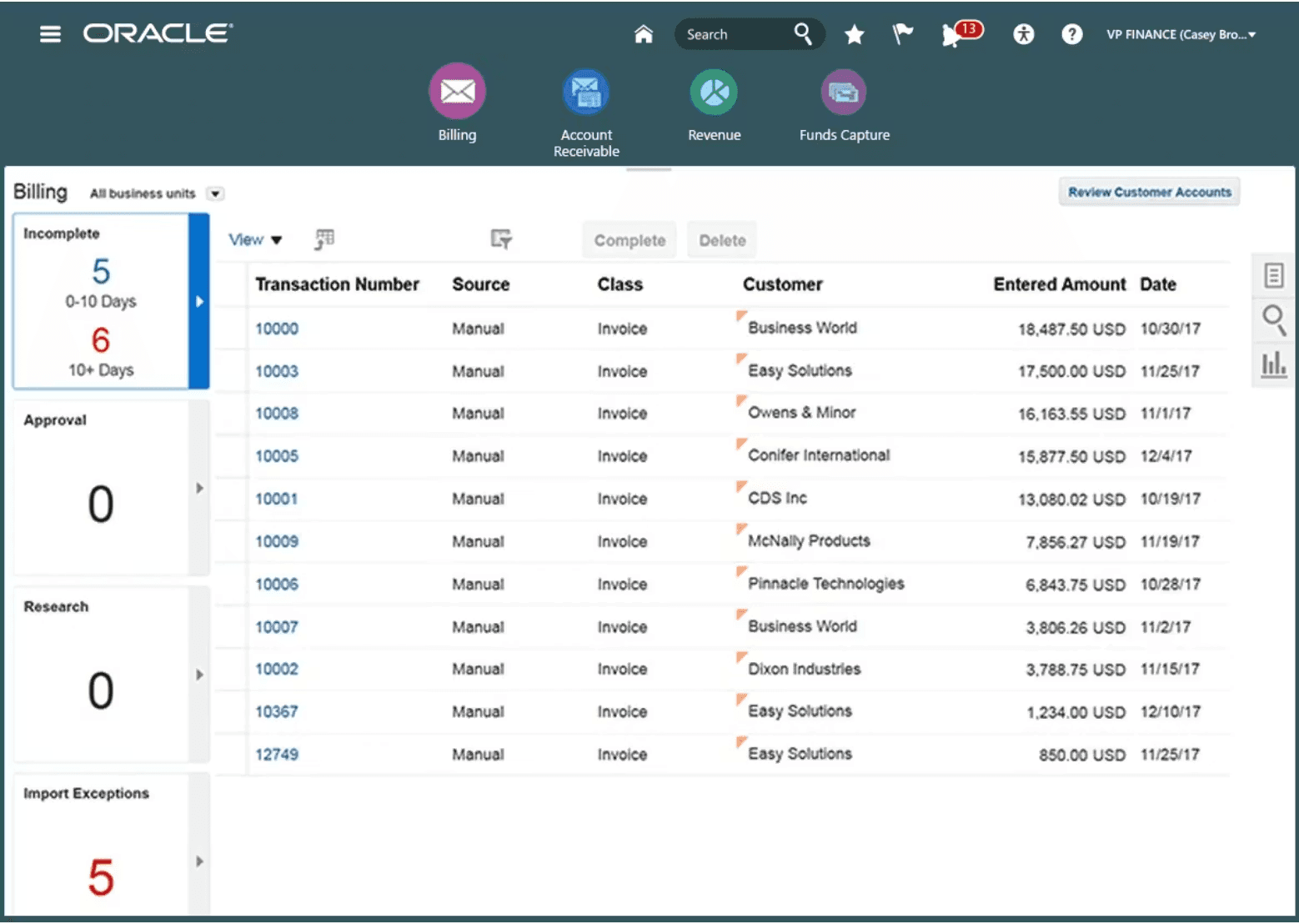
Oracle places significant emphasis on embedded analytics and controls. Transactions update reporting dashboards in near real time, allowing finance teams to monitor close status, variances, and exceptions as activity occurs. The platform also includes mature governance features, including role-based access controls, segregation of duties enforcement, SOX-oriented audit trails, and approval workflows.
Oracle has steadily added AI- and ML-labeled capabilities, primarily focused on analysis and anomaly detection within structured financial data. These include automated account reconciliation suggestions, transaction anomaly flags, predictive cash forecasting, and variance explanations.
Tradeoffs: Oracle Cloud ERP is expensive to license. Implementations typically take many months and require significant internal and external resources. Customer support can be slow for complex or edge-case issues, particularly in highly customized environments. While Oracle markets AI heavily, its capabilities are strongest in structured data analysis and workflow automation, not in ingesting or understanding unstructured documents.
Moody's Analytics: Risk and Credit Modeling
Website: moodysanalytics.com
Moody’s Analytics is a specialized financial risk platform focused on credit risk, counterparty risk, and economic analysis. It is widely used by banks, insurance companies, asset managers, and regulators to support capital planning, stress testing, and credit decisioning.
In recent years, Moody’s Analytics has incorporated machine learning and AI techniques to enhance traditional risk models. These include ML-driven early warning signals, non-linear pattern detection in credit behavior, automated risk scoring, and scenario generation based on macroeconomic variables. In some products, natural language processing is used to extract signals from financial statements, earnings commentary, and news to augment quantitative risk assessments.
Tradeoffs: Moody’s Analytics tools are complex and typically require specialized risk teams to implement and maintain. Integration with internal systems can be time-consuming, particularly when models need to be calibrated to institution-specific data.

Implementation Guide: What to Expect
Implementing financial AI tools is not plug-and-play. Here is what a realistic implementation timeline looks like, based on observed patterns across multiple deployments.
Phase 1: Discovery and Scoping
Identify your highest-value use cases. Do not try to automate everything at once. Pick one workflow that is high-volume, high-pain, and well-defined.
Good first use cases:
Invoice processing for your top 10 vendors by volume
Bank statement reconciliation for your main operating account
Lease abstraction for a specific property type
10-Q extraction
Risky first use cases:
"Replace our entire ERP" (too complex)
"Build a general-purpose financial chatbot" (too vague)
Document your current workflow in detail. What documents come in? What format are they in? What data needs to be extracted? What validation rules apply? Where does the data go? Who reviews exceptions? How long does each step take today?
Phase 2: Pilot Implementation
Configure the AI tool to handle your specific document types and automation requirements. Expect to iterate. Review the output field by field, identify patterns in the failures, and refine your configuration. Most teams go through 3-5 iterations before reaching acceptable accuracy.
Define your acceptance criteria upfront:
What accuracy rate do you need for each field? (e.g., 99% for invoice total, 95% for line item descriptions)
What types of errors are acceptable? (e.g., wrong vendor address is low-risk; wrong payment amount is high-risk)
What requires human review? (e.g., all invoices over $50,000; all new vendors)
Phase 3: Integration and Scaling
Once the pilot is working, integrate with your downstream systems. This is where most implementations hit roadblocks.
Common integration challenges:
Legacy ERP systems with limited API capabilities (file-based imports may be your only option)
Data format mismatches (the AI outputs JSON; the ERP expects fixed-width text files)
Authentication and security requirements (your IT team needs to approve any system touching financial data)
Error handling and retry logic (what happens when the ERP is down?)
Budget time for custom development. Even with pre-built connectors, you will likely need some custom code to handle your specific requirements.
Scale gradually. Start with 10% of your volume, then 25%, then 50%. Monitor error rates and user feedback at each stage.
Phase 4: Optimization and Maintenance
AI tools require ongoing maintenance and optimization. They are not set-and-forget.
Monthly tasks:
Review error logs and identify new failure patterns
Update as business requirements change
Monitor accuracy metrics and user satisfaction
Quarterly tasks:
Evaluate new use cases for automation
Review vendor roadmap and plan for new features
Benchmark performance against industry standards
Assess ROI and adjust scope as needed
What Changes Monday Morning
If you remember nothing else from this guide, remember this: start with the bottleneck.
Most financial AI implementations fail because they try to solve the wrong problem. They focus on analysis and visualization when the real pain is data ingestion. They buy sophisticated forecasting tools when their teams are drowning in manual data entry.
Your Monday morning action plan:
Pick one workflow. Choose your highest-volume, highest-pain document processing task. For most teams, this is invoice processing or bank reconciliation. Do not try to automate everything at once.
Define acceptance criteria. What accuracy do you need on each field? What error rate is acceptable? What documents require human review? Write these down before you talk to vendors.
Run a pilot with your worst documents. Ask vendors to process your messiest invoices, your lowest-quality scans, your most complex contracts. The ugly edge cases reveal more than polished demos.
AI will not replace your finance team. But finance teams that use AI effectively will outperform those that do not. The competitive advantage goes to teams that solve the ingestion gap first, then build analytics on top of clean data.
To see how V7 Go can automate your financial document workflows, from invoices to regulatory filings, book a demo.
What is the difference between financial AI tools and traditional financial software?
Traditional financial software (like ERP systems) focuses on recording, storing, and reporting financial data. It assumes clean, structured inputs. Financial AI tools focus on automating the extraction, validation, and analysis of data from unstructured documents. The key difference is intelligence: AI tools can read unstructured PDFs and images, understand context, and make decisions based on business rules. Traditional software requires humans to input clean, structured data—which is exactly the bottleneck AI tools address.
+
Can AI fully automate financial operations?
No, and you should be skeptical of anyone claiming it can. AI automates the repetitive, high-volume tasks: data entry, document processing, reconciliation, and basic analysis. However, strategic decisions, complex judgments, and exception handling still require human expertise. Most finance teams see 60-70% automation on document processing workflows, with the remaining 30-40% requiring human review. The goal is not to replace finance teams but to free them from manual work so they can focus on analysis and decision-making.
+
How long does it take to implement financial AI tools?
It varies by complexity and scope. A focused pilot (e.g., automating invoice processing for your top 10 vendors) can be live in 4-8 weeks. A comprehensive implementation (e.g., automating month-end close processes across multiple document types) typically takes 3-6 months. Expect a 6-12 month ramp-up period before reaching steady-state efficiency. The biggest variable is integration complexity—connecting to legacy ERP systems often takes longer than configuring the AI tool itself.
+
Is it safe to put sensitive financial data into cloud-based AI software?
Yes, provided the vendor meets enterprise security standards. The baseline requirements are SOC 2 Type II certification, ISO 27001 certification, encryption in transit and at rest, and GDPR/CCPA compliance. You should also verify that the vendor does not use your data to train models shared with other customers. Most enterprise-grade platforms meet these requirements, but ask for documentation and have your IT security team review before proceeding.
+
What accuracy rate should I expect from AI document extraction?
Measure three things: time saved, error reduction, and cycle time improvement. For time savings, track hours spent on the automated workflow before and after implementation. For error reduction, measure the error rate in extracted data compared to manual entry (most teams see 50-70% fewer errors). For cycle time, track how quickly documents move from receipt to posting (e.g., invoices posted same-day instead of 48-hour lag). A typical break-even period is 6-12 months for focused implementations.
+
How do I measure ROI on financial AI tools?
Go is more accurate and robust than calling a model provider directly. By breaking down complex tasks into reasoning steps with Index Knowledge, Go enables LLMs to query your data more accurately than an out of the box API call. Combining this with conditional logic, which can route high sensitivity data to a human review, Go builds robustness into your AI powered workflows.