23 min read
—


An operational analysis of document generation software for finance, legal, and operations teams. We examine how modern AI extraction platforms differ from legacy template engines, and why solving the extraction bottleneck matters more than output formatting.

V7 Go
A smarter way to manage due diligence and underwriting
Ask a Vice President of Finance where their quarterly board deck actually gets built. They will not point to the document management system with the enterprise license. They will point to a junior analyst copying figures from PDFs into PowerPoint at 11 PM the night before the board meeting.
This disconnect explains why the USD 1.8 billion document generation software market keeps growing while the manual work persists. The market will reach USD 6.86 billion by 2031, yet most organizations still rely on copy-paste workflows. The software exists. The automation does not.
The problem is not a lack of document generation capability. A dozen platforms can merge data into templates and produce polished PDFs. The problem is that traditional document generation tools sit downstream from the real bottleneck: teams must still extract structured data from unstructured sources before they can generate anything. A system that produces beautiful documents is useless if someone must first manually transcribe numbers from scanned invoices, handwritten lease amendments, or 200-page Confidential Information Memorandums.
In this article:
The Architecture Problem: Why document generation fails when data extraction remains manual, and the three-layer stack that separates successful implementations from expensive shelf-ware
Software Analysis: Deep comparisons of modern AI platforms (V7 Go, Nanonets, Templafy, Docmosis) versus legacy incumbents (SAP, Oracle, Hyland OnBase)
Document Types That Break Generation: The specific artifacts that expose the limits of template-based systems
Implementation Playbook: Process mapping, template engineering, and acceptance criteria for production deployment
Why Document Generation Fails
To understand why document generation software disappoints, you need to see where it sits in the workflow. Most platforms assume you already have clean, structured data ready for template merging. That assumption breaks in practice.
The Three-Layer Stack
Modern document workflows have three distinct layers. Most software addresses only one of them, leaving organizations to bridge the gaps manually.
Layer 1: Data Extraction (The Bottleneck)
This is where unstructured inputs need to become structured data. Scanned contracts, handwritten forms, multi-page PDFs with inconsistent formatting. This layer is where 80% of the manual work happens.
Consider a legal team that receives a 40-page lease amendment as a scanned PDF. Before any document can be generated, someone must read through it, identify the key terms (rent escalations, break clauses, renewal options), and manually enter them into fields. A private equity firm reviewing offering memorandums faces the same challenge at scale: each CIM has a different structure, different terminology, and different levels of data quality.
Layer 2: Data Processing and Validation
Once extracted, data needs to be normalized, validated, and enriched. A revenue figure from a CIM must be checked against other sources. A contract date expressed as "thirty days after execution" must become an actual calendar date. A DSCR covenant threshold must be compared against reported ratios.
This is where business logic lives, and where most edge cases surface. The AI extracted "$12.5M" from one document and "12,500 thousand" from another. Are these the same? The system must know to normalize them before they flow into a generated report.
Layer 3: Document Generation (The Easy Part)
Given clean, structured data, this layer merges it into a template and produces a PDF, Word document, or PowerPoint deck. This is the least labor-intensive step, yet it is where most vendors focus their marketing. They solve the simplest part of the problem and leave the hard work to you.
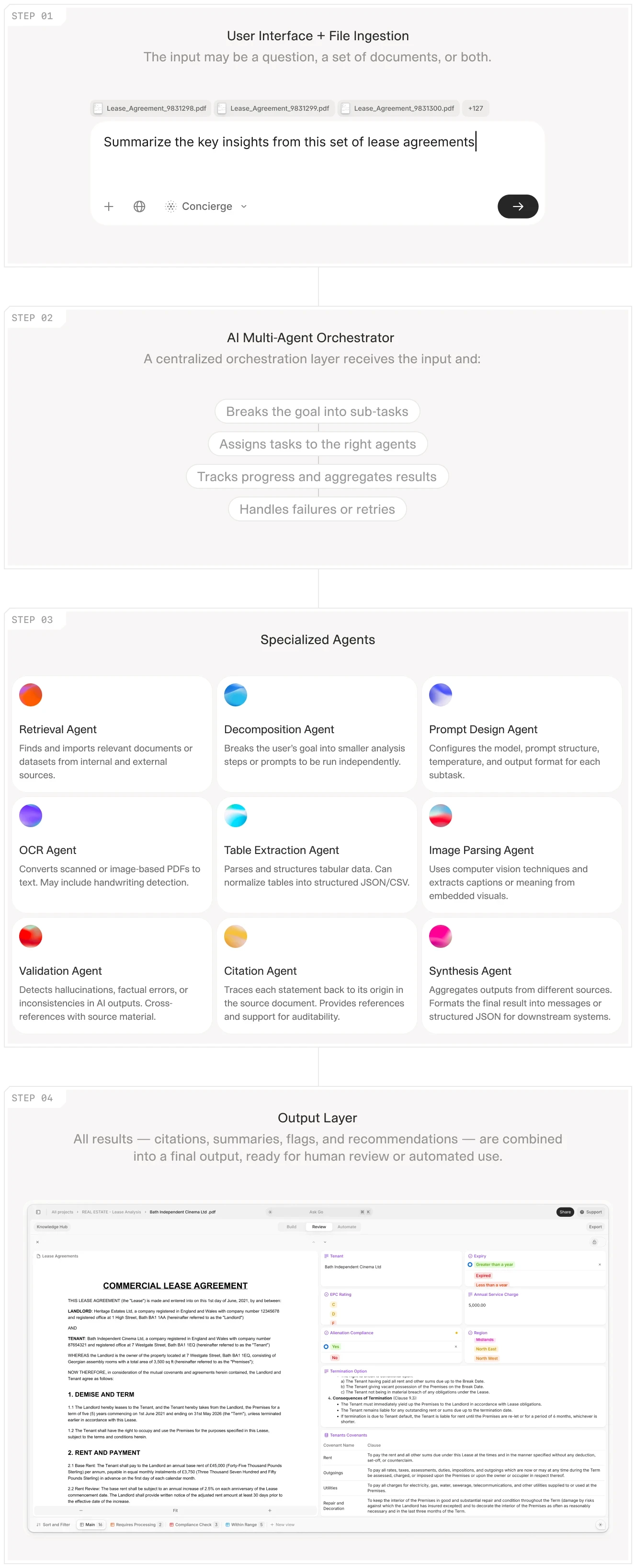
AI workflow showing the complete extraction-to-generation pipeline for lease agreements.
Why Legacy Systems Fail
Traditional document generation platforms like SAP Document Management or Oracle WebCenter were built when data was already structured. They assume you have a database or ERP system feeding them clean records. Hand them a stack of scanned invoices or a folder of handwritten inspection reports, and they have no answer.
The result is a workaround layer. Organizations hire BPO teams or junior staff to bridge the gap manually. A private equity firm might pay for an expensive document automation platform, then employ three analysts whose job is to read CIMs and populate the fields that feed the templates. The automation platform sits downstream, waiting for humans to do the hard work upstream.
This is why implementations fail. The vendor demos look impressive because they start with clean data. The production environment starts with a folder of PDFs in twelve different formats from twelve different portfolio companies, and the whole workflow breaks.
V7 Go's agent dashboard showing automated invoice processing and OCR extraction from unstructured documents.
The Modern Solution: Integrated Extraction and Generation
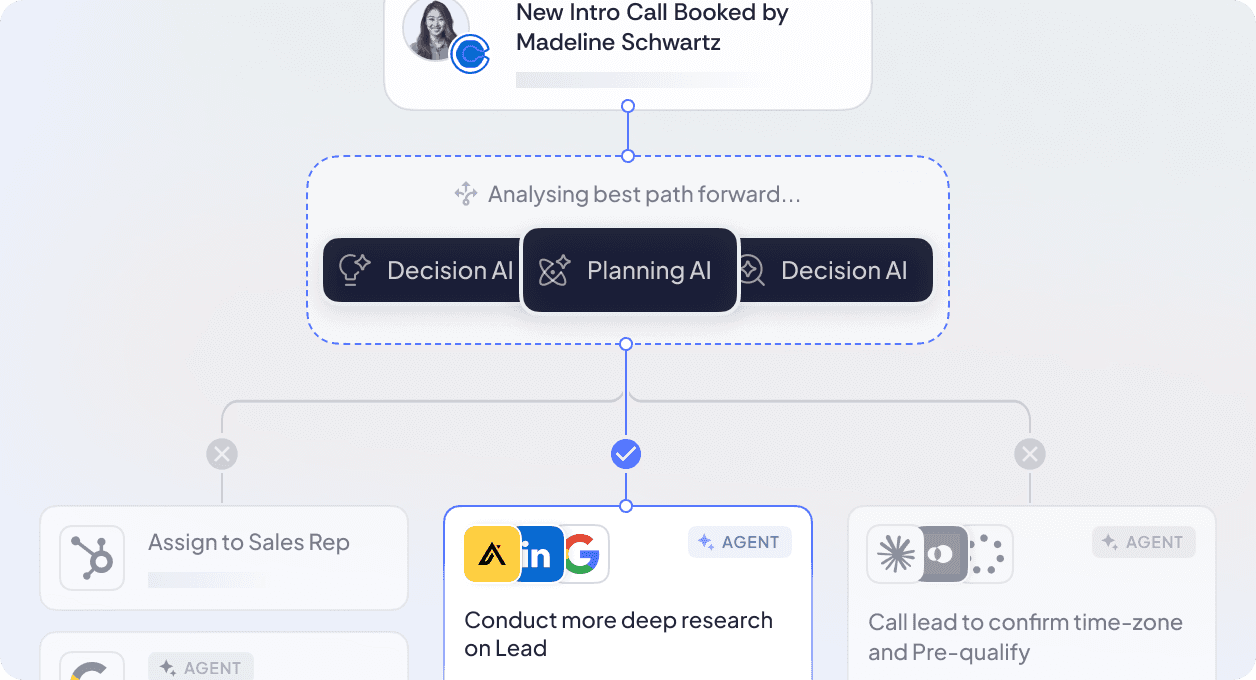
The breakthrough is not better templates or faster rendering. It is the integration of intelligent document processing with document generation in a single workflow. Platforms that can read unstructured inputs, extract the data, validate it against business rules, and generate the final output without manual intervention between steps.
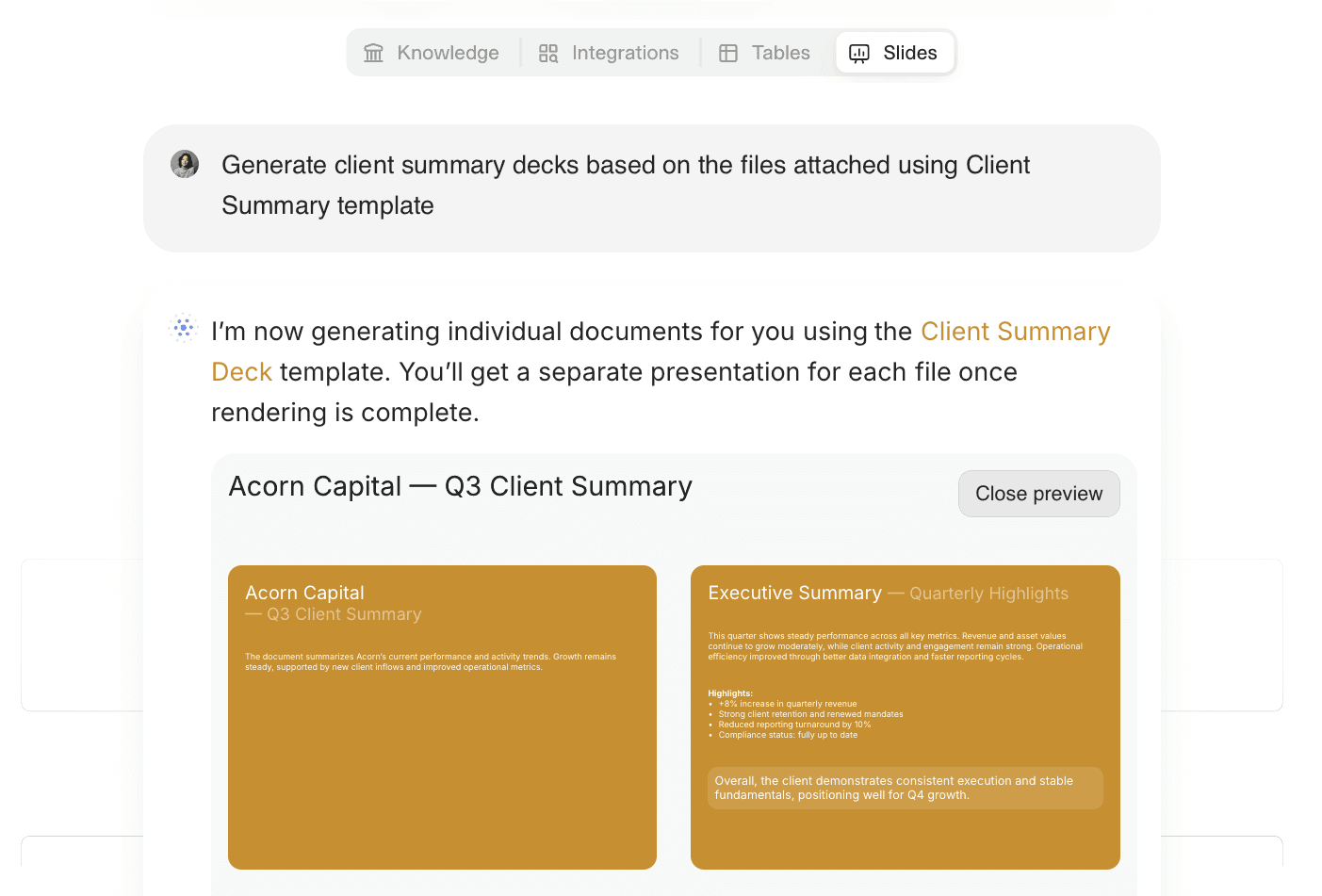
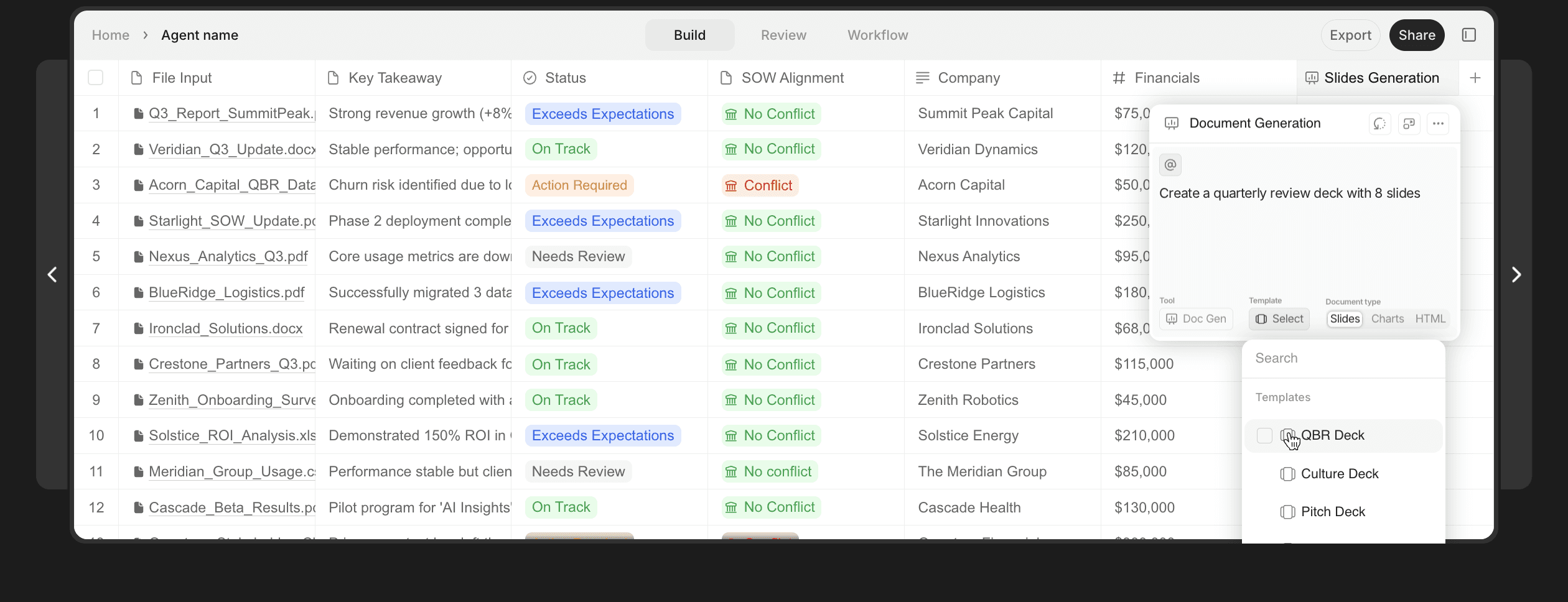
In the image above, an example of AI generating a presentation from input data in V7 Go
This is where AI agents provide value. An AI Contract Review Agent does not just generate a summary document. It reads the contract, extracts the key clauses, flags risks, and produces a formatted memo with citations back to the source pages. The extraction and generation are part of the same process. There is no manual handoff between "someone reads the document" and "someone creates the output."
What This Looks Like in Practice
A real estate investment firm receives 50 offering memorandums for potential acquisitions. In the old workflow, an analyst would spend three days reading each one, manually entering property details, financial metrics, and risk factors into a spreadsheet. Then they would copy-paste that data into a PowerPoint template for the investment committee.
With an integrated system, they drop all 50 PDFs into a Case. An AI Real Estate Offering Memorandum Analysis Agent reads each document, extracts the key fields, normalizes the data (converting all square footage to the same unit, all rents to annual figures), and generates a standardized IC memo for each property. The analyst reviews the flagged edge cases and approves the batch. What took three days now takes three hours.
The difference is not just speed. It is auditability. Every extracted figure includes a citation showing exactly where in the source document it was found. When the investment committee asks "where did this NOI figure come from," the answer is a click away, not a manual search through the original PDF.
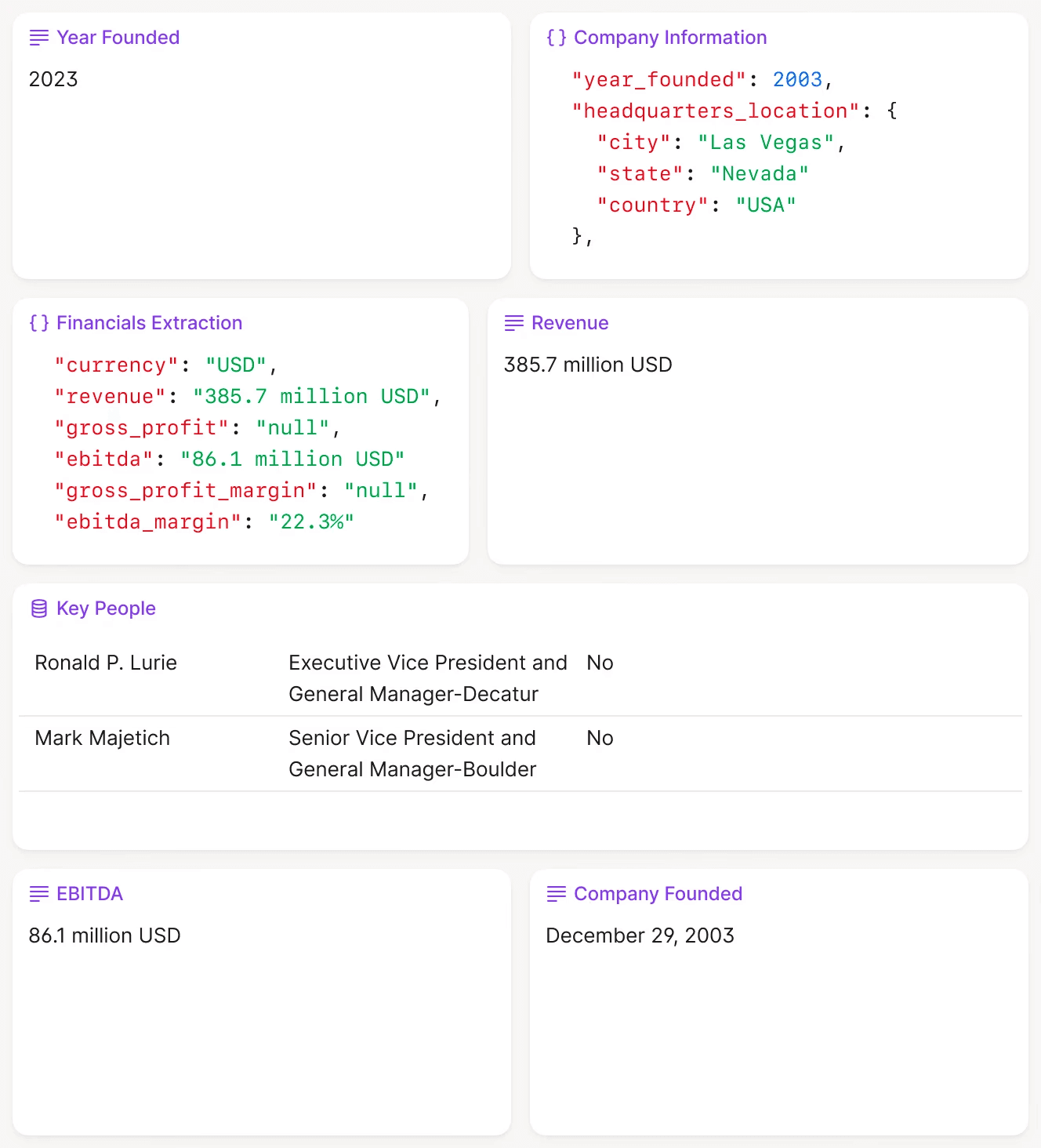
V7 Go extracting structured data from unstructured investment documents with visual grounding.
Document Types That Break Traditional Generation
Some documents expose the limits of template-based systems more than others. These are the artifacts that require human intervention in traditional workflows, and where integrated AI extraction provides the most value.
Confidential Information Memorandums (CIMs)
CIMs are the primary source document for M&A and private equity deal flow. They are also the most variable. Each investment bank has its own format. Financial metrics appear in different sections. EBITDA might be GAAP, adjusted, or "management EBITDA" with add-backs buried in footnotes.
A template-based system cannot handle this variability. It expects data in fixed fields. An AI agent trained on CIM structures can navigate the variation, extract the relevant metrics regardless of where they appear, and flag when adjustments are not clearly explained.
Lease Agreements and Amendments
Commercial lease agreements contain dozens of extractable fields: base rent, CAM charges, renewal options, break clauses, permitted use restrictions, landlord obligations. Amendments add complexity by modifying specific terms while leaving others unchanged.
The challenge is not just extraction. It is reconciliation. A Lease Abstraction Agent must read the original lease and all amendments, determine which terms are currently in effect, and generate a consolidated abstract that reflects the current state of the agreement.
Compliance Certificates and Covenant Packages
Private credit funds receive quarterly compliance certificates from borrowers. Each certificate reports financial ratios against loan covenants. The challenge is comparing reported ratios against the original credit agreement terms and flagging potential breaches.
A template-based system can format a report, but it cannot determine whether the reported DSCR of 1.15x satisfies the covenant minimum of 1.10x. An AI agent can read both documents, extract the relevant ratios and thresholds, perform the comparison, and generate a compliance summary with breach flags.
Multi-Document Packages
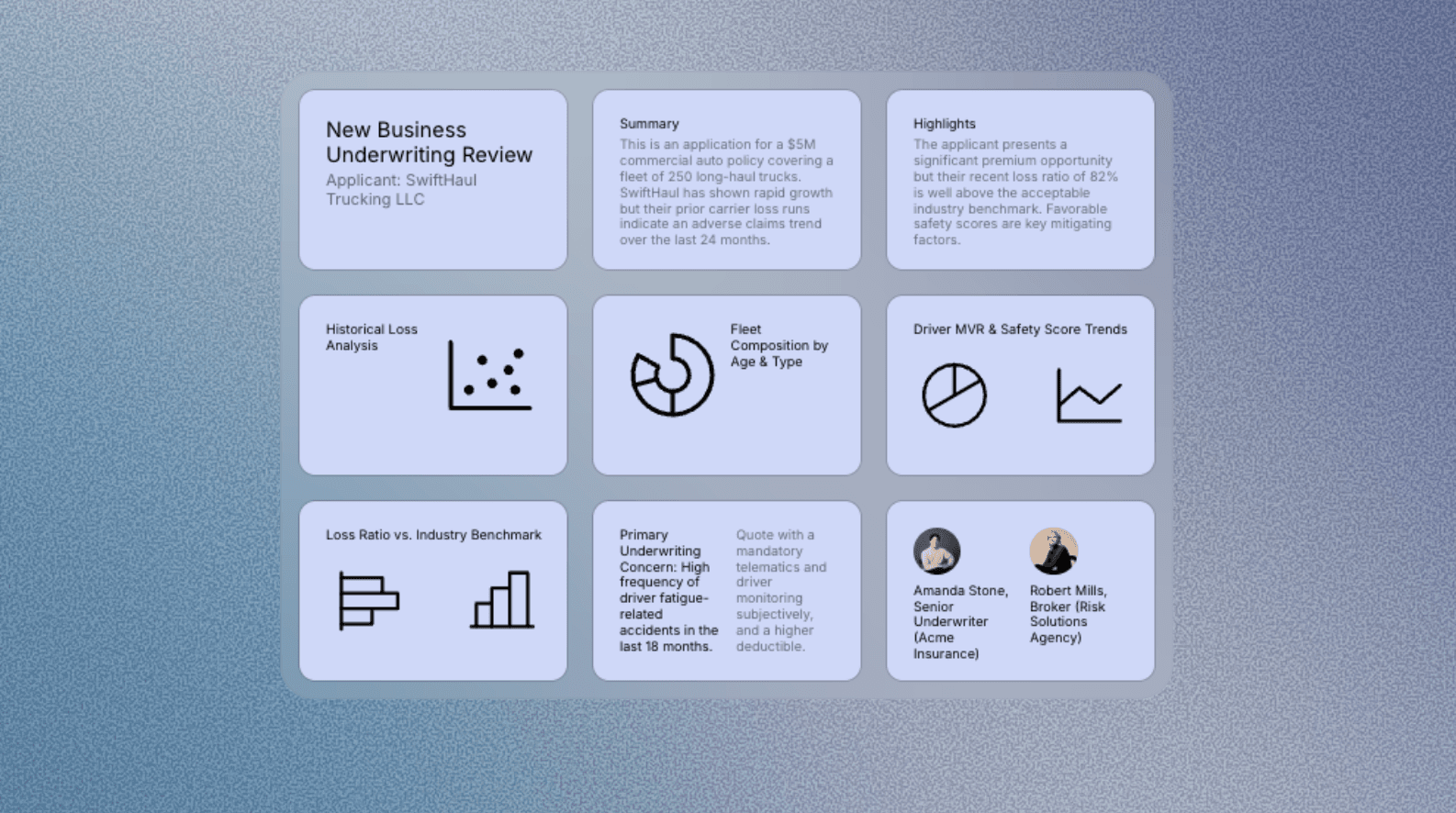
Many workflows involve synthesizing information across multiple documents. Due diligence requires correlating financial statements, tax returns, contracts, and correspondence. Insurance underwriting requires combining applications, loss runs, and inspection reports.
This is where traditional document generation completely fails. It expects a single data source. AI agents can ingest document bundles, cross-reference information across files, identify inconsistencies, and generate synthesis documents that reflect the complete picture.
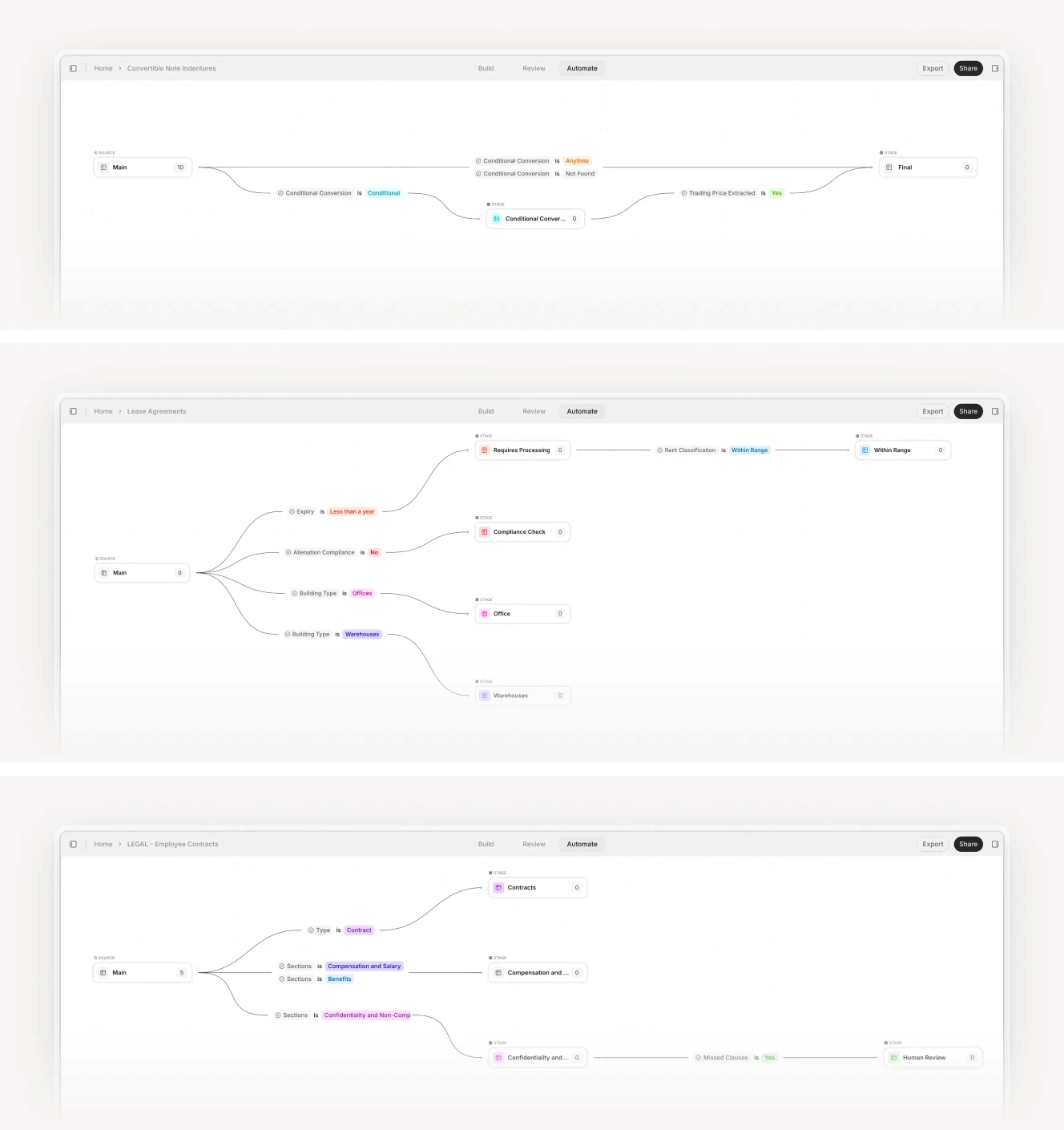
Workflow automation interface showing parallel document processing with conditional routing.
The Market Landscape: What Each Vendor Type Solves
The document creation and assembly software market was valued at USD 4,128.2 million in 2024 and is expected to reach USD 9,893.9 million by 2031. But this market is fragmented between vendors who solve different parts of the problem.
Understanding which part each vendor addresses helps you avoid mismatched expectations. A pure template engine is the wrong choice if your bottleneck is extraction. A pure extraction tool is wrong if you need complex multi-section reports with charts and narrative text.
Pure Template Engines
These platforms take structured data (JSON, XML, database records) and merge it into Word, PDF, or PowerPoint templates. They are excellent at what they do, but they have no extraction capabilities. If your data arrives in spreadsheets or API responses, they work well. If your data arrives in scanned documents, you need something else upstream.
Examples: Docmosis, WebMerge, document automation features in Microsoft Power Automate.
Pure Extraction Tools
These platforms read documents and output structured data. They solve the extraction layer but stop there. You receive JSON or CSV files that you must then route to another system for report generation.
Examples: ABBYY FlexiCapture, Rossum, traditional OCR software.
Template Management Platforms
These focus on governance and brand compliance. They ensure that when employees create documents, they use approved templates, fonts, and logos. They integrate with Microsoft Office and CRM systems to auto-populate fields. But they assume data is already structured.
Examples: Templafy, Conga Composer.
Integrated AI Platforms
These combine extraction, processing, and generation in a single workflow. They can ingest unstructured documents, extract data using AI, apply business logic, and generate final outputs. This is the category that addresses the complete problem.
Examples: V7 Go, document AI features in enterprise platforms.











Software Analysis: Modern AI Challengers
The new generation of document generation platforms is built around AI extraction as the foundation, not an afterthought. These tools assume your data is messy and unstructured, and they are designed to handle that reality. Here is how the leading platforms compare in practice.
V7 Go
V7 Go is not a traditional document generation platform. It is an AI work automation platform where document generation is the final step in a complete workflow. The core insight is that you cannot generate useful documents without first solving the extraction problem.
How It Works
V7 Go uses AI Agents, which are specialized workflows configured for specific document types. A Lease Abstraction Agent knows how to read commercial leases, extract key terms like rent escalations and break clauses, and generate a standardized abstract. An Investment Analysis Agent can process a CIM, extract financial metrics, cross-reference them against industry benchmarks, and produce an investment memo.
The platform includes visual grounding. When the AI extracts a figure like "EBITDA: $12.5M," it highlights the exact location in the source document where it found that number. This is critical for trust. A CFO will not approve a board deck if they cannot verify where the numbers came from. Every generated document includes clickable citations back to the source pages.
CIM due diligence workflow showing split-screen analysis with extracted fields and entity relationships.
Document Generation Layer
Once the data is extracted and validated, V7 Go can generate slides, PDFs, or populate Excel templates. The system uses custom templates that match your brand guidelines. You define the structure once (what sections to include, what charts to generate, what formatting rules to apply), and the agent produces consistent outputs every time.
The key differentiator is that the generation step has access to the full context of the extraction. If the agent flagged a covenant breach in a loan document, the generated memo will include that flag with a citation. If it identified three comparable transactions, the deck will include a comp table with links back to the source documents.
V7 Go integrates with 400+ apps, including Google Drive, SharePoint, and Slack for both input (pulling source documents) and output (pushing generated files). Generated documents can route directly to the folders and channels where your team works.
Pricing and Fit
V7 Go is priced on an enterprise model with custom quotes based on volume and use case. It is best suited for organizations processing hundreds or thousands of documents per month where the cost of manual review is high. A mid-sized PE firm processing 200 CIMs per quarter will see ROI within the first month. A legal team reviewing 50 contracts per week will justify the cost in saved paralegal hours.
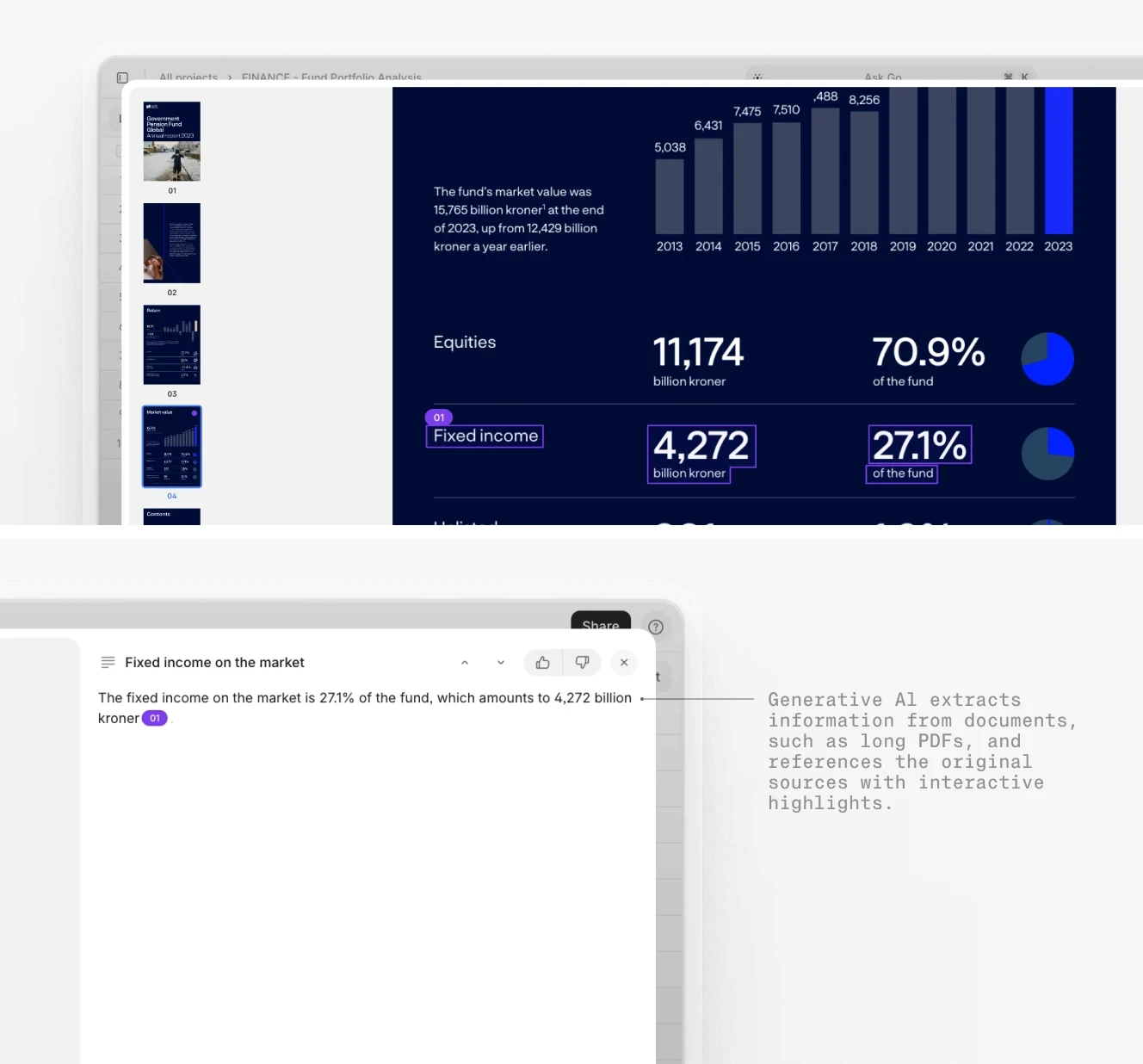
Fund performance dashboard with AI-extracted metrics and integrated chat interface for follow-up analysis.
Nanonets
Nanonets is a pure-play AI extraction platform that has added document generation capabilities. Its core strength is OCR and data extraction from complex, variable-format documents.
Best For
Organizations that receive high volumes of invoices, receipts, or forms in inconsistent formats. Nanonets excels at learning document structures and adapting to variations. If you process invoices from 500 different vendors, each with their own layout, Nanonets will handle that better than template-based systems.
The platform uses machine learning to improve extraction accuracy over time. When you correct an error, the system learns from that correction and applies it to future documents. This makes it particularly strong for high-volume, repetitive document types where you can invest in training the model.
Limitations
The document generation side is less mature than the extraction capabilities. Nanonets can output structured data to JSON or CSV, and it integrates with tools like Zapier to trigger downstream workflows. But if you need complex, multi-page reports with charts and narrative text, you will need to build that layer yourself or integrate with another tool.
Pricing
Subscription-based with tiered pricing starting at a few hundred dollars per month for small volumes. Enterprise plans are available for high-volume use cases. The pricing is more accessible than enterprise platforms, making it a good entry point for teams testing AI extraction.
Templafy
Templafy is designed for large organizations that need to enforce brand consistency and regulatory compliance across thousands of documents. It is less about AI extraction and more about governance and control.
Best For
Financial services firms, law firms, and consulting companies where every client-facing document must follow strict formatting rules. Templafy integrates with Microsoft Office and ensures that when someone creates a PowerPoint deck, it uses the approved templates, fonts, and logos. It prevents the brand drift that happens when employees create documents from scratch.
Document Generation
Templafy can auto-populate templates with data from CRM or ERP systems. If you have a Salesforce record for a client, Templafy can generate a proposal document with the client name, deal terms, and pricing pulled directly from Salesforce. But it assumes the data is already structured. It does not read PDFs or extract information from unstructured sources.
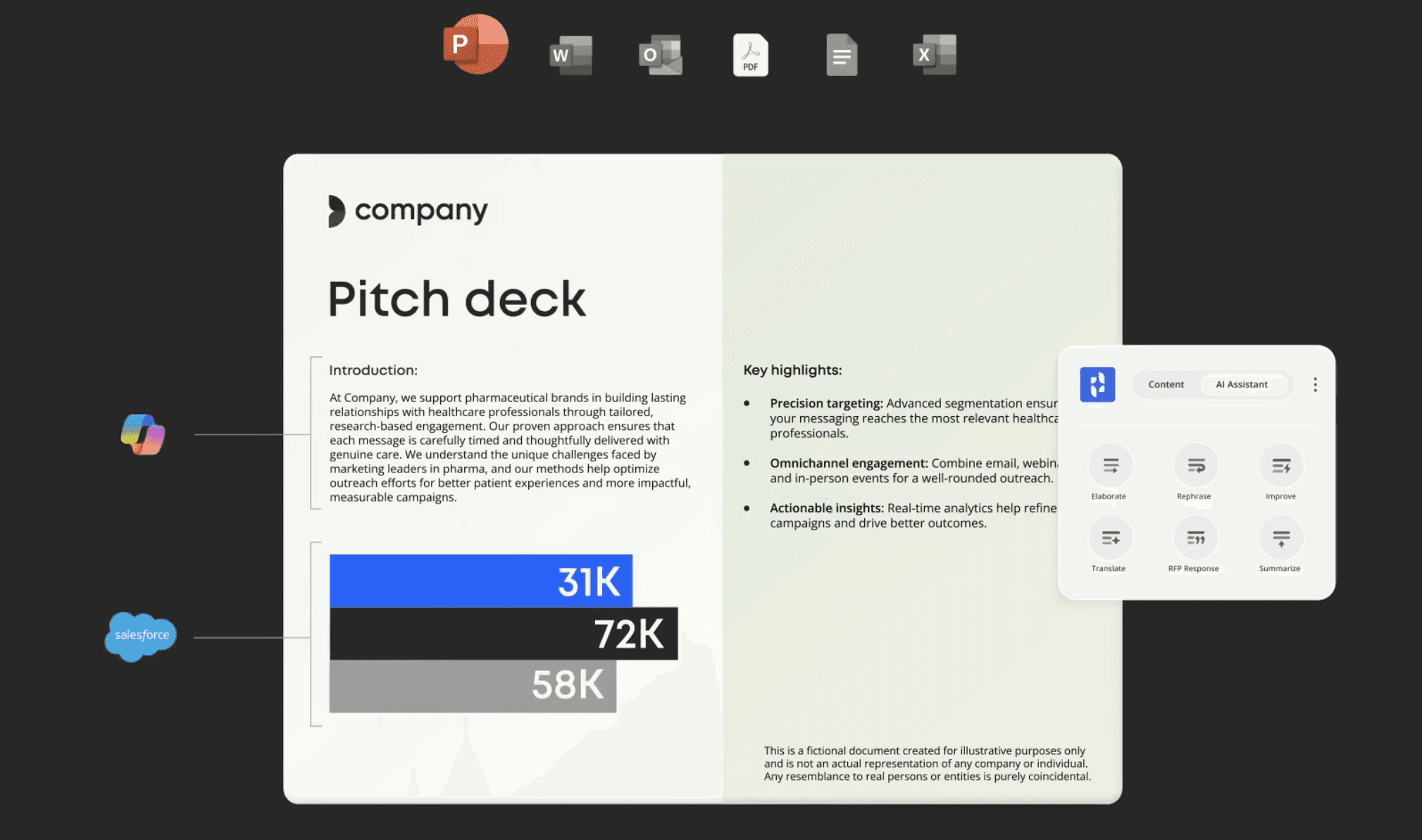
This makes Templafy a strong complement to an extraction platform, not a replacement for one. Use V7 Go or Nanonets to extract data from source documents, then use Templafy to ensure the generated outputs meet brand standards.
Pricing
Enterprise pricing with custom quotes. Templafy is expensive, but for organizations where brand compliance is critical (regulated industries, public companies, professional services), the cost is justified by the risk reduction.
Docmosis
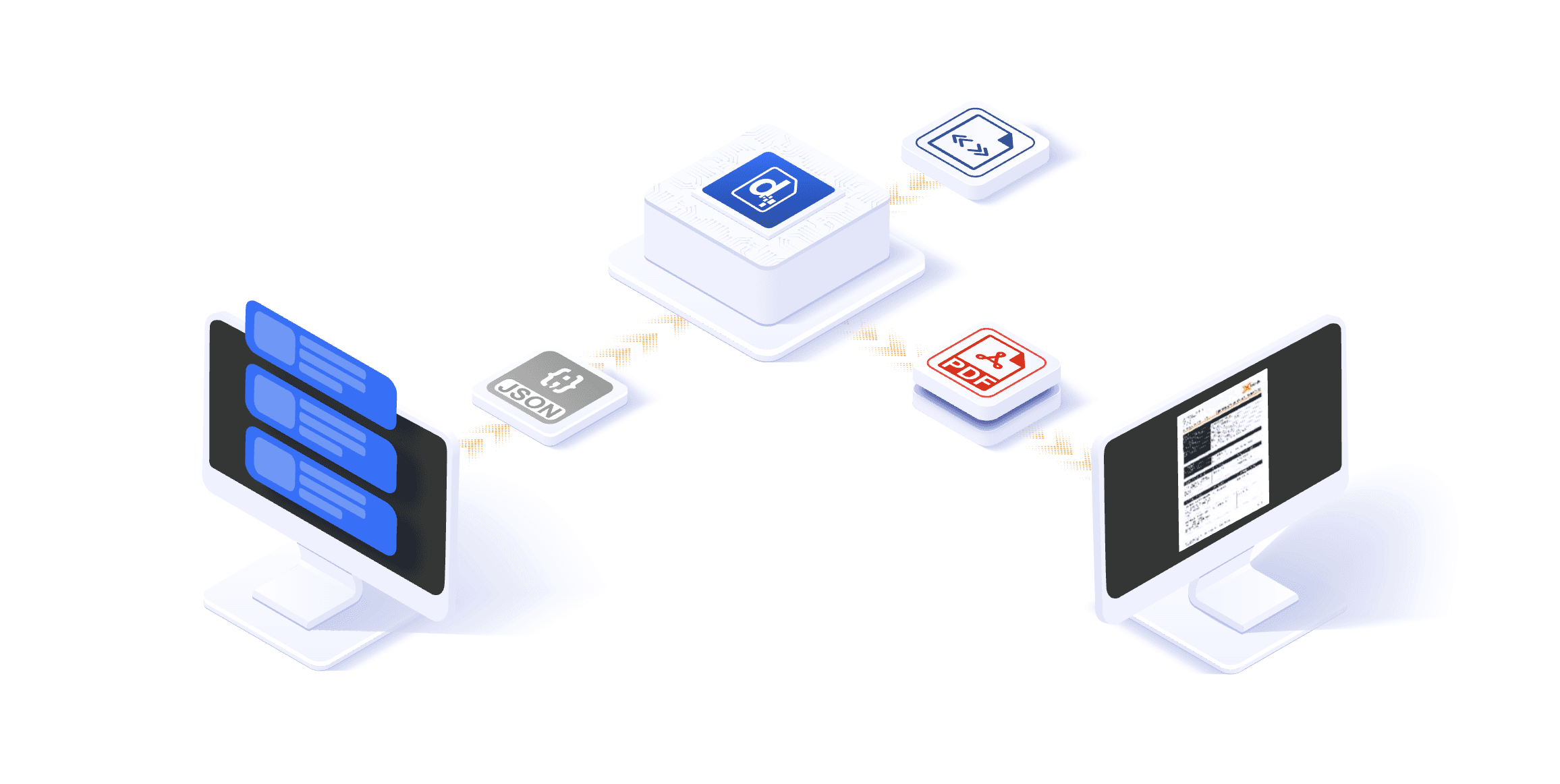
Docmosis is a template-based document generation engine aimed at developers. It is not a SaaS platform with a UI. It is an API that you integrate into your own applications.
Best For
Software teams building custom applications that need to generate PDFs or Word documents programmatically. If you are building a loan origination system and need to generate closing documents, Docmosis provides the rendering engine.
If you are building a customer portal and need to generate account statements, Docmosis handles the template logic.
Limitations
No extraction capabilities. No AI. You provide the data as JSON or XML, and Docmosis merges it into templates. This is a pure Layer 3 solution. If your data starts in PDFs, Docmosis cannot help until you have extracted it through other means.
Pricing
Tiered subscription based on the number of documents generated per month. Transparent pricing with no hidden fees. The cost is reasonable for development teams, making it a good choice for custom application builds.
Legacy Incumbents: When They Still Make Sense
The legacy document management platforms are not going away. For certain use cases, they remain the right choice. But you need to understand their limitations and where they fit in a modern stack.
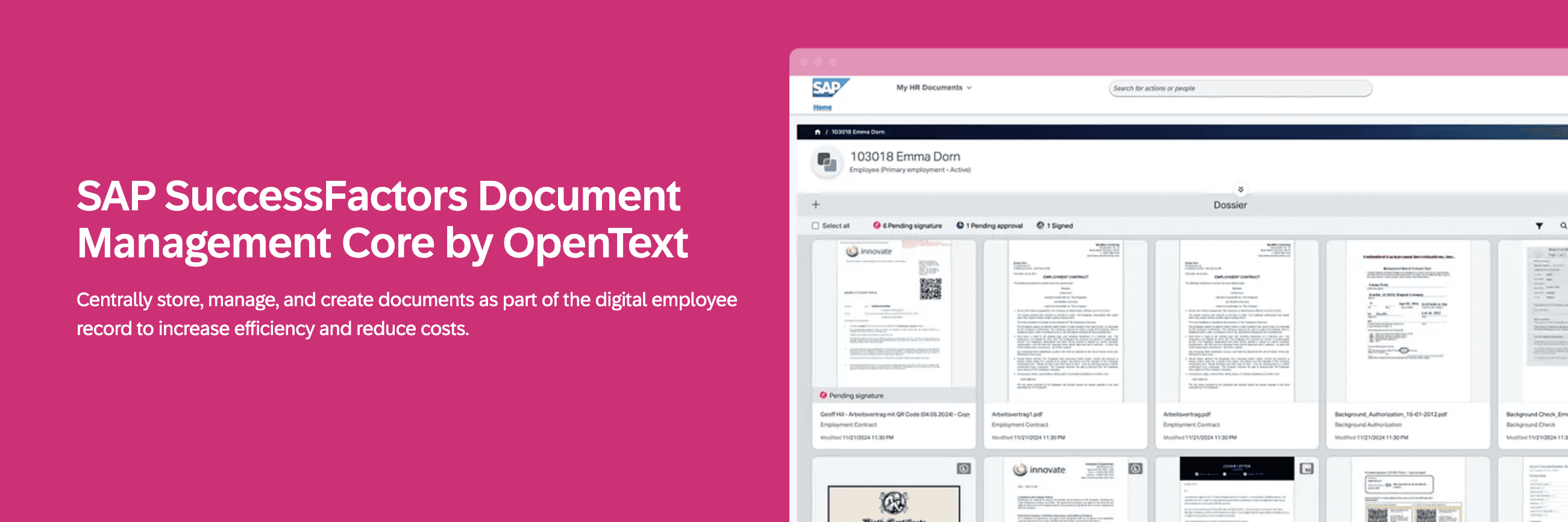
SAP Document Management
If your organization runs on SAP, and your documents are tightly coupled to SAP business processes, SAP Document Management is the path of least resistance. It integrates natively with SAP modules, and it handles the security and compliance requirements that large enterprises demand.
The Problem
SAP assumes your data is already in SAP. If you need to process external documents (contracts from vendors, financial statements from portfolio companies, inspection reports from third parties), SAP has no good answer. You will build a custom integration layer or hire people to manually enter the data. The platform excels at managing documents that are generated within SAP workflows. It struggles with documents that arrive from outside.
Cost
Enterprise pricing with significant implementation costs. Expect a six-figure annual spend for a mid-sized deployment, plus implementation fees that can match or exceed the first year of licensing.
Oracle WebCenter
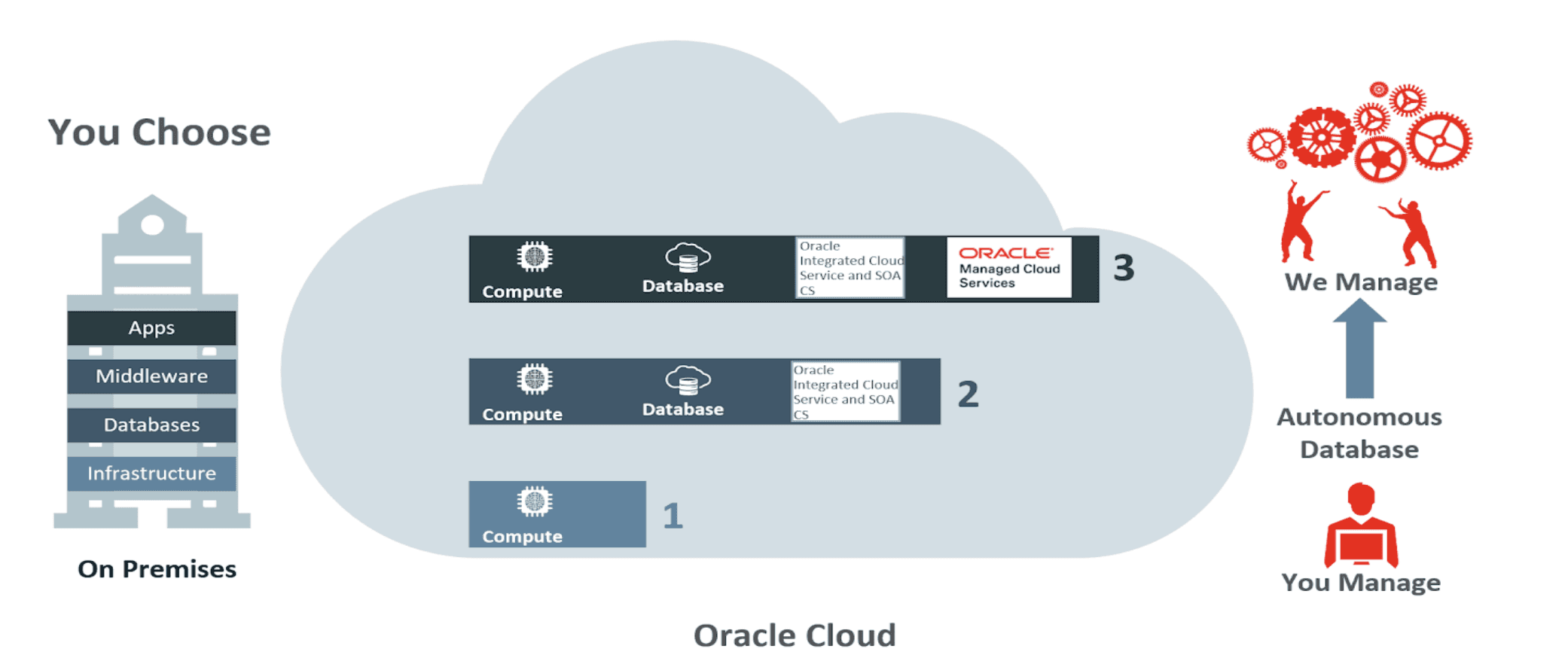
Oracle WebCenter is a full-featured content management platform that includes document management, collaboration, and workflow automation. It is designed for organizations that want a single vendor for their entire content stack.
Best For
Large enterprises already invested in the Oracle ecosystem. If you run Oracle ERP, Oracle HCM, and Oracle CRM, adding WebCenter makes sense from a vendor management perspective. The deep integration reduces the custom development required to connect systems.
The Problem
WebCenter is over-engineered for most use cases. It has hundreds of features, most of which you will never use. The user interface feels dated compared to modern SaaS tools. And like SAP, it assumes your data is already structured. It is a powerful platform that requires significant investment to configure and maintain.
Cost
Custom enterprise pricing. High upfront costs and ongoing maintenance fees. Plan for a dedicated team to manage the platform.
Hyland OnBase

OnBase is popular in healthcare, insurance, and government, industries with strict compliance requirements. It excels at document imaging, case management, and audit trails.
Best For
Organizations that need to prove compliance with regulations like HIPAA, SOX, or GDPR. OnBase provides the audit logs and access controls that auditors expect to see. If you are in a regulated industry and face regular audits, OnBase's compliance features may justify the complexity.
Limitations
The user interface is clunky. Implementation is slow. And like the other legacy platforms, it does not handle unstructured data well. You will need to build custom integrations or manual processes to get data into OnBase. Expect 6-12 months to go live for a full implementation.
Integration Challenge: Making Systems Talk
The biggest pain point in document generation is not the software itself. It is getting the software to integrate with the rest of your stack. A document generation platform is useless if it cannot pull data from your CRM, push outputs to your data room, or trigger workflows in your project management system.
The API Layer
Modern platforms expose APIs that let you build custom integrations. V7 Go provides REST APIs that let you trigger agents programmatically, retrieve results, and push generated documents to cloud storage or collaboration tools.
Building and maintaining these integrations requires developer resources. A mid-sized firm might spend 40-80 hours of engineering time on initial integrations, plus ongoing maintenance as APIs change or new requirements emerge.
Pre-Built Connectors
Some platforms offer pre-built connectors to popular tools like Salesforce, SharePoint, Google Drive, and Slack. These reduce the integration burden, but they rarely cover all cases. You will almost always need some custom development for edge cases or less common systems.
V7 Go includes native integrations with major cloud storage providers and can push generated documents directly to SharePoint, Google Drive, or Slack. This covers the most common use cases without custom code.
The Data Mapping Problem
Even when the technical integration works, you need to map fields between systems. Your CRM might call a field "Annual Revenue" while your document template expects "Total Revenue." Someone must define those mappings and handle edge cases where data is missing or formatted differently.
This is where AI agents provide value beyond just extraction. They can normalize data as part of the workflow. If one CIM reports revenue in millions and another in thousands, the agent can detect the difference and standardize the output before it flows into the generated document.
Knowledge Hubs overview showing document memory, citations, and the difference between Index Knowledge and traditional RAG.
Implementation Playbook: What to Expect
Implementing document generation software is not a plug-and-play process. Even with modern SaaS tools, expect a 4-12 week implementation depending on complexity.
Phase 1: Process Mapping (Week 1-2)
Before you configure any software, map your current process. What documents do you generate? What data sources feed them? Who reviews and approves them? What are the edge cases and exceptions?
This is where most implementations fail. Organizations skip this step and configure the software based on assumptions. Then they discover that the real workflow is more complex than they thought.
For a private equity firm implementing an Investment Memo Generation Agent, this means documenting every field that goes into an IC memo, where that data comes from, and what validation rules apply. Does the memo always include a management team section? What happens if the CIM does not list the executives? These questions need answers before you start configuration.
Phase 2: Template Engineering (Week 2-4)
Once you understand the process, design the templates. This is not just about formatting. It is about defining the structure and logic of the output.
A good template includes conditional sections. If the investment is a real estate deal, include a property details section. If it is a software company, include a technology stack section. The template should adapt to the type of document being processed.
V7 Go allows you to define these rules using natural language prompts. You can specify: "If the document mentions a lease, extract the rent escalation terms and include them in the financial summary section." The agent will apply that logic automatically.
Phase 3: Data Integration (Week 4-8)
This is where you connect the document generation platform to your existing systems. If you are pulling data from Salesforce, configure the API connection and field mappings. If you are pushing outputs to SharePoint, set up the folder structure and permissions.
For organizations with complex IT environments, this phase can take longer. You might need to work with your IT security team to approve API access, or with your data governance team to ensure compliance with data handling policies.
Phase 4: Testing and Refinement (Week 8-12)
Once the system is configured, run it against real documents and compare the outputs to what a human would produce. This is where you catch edge cases and refine the prompts.
An agent might correctly extract revenue 95% of the time, but fail when the number is presented as a range ("$10-12M") or when it is buried in a footnote. You adjust the configuration to handle these cases.
Sample Acceptance Criteria for an Investment Memo Agent:
Extract 12 core fields (Company Name, Industry, Revenue, EBITDA, Growth Rate, Investment Thesis, Key Risks, Management Team, Comparable Companies, Deal Structure, Sources and Uses, Valuation) with 98% accuracy on a 50-document validation set
Cite source page and line for every extracted figure
Handle ranges by extracting both bounds and calculating midpoint
Normalize units (convert K to thousands, M to millions) automatically
Route documents with confidence scores below 0.85 to human review queue
Exception rate below 10% (fewer than 5 of 50 documents require manual intervention)
This phase is iterative. You will go through multiple rounds of testing and refinement before the system is production-ready.

AI data validation automatically correcting and standardizing field values during extraction.
The ROI Calculation: When Does It Pay Off?
Document generation software is not cheap, especially when you factor in implementation costs and ongoing maintenance. Here is how to calculate whether it makes financial sense for your organization.
The Break-Even Formula
Calculate the cost of your current manual process. If you have three analysts spending 10 hours per week manually creating documents, that is 120 hours per month. At a loaded cost of $75 per hour, that is $9,000 per month in labor.
If the software costs $3,000 per month and saves 80% of that manual work, you are saving $7,200 per month in labor against a $3,000 cost. The break-even is immediate, and the ROI is 240% in the first year.
But the calculation is more nuanced. Factor in:
Implementation costs: If it takes 200 hours of internal time to implement, that is a $15,000 upfront cost. Spread over 12 months, that adds $1,250 per month to your effective cost.
Ongoing maintenance: Expect to spend 5-10 hours per month adjusting templates and handling exceptions. At $75 per hour, that is $375-750 per month in maintenance labor.
Error reduction: Manual processes have error rates. If a mistake in a board deck costs you credibility with investors, or a missed covenant breach leads to an unexpected default, that has a real cost even if it is hard to quantify.
Worked Example: Mid-Sized PE Firm
A firm processes 200 CIMs per quarter for deal screening. Current process: analysts spend an average of 2 hours per CIM on initial triage (reading, extracting key metrics, preparing a summary). That is 400 hours per quarter, or 1,600 hours per year.
At a loaded cost of $75 per hour for analyst time, that is $120,000 per year in labor for CIM triage alone.
With an AI agent, the triage time drops to 15 minutes per CIM (review the extraction, approve or correct). That is 50 hours per quarter, or 200 hours per year. Labor cost: $15,000.
Annual savings: $105,000 in analyst time. If the software costs $36,000 per year ($3,000 per month), and implementation costs $20,000, the first-year ROI is ($105,000 - $36,000 - $20,000) / ($36,000 + $20,000) = 88%. In year two, without implementation costs, ROI is 192%.
The Intangible Benefits
Beyond direct labor savings, document automation provides benefits that are harder to measure but equally important:
Speed: A process that took three days now takes three hours. This means faster decision-making and the ability to respond to opportunities before competitors.
Consistency: Every document follows the same format and includes the same checks. This reduces the risk of missing critical information.
Scalability: You can process 10x more documents without hiring 10x more people. This is critical for growing organizations or seasonal volume spikes.
Auditability: AI agents provide a complete audit trail. You can see exactly what data was extracted, where it came from, and what logic was applied. This is valuable for compliance and quality control.
The Future: Where AI Document Generation Is Headed
The document generation market is evolving rapidly. Three trends are shaping the next generation of platforms.
Multi-Modal Intelligence
Current AI extraction is primarily text-based. The next generation will handle images, charts, and tables as first-class data sources. An agent will read a bar chart in a financial report, extract the data points, and include them in a generated memo with the same confidence it handles text.
V7 Go already includes visual grounding, which means it can identify where in a document a piece of information came from, even if it is in a table or chart. This capability will become standard across the industry as large language models improve their multi-modal capabilities.
Real-Time Collaboration
Document generation will shift from batch processing to real-time collaboration. Instead of uploading a document, waiting for processing, and reviewing the output, you will interact with the agent in real-time. You will ask questions, request clarifications, and refine the output through conversation.
This is the promise of the AI Concierge model. You describe what you need, and the system orchestrates the right agents to deliver it. "Generate an IC memo for this CIM and flag any revenue recognition issues" becomes a single command that triggers extraction, analysis, and generation in one flow.
Tighter Integration with Business Logic
Current document generation platforms are mostly stateless. They process a document and produce an output, but they do not remember context or apply complex business rules.
The next generation will integrate with Knowledge Hubs, which are repositories of institutional knowledge that agents can reference. If your firm has a policy that any deal with EBITDA below $5M requires additional diligence, the agent will know that and flag it automatically. If you have historical data on similar investments, the agent can pull comparable terms and outcomes.
This shifts document generation from a mechanical process to an intelligent one. The system does not just format data. It applies judgment based on your firm's rules and past decisions.
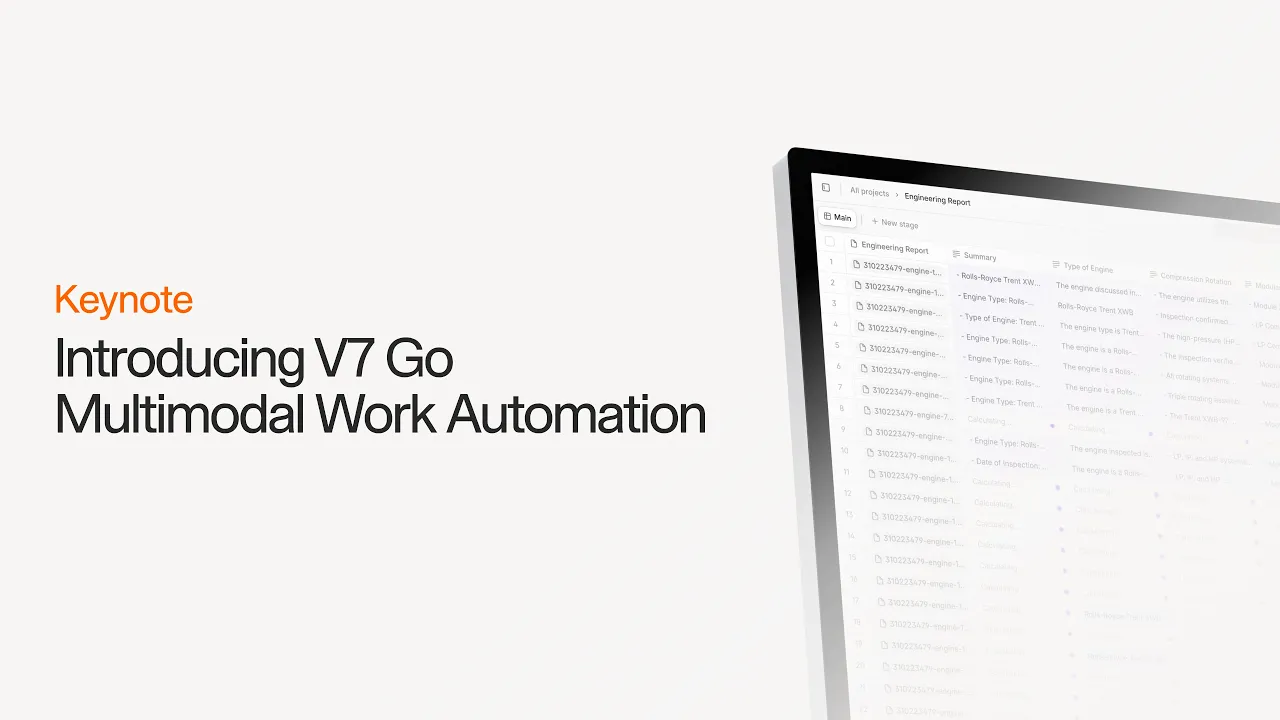
Introducing V7 Go: The platform built for AI work automation.
AI Slides Generation: Build, Buy, or Integrate?
The final question is not which software to choose, but whether to buy software at all. Some organizations choose to build custom solutions. Others integrate multiple best-of-breed tools. There is no universal answer.
When to Build
Building makes sense if your requirements are highly specialized and no existing platform fits. A hedge fund with proprietary trading strategies might build custom document generation tied to their internal models. A government agency with unique compliance requirements might build a system that integrates with classified data sources.
But building is expensive. You need to hire developers, maintain the codebase, and keep up with changes in AI models and APIs. For most organizations, this is not the right path. The technology is moving too fast to maintain a competitive custom solution.
When to Buy
Buying makes sense when your requirements are common and well-served by existing platforms. If you need to generate standard contracts, fund performance reports, or compliance documents, there are mature solutions that will work out of the box.
The key is to choose a platform that solves the full workflow, not just the final step. A pure template engine will leave you with the extraction bottleneck. A platform like V7 Go that handles extraction, validation, and generation in one workflow will deliver faster ROI because it addresses the actual problem.
When to Integrate
Integration makes sense when you want best-of-breed tools for each layer of the stack. Use V7 Go for extraction and initial processing. Use Templafy for template management and brand compliance. Use PowerBI for final visualization and reporting.
This approach gives you flexibility, but it requires strong technical capabilities to manage the integrations. You need APIs, data pipelines, and monitoring to ensure the system stays reliable. Most mid-sized organizations lack the engineering resources to maintain a complex integrated stack.
Conclusion & Key Takeaway
If you implement document generation software correctly, here is what changes for your team:
For Analysts: They stop spending nights and weekends copying data from PDFs into spreadsheets. They spend their time reviewing the edge cases the AI flags and making judgment calls on complex issues. The repetitive work is gone. The analytical work remains.
For Managers: They get consistent, high-quality outputs faster. They can review 10 investment memos in the time it used to take to review one, because the formatting and structure are standardized. They spend less time on formatting corrections and more time on substantive feedback.
For Executives: They get better data for decision-making. Because the extraction is automated and auditable, they can trust the numbers. They can drill down into the source documents with one click. When a board member asks where a figure came from, the answer is immediate.
For Compliance Teams: They get complete audit trails. Every generated document includes citations back to the source data. If a regulator asks where a number came from, you can show them the exact page in the original document. The paper trail is automatic.
The shift is from manual, error-prone processes to automated, reliable workflows. The time savings are real, but the bigger benefit is the reduction in risk and the increase in confidence.
To see how V7 Go can automate your document workflows from extraction to generation, book a demo.
What is the difference between document generation and document management?
Document management is about storing, organizing, and retrieving documents. It is a filing system. Document generation is about creating new documents from data. A document management system stores your contracts. A document generation system creates new contracts by merging data into templates. Most organizations need both, but they solve different problems. The confusion arises because many vendors bundle both capabilities, but they are distinct functions in the workflow.
+
Can AI fully automate document generation?
AI can automate the extraction, validation, and formatting steps. But it cannot replace human judgment on complex decisions. An AI agent can extract financial metrics from a CIM and generate a memo, but a human still needs to decide whether the investment thesis makes sense. The goal is not full automation. It is to remove the manual, repetitive work so humans can focus on the high-value decisions. A well-implemented system routes edge cases to human review rather than making bad guesses.
+
How long does it take to implement document generation software?
For a simple use case with standard templates, you can be live in 2-4 weeks. For a complex implementation with custom integrations and multiple document types, expect 8-12 weeks. The timeline depends on how well you understand your current process and how much custom configuration is required. Organizations that skip the process mapping phase often end up with longer implementations because they discover requirements mid-project. Budget extra time for the testing and refinement phase.
+
Is it safe to use AI for sensitive financial or legal documents?
Yes, provided the platform meets enterprise security standards. Look for SOC 2 Type II certification, ISO 27001 compliance, and encryption in transit and at rest. V7 Go includes these protections by default. You should also ensure the platform does not use your documents to train public models. V7 Go uses your documents as context within your Knowledge Hub, but it does not train models on your data. Your documents remain private and are not used to improve models for other customers.
+
What is the ROI of document generation software?
Most modern platforms provide APIs and pre-built connectors to popular tools like Salesforce, SharePoint, and Google Drive. V7 Go includes native integrations with major cloud storage providers and can push generated documents directly to your existing workflows. However, you should expect some custom development for complex integrations or legacy systems. Budget 40-80 hours of engineering time for initial setup and plan for ongoing maintenance as your systems evolve.
+
Can document generation software integrate with our existing systems?
Go is more accurate and robust than calling a model provider directly. By breaking down complex tasks into reasoning steps with Index Knowledge, Go enables LLMs to query your data more accurately than an out of the box API call. Combining this with conditional logic, which can route high sensitivity data to a human review, Go builds robustness into your AI powered workflows.
+
Casimir is a seasoned tech journalist and content creator specializing in AI implementation and new technologies. His expertise lies in LLM orchestration, chatbots, generative AI applications, and computer vision.