13 min read
—


A practitioner's guide to invoice automation platforms, from legacy incumbents to modern AI challengers. We evaluate what works, what doesn't, and how agentic AI is finally solving the reconciliation gap.

V7 Go
A smarter way to manage due diligence and underwriting
It’s 5 p.m. and you'd love to close your laptop. But there’s still a small mountain of invoices waiting; some needing coding, some missing PO numbers, all of them determined to keep you exactly where you are.
You may have invested in AP software, set up workflows, maybe even dabbled in OCR. Somehow the dream of “full automation” still feels about ten fiscal years away. Meanwhile, the work you actually want to be doing, like improving cash visibility, tightening spend controls, and partnering with the business, sits patiently on the back burner while you chase down mismatched line items.
It’s a familiar picture across finance teams. Automation has inched forward, yet it often feels like you’re still doing far more manual work than any modern system should require.
This guide is here to help. We’ll talk about the ingestion layer, how invoices get parsed and turned into usable data. Even more importantly, we’ll explore how to automate the downstream workflows like three-way matching, approvals, coding, exception handling, and reporting.
If you’ve ever thought, “There has to be a better way,” you’re in the right place.
In this article:
Why invoice automation fails and what the real bottleneck is (hint: it's not just OCR accuracy).
An exploration of leading platforms.
How AI agents solve the reconciliation gap that legacy platforms ignore.
What to expect when migrating from manual processes to automated workflows.
Once invoices are automated, where should you focus your AI efforts?
Why Invoice Automation Fails
Invoice processing is one of those jobs everyone agrees is important and almost no one lists as the reason they got into finance. Manually keying line items, chasing approvals, and fixing coding errors adds up fast: studies put the average cost of processing a single invoice by hand at around $12-$15 per invoice, with cycle times of 10–16 days from receipt to payment for many organisations.
For years, software vendors have promised to make this pain go away. First came scanning and basic OCR to avoid typing from paper; then workflow tools and AP automation platforms to route invoices for approval and push data into the ERP.
These steps absolutely helped, but traditional OCR and rules-based tools have always had an awkward limitation: they need invoices to look tidy and predictable. Often, real invoices… just aren't. Different layouts, languages, tax treatments, and half-scanned PDFs from a supplier’s ancient system all tend to defeat template-based extraction, forcing AP teams back into the spreadsheet-and-highlighter routine.
This is supported by research; despite all the advancements over the last decade, according to a 2025 article from the Enterprise Times, 66% of finance leaders cited an increase in manual work over the last year. 70% believe the lack of automation will hinder growth.
AI for Invoice Automation
This is where generative AI, and, more importantly, agentic AI, changes the picture. Modern models can read almost any invoice format, whether it’s a clean electronic PDF or a slightly wonky scan, and still pull out the right supplier, dates, amounts, tax, and line items without relying on brittle templates.
Off-the-shelf solutions are created to handle and analyze files based on specific formatting or requirements that the receiving company cannot control. When the format varies, companies need to consider alternative approaches, such as manual workarounds. The good news is that with the development of new AI models and machine learning, it is becoming possible to read invoices in various formats that can be transformed into a data model.
— PWC
That level of flexible data extraction is essential, but it’s only the first part of the battle. Once you have the data, the real work begins: matching each invoice to a purchase order and a goods receipt (the classic three-way match), checking quantities and prices, and deciding whether the invoice should be paid, parked, or disputed.
Agentic AI treats this as an end-to-end workflow, not just a reading exercise. An AI agent can:
Extract the invoice data
Look up the corresponding PO and receipt in the ERP
Perform the three-way match
Follow your playbook: auto-approve low-risk matches, route exceptions to the right budget holder, propose GL codes and cost centres, and update dashboards and cash-flow reports
…All while keeping a human in the loop for judgment calls and odd edge cases.
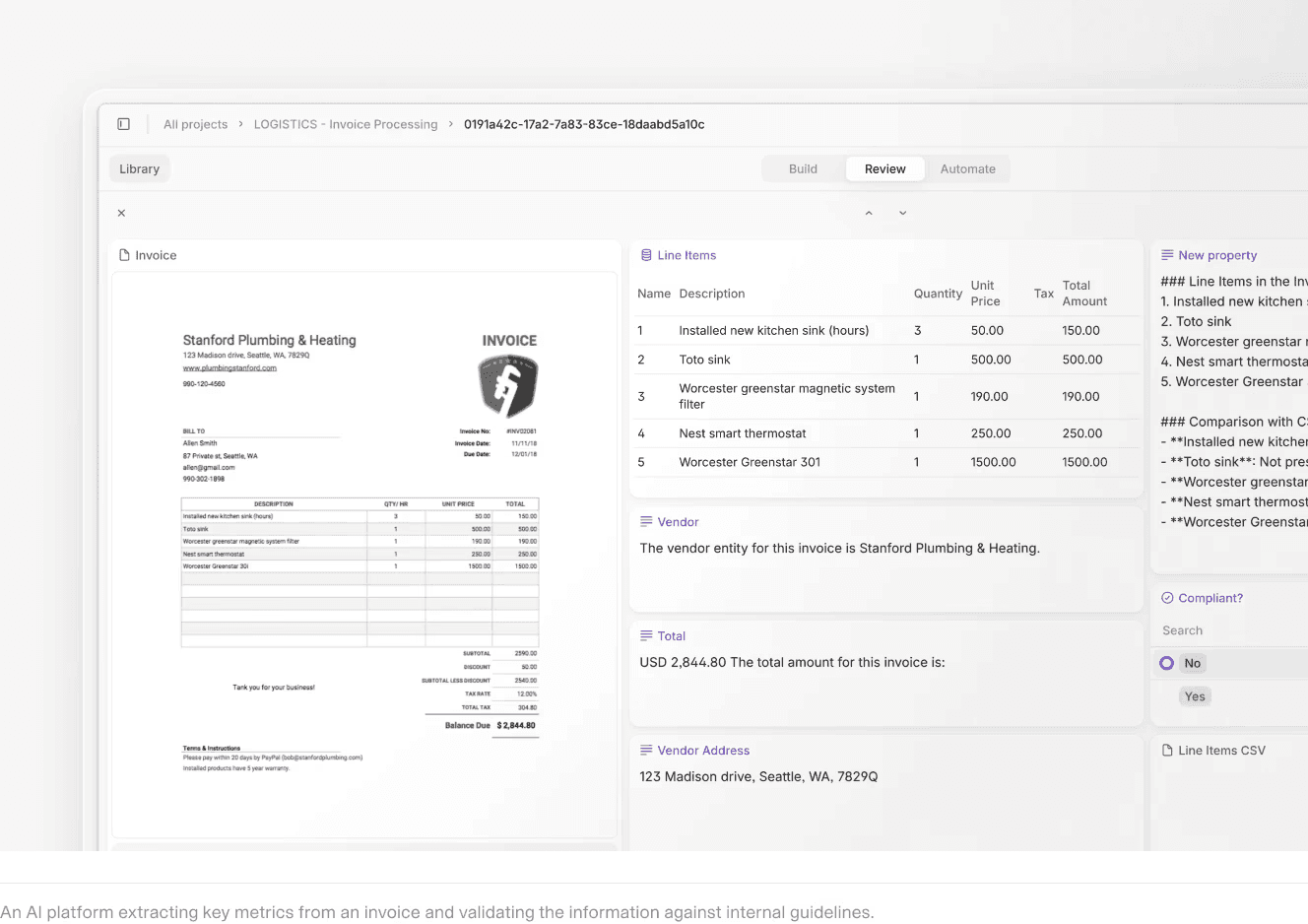
Instead of finance teams spending their days hunting for missing PO numbers or reconciling small discrepancies, they review flagged items, adjust policies, and focus on higher-value analysis.
Automated Invoices: A Case Study
Charter Auctions are leading auctioneers of manufacturing machinery and machine tools, offering both transactional and strategic equipment lifecycle management for businesses. As they scaled, the volume of manual administrative work began to stretch the team beyond its limits. Instead of defaulting to additional headcount, they wanted a more strategic, long-term solution.
AI quickly emerged as the most effective path forward, and invoice processing was the obvious place to begin.
We were drowning in invoices. At year-end, it got so bad that we were putting in 14-hour weekends just to get through everything. It was unsustainable.
— James Tomlinson, Managing Director
Charter Auctions chose V7 Go as their AI platform. They are starting with the development of an intelligent invoice-processing agent and laying the groundwork for broader workflow automation across the business.
“We’re working towards the end goal of 95% automation for invoice processing, with 5% edge cases requiring manual intervention. The time savings will be huge,” says James.
Read the full case study here: Charter Auctions.











10 Invoice Automation Platforms
Now that we have established the core challenge and the promise of agentic AI, let us evaluate the platforms. We will divide them into two categories: Modern AI Challengers (platforms built in the last 5 years with AI-first architectures) and Legacy Incumbents (established ERP-adjacent platforms with bolt-on AI features). For each platform, we cover strengths, trade-offs, pricing guidance, and implementation considerations.
Modern AI Platforms
We’ll begin with the AI-native platforms; tools designed from the ground up to interpret documents, adapt to messy real-world workflows, and automate decisions rather than simply extract fields.
These tools represent the newest wave of innovation in invoice automation.
1. V7 Go
Website: https://www.v7labs.com
V7 is an advanced multi-modal AI platform designed for dynamic invoice processing and document automation. V7 Go is not an invoice-specific tool; it is a general-purpose work automation platform that excels at invoice workflows because of its flexibility and visual grounding capabilities.
Beyond extraction, V7 Go can automate downstream AP workflows such as three-way matching, variance detection, and exception routing. Bespoke AI Agents can compare invoice data against purchase orders and goods-received notes, and automatically flag mismatches in quantity, pricing, or line-item structure.
This eliminates a large portion of manual reconciliation work and ensures issues surface early, before they become payment delays or compliance risks.
Key Strengths:
Because the agents operate across documents, systems, and formats, they can trigger follow-up actions such as routing exceptions to buyers, generating approval tasks, or syncing validated data directly into your ERP.
Unlike traditional OCR systems that break when a vendor changes their invoice format, V7 Go uses multi-modal LLMs to understand document structure dynamically. It can extract line items from a table even if the column headers are in a different order than last month.
Every extracted field is linked back to the exact location in the source document. This is critical for audit trails and exception handling. When the system flags a discrepancy, the reviewer can see exactly which line item on which page triggered the alert. This feature addresses a common complaint from AP teams: "I don't trust the number unless I can see where it came from."
Trade-offs: The initial setup curve is steeper than plug-and-play solutions because you are building custom workflows. As it is a general AI workflow builder, V7 provides top-of-the-line power and automation. Depending on your use case, it may work best in tandem with other systems for, example, employee expense portals
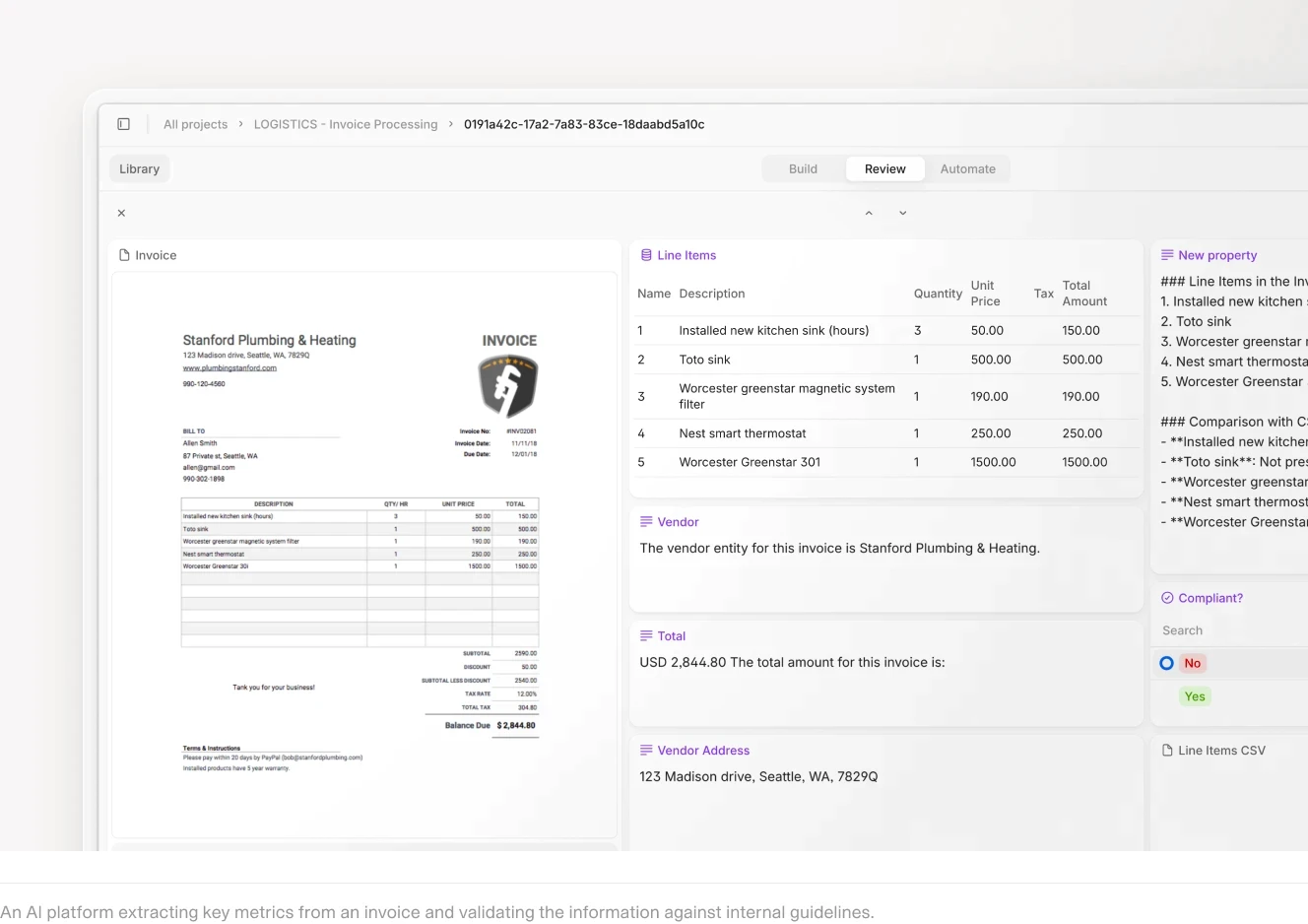
AI invoice extraction with line items, vendor details, and totals.
2. Rossum
Website: https://rossum.ai
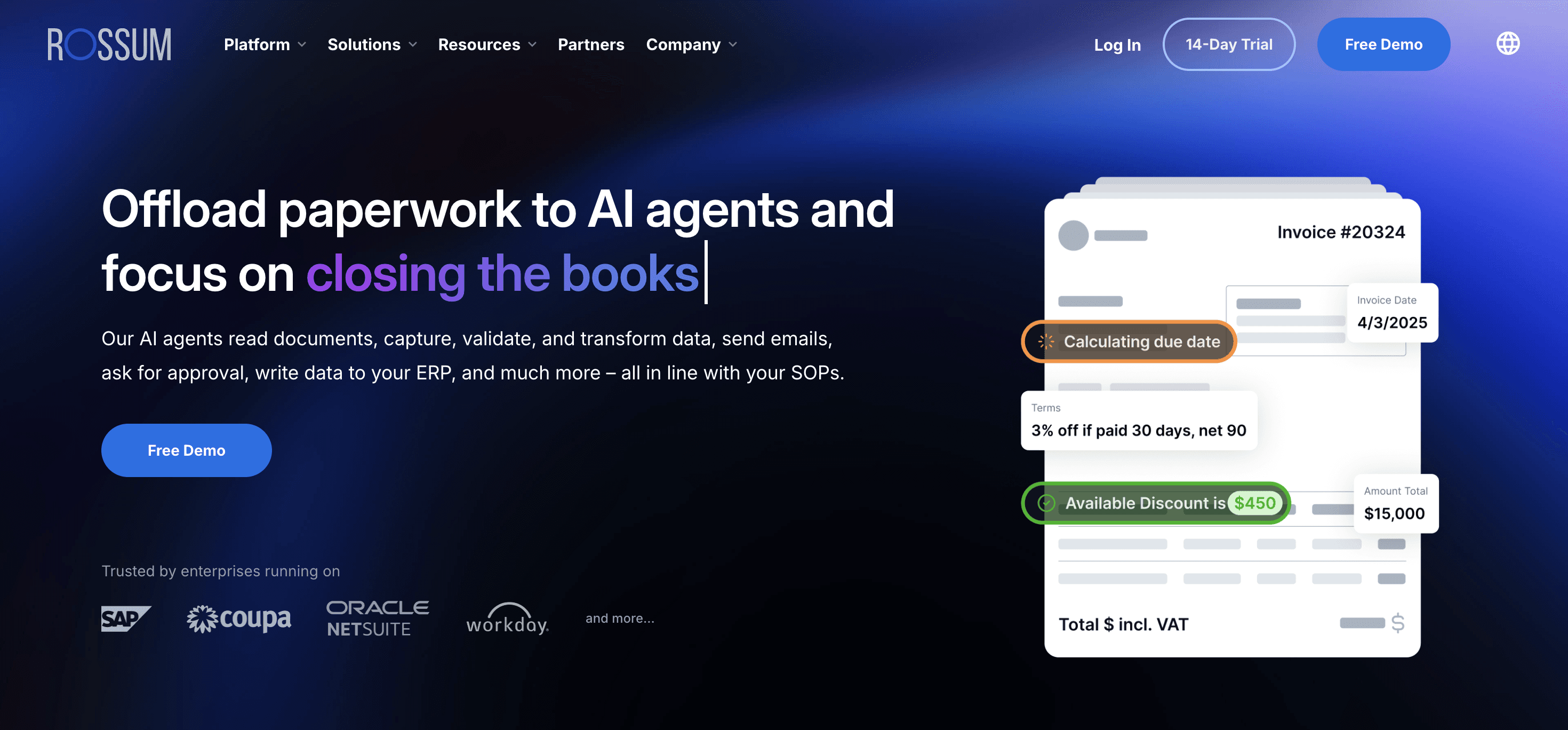
Rossum is a cloud-based cognitive data capture platform that uses AI to mimic human understanding of documents.Receive transactional documents at scale from multiple channels, regardless of format. With advanced AI filtering out spam and duplicates.
Key Strengths:
Rossum ships with pre-trained models for common invoice formats, reducing the need for manual rule-setting. The system learns from corrections, improving accuracy over time. For teams processing standard vendor invoices, this means faster time-to-value.
Built-in validation rules for common invoice errors (duplicate invoices, missing PO numbers, amount mismatches). The system can auto-correct minor OCR errors based on context.
Integrations with SAP, Oracle, QuickBooks, and other major ERP systems. Data flows directly from Rossum to the ERP without requiring middleware.
Trade-offs: Customization can be challenging. If your invoice workflow deviates significantly from the standard "extract → validate → approve → post to ERP" pattern, you may hit limitations. Initial model training can be time-intensive if you have many unique vendor formats. Users on community forums note that Rossum works best when your vendor base is relatively standardized.
3. AvidXchange
Website: https://www.avidxchange.com/invoice-automation/
AvidXchange is a mid-market AP automation platform with a strong focus on vendor networks and payment automation.
Key Strengths:
Automated extraction of invoice data with three-way matching against POs and delivery notes. The system flags discrepancies and routes them to the appropriate approver.
Configurable approval hierarchies based on dollar thresholds, cost centers, and departments. The system can route invoices to multiple approvers in parallel or sequence.
AvidXchange's vendor network feature is particularly valuable for organizations that want to simplify vendor onboarding and payment processing. Vendors in the network can submit invoices electronically, reducing data entry errors.
Trade-offs: Users report mixed experiences with customer support responsiveness and integration complexities. The initial setup takes longer than expected, particularly for organizations with complex approval hierarchies or legacy ERP systems. Some mid-market companies find the platform's feature set exceeds their needs, making simpler tools more appropriate.
4. Stampli
Website: https://www.stampli.com
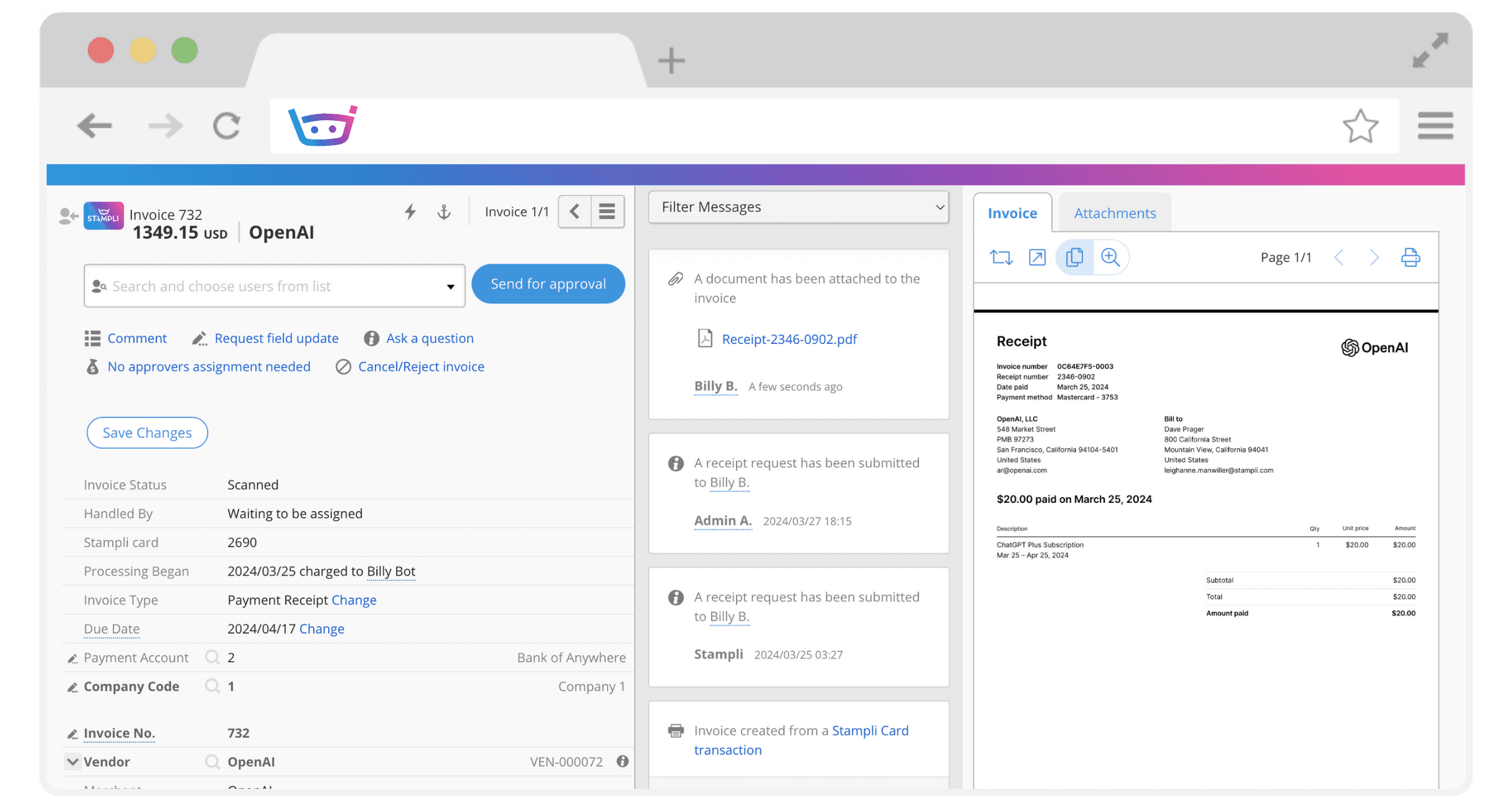
Stampli is an invoice approval platform with AI extraction and a focus on collaboration. Stampli positions itself as the "collaborative" invoice automation solution, emphasizing communication and exception handling.
Key Strengths:
Automated extraction of invoice fields with high accuracy. The system learns from user corrections and improves over time.
Built-in chat and commenting tools allow AP teams to discuss exceptions directly within the platform. Approvers can tag colleagues, attach notes, and resolve discrepancies without leaving the system. This is a major differentiator for distributed teams.
Automated flagging of common invoice errors. The system routes exceptions to the appropriate approver based on configurable rules.
Trade-offs: Stampli is less ideal if you need deeply customized, end-to-end AP or procurement workflows. It also offers relatively basic reporting and payment functionality compared with broader AP suites.
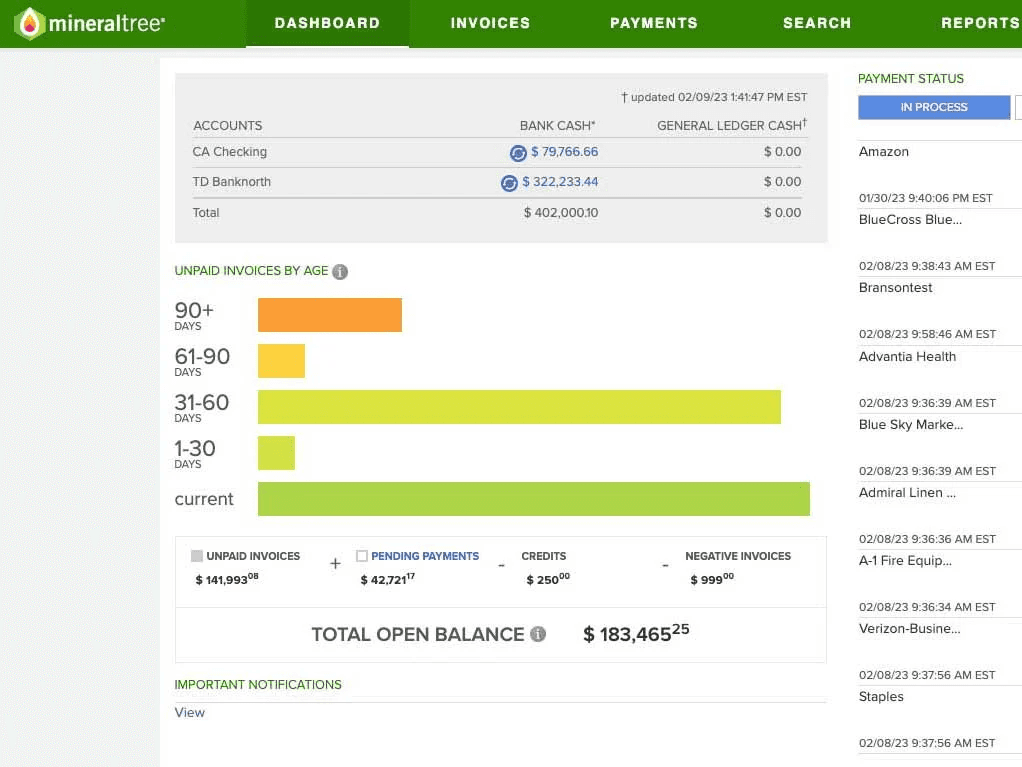
5. MineralTree
Website: https://www.mineraltree.com
MineralTree offers Cloud-based AP automation solution focused on user-friendly deployment and fraud detection. MineralTree emphasizes security and compliance, making it a popular choice for regulated industries.
Key Strengths:
Single dashboard for all invoices, regardless of source (email, vendor portal, scanned documents). The system automatically routes invoices to the appropriate approver based on configurable rules.
Built-in fraud detection algorithms flag suspicious invoices (duplicate payments, unusual vendor activity, amount anomalies). The system can automatically block payments pending manual review.
The learning curve is minimal compared to enterprise platforms.
Trade-offs: Some concerns over flexibility for complex approval hierarchies. The system works well for standard workflows but can be limiting for organizations with highly customized processes. Advanced reporting features are less developed than competitors.
6. Nanonets
Website: https://nanonets.com
High-accuracy AI document automation with minimal configuration. Nanonets positions itself as a developer-friendly platform with extensive API integrations.
Key Strengths:
AI extraction of invoice fields with high accuracy. The system uses deep learning models to recognize non-standard invoice layouts.
Built-in validation rules for common invoice errors. The system can auto-correct minor OCR errors based on context.
RESTful APIs for integrating with ERP systems, accounting software, and custom applications. The platform is designed for developers who want to build custom workflows.
Trade-offs: Occasional issues reported with API documentation and customer support response times. The platform is less user-friendly for non-technical users compared to turnkey solutions like Stampli or MineralTree. Not ideal for organizations without developer resources.
Legacy Incumbents
The following platforms have been in the market for 15+ years and dominate enterprise deployments. They offer full functionality but come with higher costs, longer implementation timelines, and less agility than modern challengers.
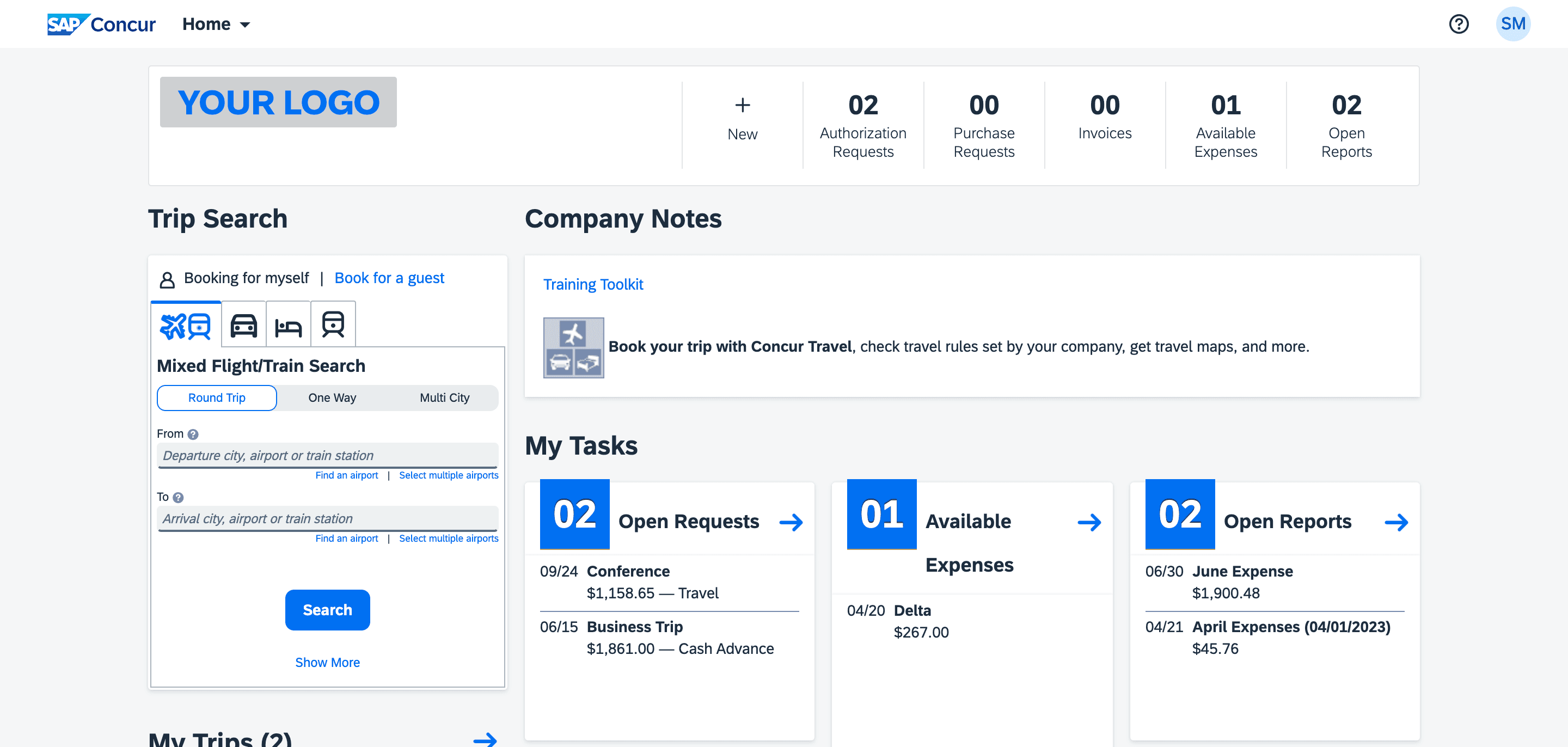
7. SAP Concur
Website: https://www.concur.com
Enterprise-grade travel, expense, and invoice management platform. SAP Concur is the 800-pound gorilla in the expense management space, with deep integration into the SAP ecosystem.
Key Strengths:
Unified platform for travel booking, expense reporting, and invoice processing. The system handles everything from flight bookings to invoice approvals in a single interface.
Native integration with SAP ERP systems, with bidirectional data sync. Invoice approvals in Concur are automatically reflected in SAP Financials.
Designed for multinational enterprises with complex compliance requirements across jurisdictions. Supports multi-currency, multi-language, and multi-entity configurations.
Trade-offs: Steep learning curve and higher total cost of ownership. The platform is designed for large enterprises with complex workflows, and smaller organizations often find it overkill. Customization requires significant IT involvement. Users report that adapting Concur to non-standard invoice formats is challenging.
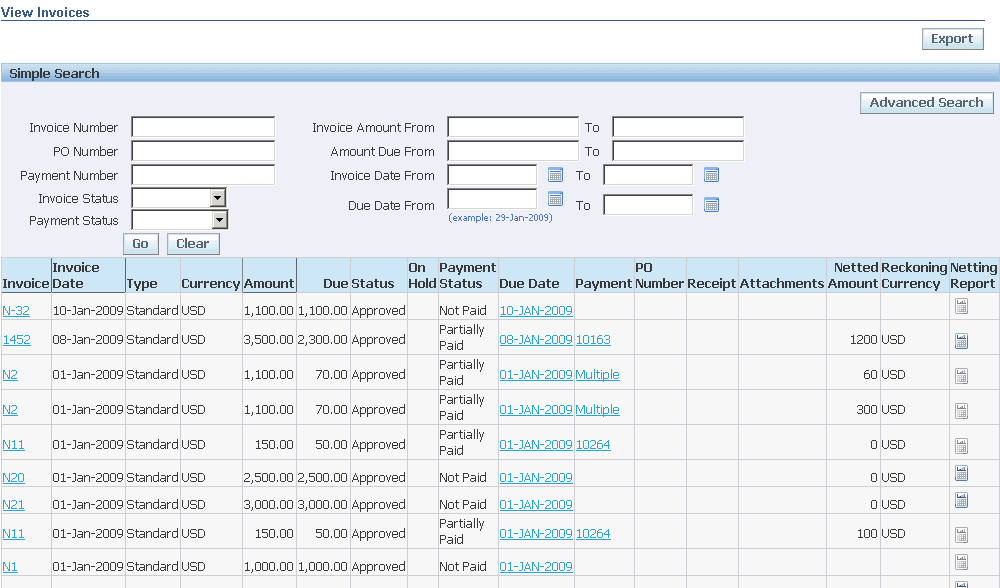
8. Oracle
Website: https://www.oracle.com
ERP suite integrating invoice processing with broader financial management capabilities. Oracle positions itself as the "single source of truth" for enterprise financial data.
Key Strengths:
Invoice processing workflows are tightly integrated with Oracle's broader ERP suite, including procurement, inventory management, and financial reporting.
Detailed analytics and reporting tools for tracking spend, identifying cost-saving opportunities, and ensuring compliance with corporate policies.
Built-in compliance features for SOX, GDPR, and other regulatory requirements. The system maintains detailed audit trails for all invoice transactions.
Trade-offs: Complex configuration and lengthy implementation cycles (often 6-12 months for full deployment). The platform is designed for large enterprises with dedicated IT teams. Smaller organizations find it overwhelming and expensive. Adapting to new invoice formats often requires professional services.
9. Basware
Website: https://www.basware.com
Full network-based invoice automation and spend analytics platform. Basware emphasizes its global supplier network, which allows organizations to onboard vendors quickly and simplify invoice processing.
Key Strengths:
Built-in dynamic discounting features allow organizations to take advantage of early payment discounts from vendors, improving cash flow.
End-to-end AP automation, from invoice capture to payment processing. The system handles everything from OCR extraction to ACH payments.
Trade-offs: Users report a sometimes overwhelming UI and integration challenges with non-standard ERP systems. The platform is designed for large enterprises with complex workflows. Documentation and onboarding materials can be dense..
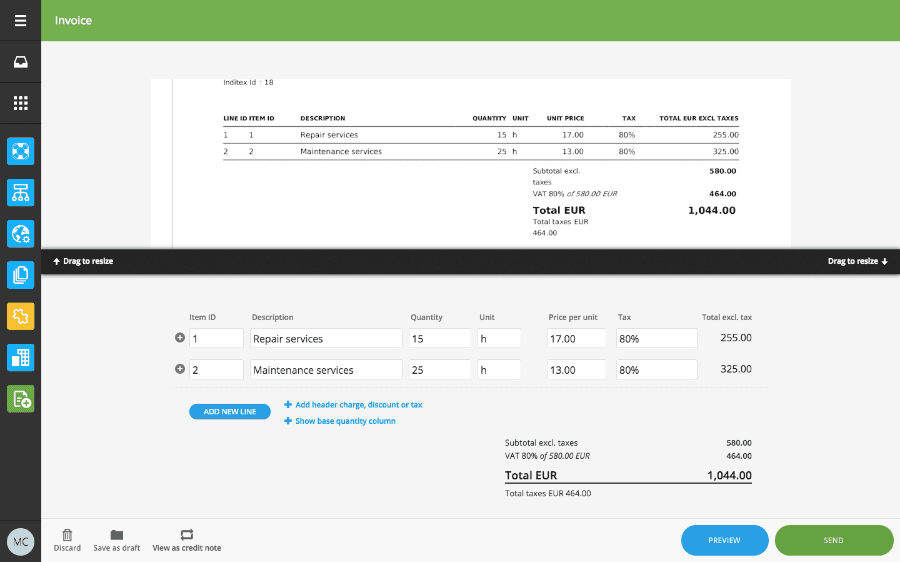
10. Tradeshift
Website: https://www.tradeshift.com
Cloud platform aimed at efficient supply chain and invoice management. Tradeshift emphasizes its network effects, with a large global supplier network that allows organizations to onboard vendors quickly.
Key Strengths:
Built-in collaboration tools allow AP teams and vendors to resolve discrepancies directly within the platform. Vendors can submit invoices, track payment status, and communicate with buyers in real time.
Access to Tradeshift's global supplier network, which includes millions of vendors. Organizations can onboard new vendors quickly and simplify invoice processing.
Real-time visibility into invoice status, from submission to payment. The system provides detailed audit trails for all invoice transactions.
Trade-offs: Mixed reviews on customer support and complexity in initial setup. The platform is designed for large enterprises with dedicated IT teams. Some users report that the supplier network benefits are only realized at scale.
5-Step Implementation Guide
If you are ready to move from manual invoice processing to an automated workflow, here is a practical roadmap based on successful implementations:
Step 1: Audit Your Current Workflow
Before selecting a platform, you need to understand your current workflow in detail. Map out every step from invoice receipt to payment:
How do invoices arrive? (Email, vendor portal, scanned documents, physical mail). Track the percentage from each channel.
Who handles initial data entry? What is the approval hierarchy? How are exceptions handled?
What is the average processing time from receipt to payment? What is the error rate (duplicate payments, incorrect amounts, missing PO numbers)? What percentage of invoices require manual intervention?
This audit will reveal your true bottlenecks. For most organizations, the bottleneck is not extraction accuracy; it is exception handling and reconciliation.
Step 2: Define Success Metrics
What does success look like? Define clear, measurable goals:
Reduce average invoice processing time from X days to Y days. A realistic target for most organizations is a 50-70% reduction.
Reduce duplicate payments and incorrect amounts by Z%. Target: less than 0.5% error rate.
Reduce the percentage of invoices requiring manual intervention from A% to B%. A well-implemented system should auto-process 80-90% of invoices.
Reduce per-invoice processing cost from $X to $Y. Industry benchmarks suggest automated processing costs $2-5 per invoice vs. $15-25 for manual processing.
Step 3: Select the Right Platform
Based on your audit and success metrics, select the platform that best fits your needs. Do not underestimate the importance of integration. The best platform is the one that integrates with your existing ERP system and workflows with minimal custom development.
Step 4: Pilot with a Subset of Invoices
Don't attempt a full-scale rollout on day one. Start with a pilot, with invoices from your top 10-15 vendors or invoices under $5,000. This should represent a significant portion of your invoice volume but lower risk.
Process these invoices through both the new system and your existing workflow for 30-60 days. Compare results. Then, track the results against your success metrics. Identify integration issues, configuration errors, or workflow gaps. Refine the agent rules or platform settings, and confirm your exception routing.
Step 5: Scale and Optimize
Once the pilot is successful, scale to the full invoice population:
Add remaining vendors and invoice types.
Ensure AP team members understand the new exception handling procedures.
Track success metrics weekly for the first quarter, then monthly. Identify opportunities for further optimization.
Continuously refine the platform configuration based on feedback and evolving business needs.
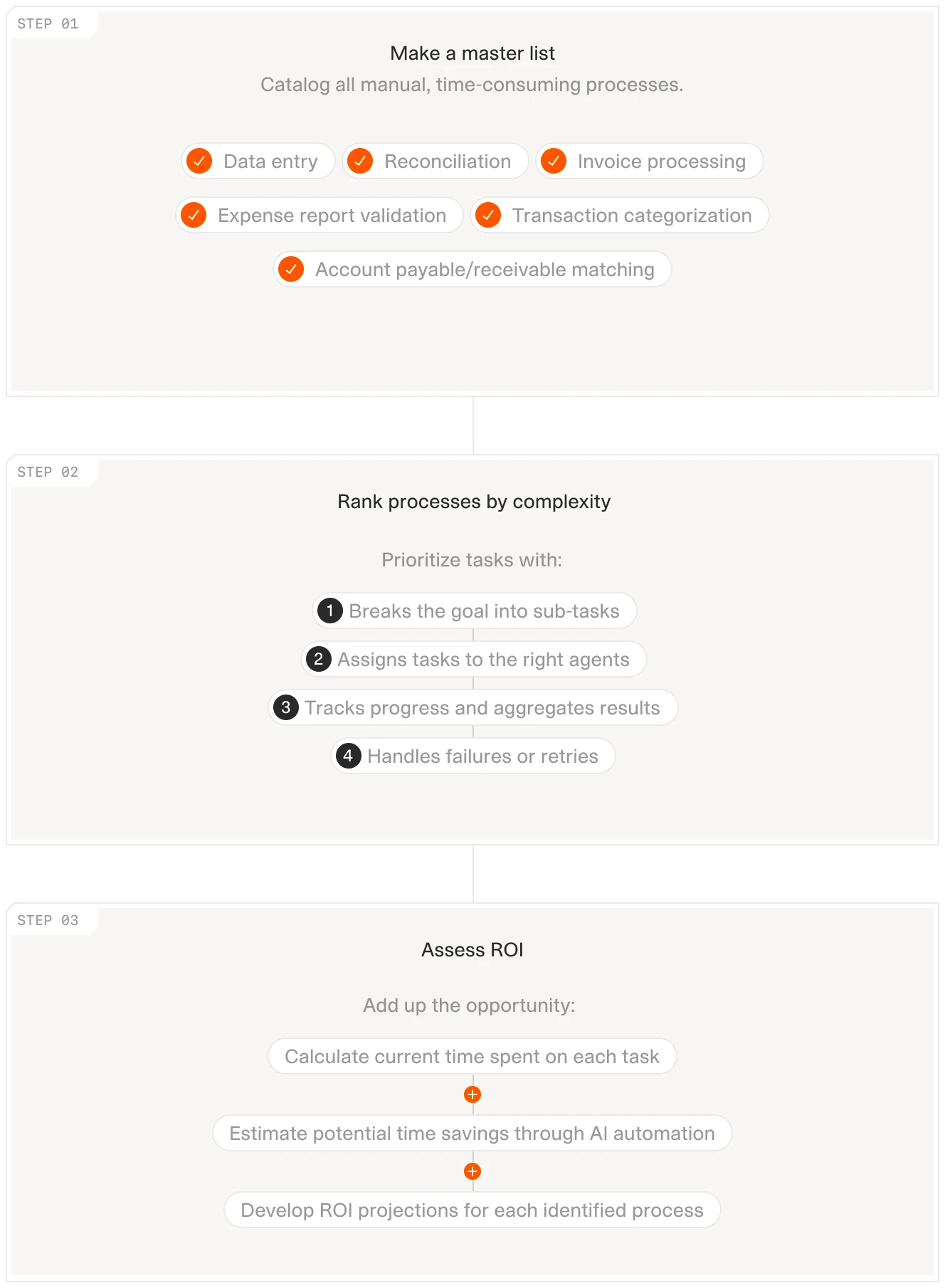
AI implementation guide: list tasks, rank by impact, assess ROI.
Automated Your Invoices? What's Next
Once you have automated invoice processing, you have unlocked a critical capability: clean, structured financial data. This data is the foundation for a wide range of high-value workflows. Here is where to focus next:
Spend Analytics and Cost Optimization
With clean invoice data, you can analyze spending patterns across vendors, cost centers, and departments. Build a monthly report that answers: Which vendors are we spending the most with? Are we capturing all early payment discounts? Which cost centers are over budget?
Concrete Next Step: Create a dashboard showing your top 20 vendors by spend, with trend lines over the past 12 months. Flag any vendors where spend increased more than 20% year-over-year for contract renegotiation.
Cash Flow Forecasting
Automated invoice processing provides real-time visibility into accounts payable. Use this data to build accurate cash flow forecasts.
Concrete Next Step: Feed your AP aging data into a 13-week cash waterfall. The AI agent can generate weekly forecasts showing expected outflows based on invoice due dates and historical payment patterns.
Vendor Performance Management
Track vendor performance metrics: on-time delivery, invoice accuracy, payment terms compliance. Use this data to inform vendor selection and negotiation strategies.
Concrete Next Step: Generate a quarterly vendor scorecard that compares delivery dates from goods receipts against invoice dates. Flag vendors with consistent late deliveries (goods receipt date more than 5 days after PO expected date) for SLA discussions.
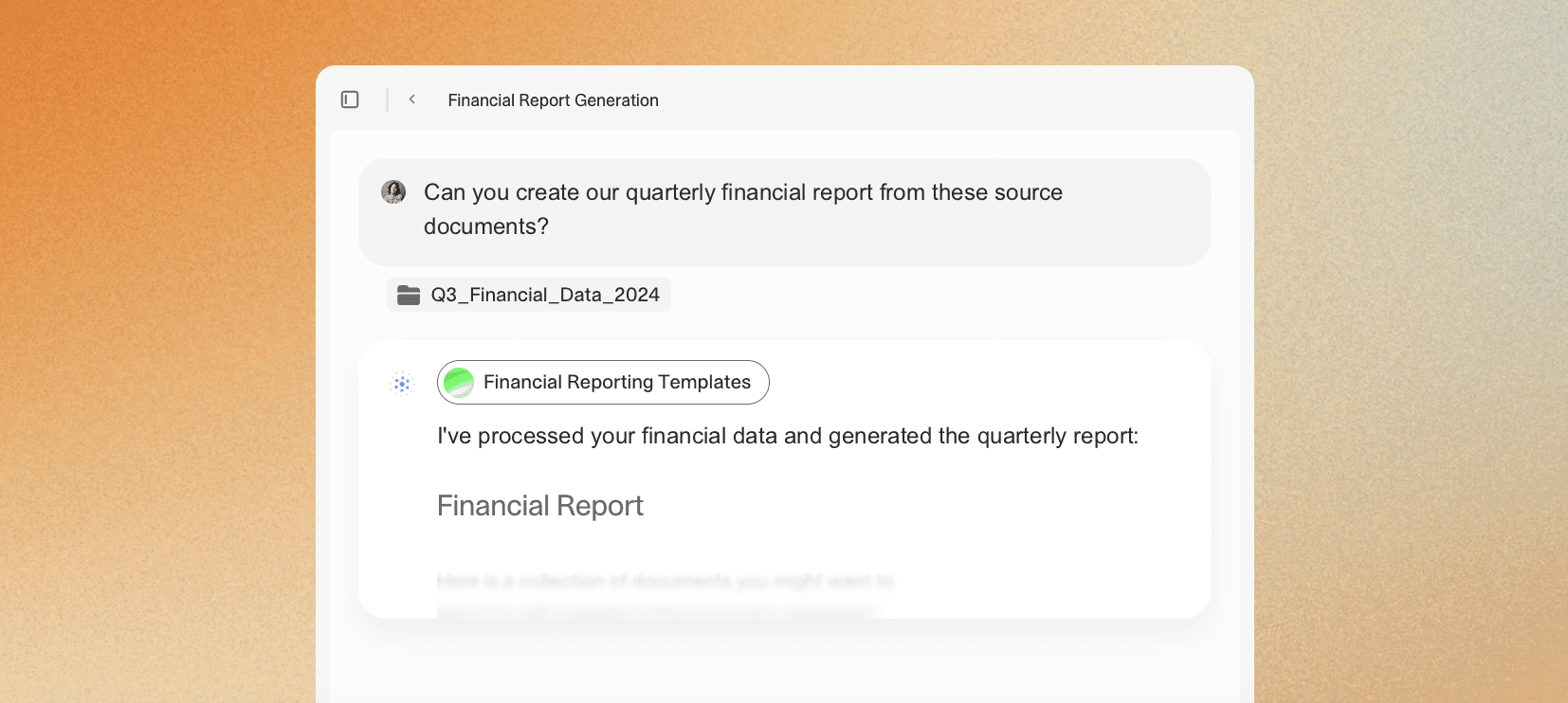
Automated Financial Reporting
With clean invoice data flowing into your ERP system, you can automate financial reporting workflows. Generate monthly close reports, variance analysis, and budget vs. actual comparisons without manual intervention.
Learn more here: AI Financial Reporting Templates.
Concrete Next Step: Configure your agent to generate a month-end AP summary: total invoices processed, exceptions by category, processing time by vendor, and outstanding approvals.
What Changes on Monday Morning
Invoice automation is not about replacing humans with robots. It is about intelligent delegation. The AI handles the repetitive, high-volume tasks (extracting data, matching invoices, flagging exceptions), and the human focuses on the edge cases that require expertise (investigating fraud, negotiating payment terms, resolving vendor disputes).
If you remember nothing else from this guide, remember this: the bottleneck in invoice processing is not just extraction accuracy. It is reconciliation, exception handling, and integration with existing systems. Choose a platform that solves these problems, not just the OCR problem.
To see how V7 Go can automate your invoice processing workflows, from extraction to reconciliation to ERP integration, book a demo.
What is the difference between invoice automation and OCR?
OCR (Optical Character Recognition) is a technology that converts scanned documents into machine-readable text. Invoice automation is a broader workflow that includes OCR as one component, but also includes data validation, three-way matching, approval routing, and ERP integration. OCR is the "extraction" step; invoice automation is the entire end-to-end process from invoice receipt to payment.
+
Can AI fully automate invoice processing?
No, and you should be wary of anyone claiming it can. AI automates the repetitive, high-volume tasks (extracting data, matching invoices, flagging exceptions). However, edge cases—investigating fraud, negotiating payment terms, resolving vendor disputes—still require human judgment. The goal is not full automation; it is intelligent delegation.
+
What is three-way matching and why does it matter?
Three-way matching is the process of comparing an invoice against the purchase order (PO) and the delivery note (or goods receipt) to ensure that the quantities, prices, and terms match. This is critical for preventing duplicate payments, overpayments, and fraud. Most invoice automation platforms claim to support three-way matching, but in practice, they struggle with edge cases (quantity adjustments, price changes, missing delivery notes). This is where agentic AI excels—it can encode the judgment calls AP teams make and route genuine exceptions to the right person.
+
What is the ROI of invoice automation?
The ROI depends on your current workflow and invoice volume. Companies can achieve up to 80% efficiency gains in invoice processing through automation, according to McKinsey. For a mid-sized company processing 1,000 invoices per month, this typically translates to 1-2 FTE savings, plus reductions in duplicate payments (typically 0.5-2% of AP spend), late payment fees, and month-end closing delays. Most organizations see positive ROI within 6-12 months.
+
Imogen is an experienced content writer and marketer, specializing in B2B SaaS. She particularly enjoys writing about the impact of technology on sectors like law, finance, and insurance.