Sep 16, 2026
Apps: Run a Workflow Without Opening It

An app is how you hand a workflow to someone without handing over the workflow. They get a page with the inputs it needs and a button to run it. The prompts, the tools and the steps stay behind it, out of view and out of reach.
You can create V7 Go Apps in chats. Describe the app and name the workflow it should run. V7 Go builds it, binds to that workflow, and publishes it when you approve.
What stays behind it
The instructions: Prompts and step instructions are not shown in the app and cannot be read from it.
The tools and the model: No tool list, no model picker. The app runs the configuration you set.
The ability to change any of it: An app is a way to run a workflow, not a way into it. Editing stays with the people who have workflow permissions.
The person running it sees a titled page, the inputs the workflow needs, and the result when it finishes. The run takes the route you configured, every time, and an uploaded file stays inside the workspace permissions it arrived under.
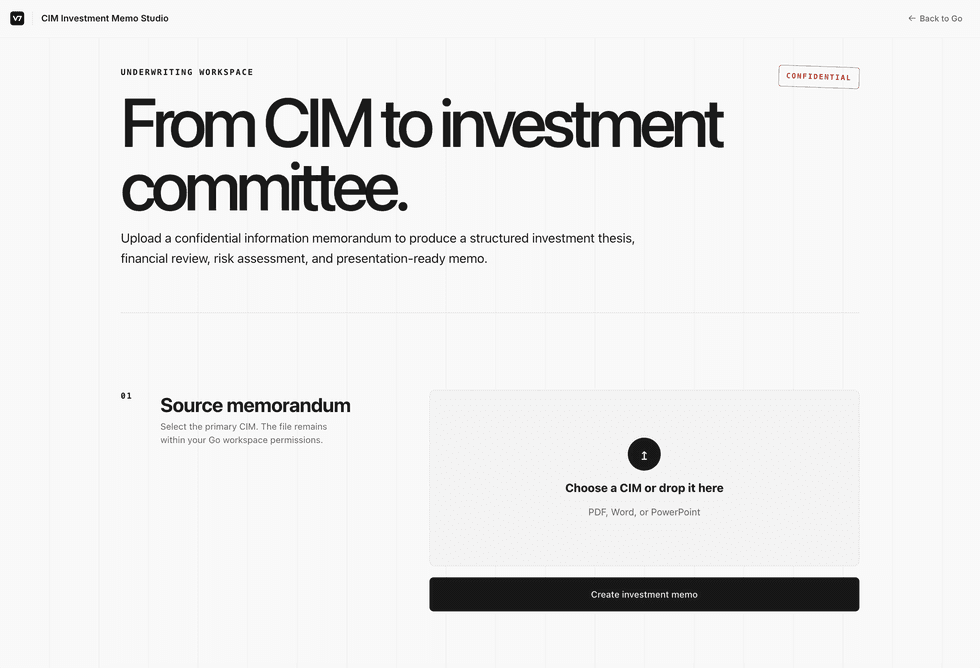
Building an app
In a chat, describe the app and name the workflow it should run.
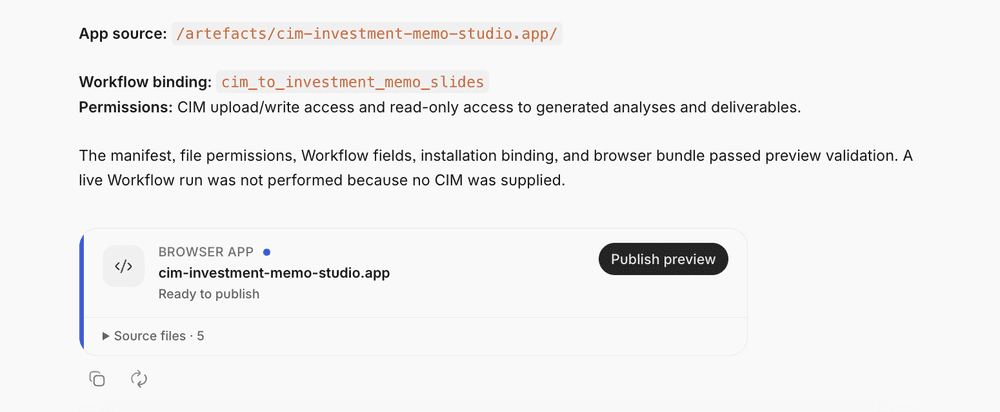
Review what V7 Go reports back: the app source, the workflow it is bound to, and the permissions it needs.
Use Publish preview. The app then appears under Apps in the left navigation, where anyone with access can find and run it.
Availability
Apps are behind a feature flag and switched on per workspace. Ask your V7 contact to enable it.

Andrea Azzini
Head of Product
